January 24, 2026
How AI Keyboard Apps Can Transform Your Daily Writing
In today’s fast-paced digital world, an AI writing assistant app for keyboard is more than a convenience — it’s a productivity game-changer for writers, professionals, and anyone who crafts text on the go. Whether you’re drafting emails, polishing essays, or posting on social media, the ability to rewrite and refine text directly through your keyboard can save time and reduce friction. In this article, we’ll explore how this type of tool works, why it matters, and how it can elevate your writing workflows.
What Is an AI Writing Assistant App for Keyboard?
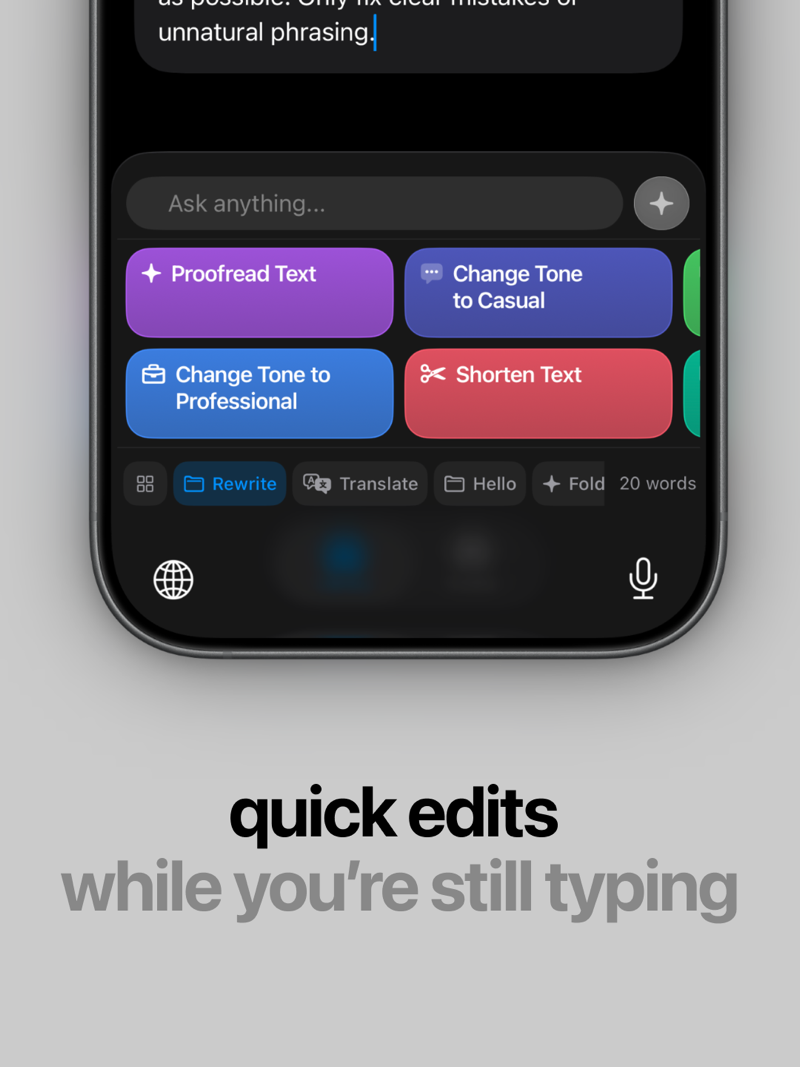
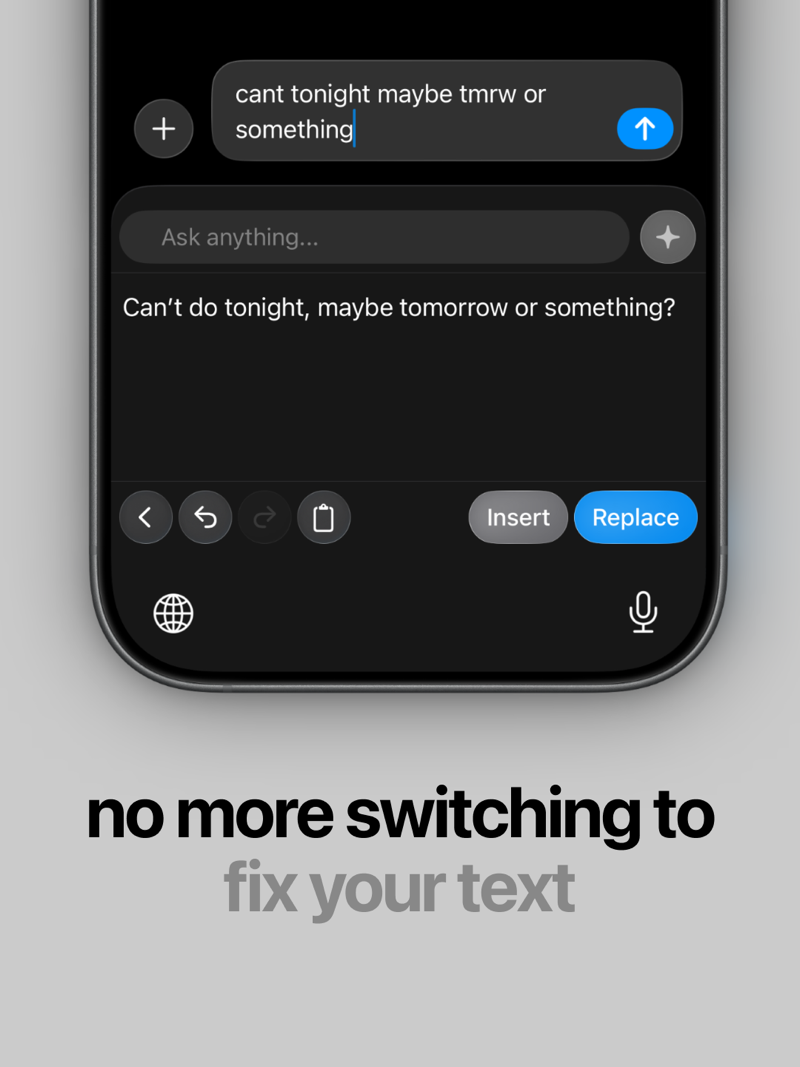
An AI writing assistant app for keyboard extends advanced language support right into the tools you use every day, such as messages, documents, and social platforms. Instead of copying and pasting text into separate apps or editors, these keyboard-integrated assistants offer real-time rewriting, phrasing suggestions, and clarity improvements within the typing experience itself. For example, tools like RewriteMate are designed to refine text with minimal interruption, helping users write more clearly, concisely, and confidently.
Boosting Writing Productivity With AI Tools
One of the most compelling benefits of adopting an AI writing assistant app for keyboard is the productivity boost it delivers. According to recent industry insights, AI adoption in writing tools has grown rapidly, with everyday users increasingly relying on AI for drafting and editing tasks. As AI-enhanced keyboards become more prevalent, writers report faster completion times and fewer rewrites, particularly when tackling repetitive or tedious edits. These improvements not only save time but also reduce cognitive load, allowing users to focus on higher-level ideas rather than mechanics. With a keyboard-integrated tool like RewriteMate, the gains are even more immediate:
- Real-time refinements mean fewer draft iterations
- Instant tone/tweak suggestions speed up email and messaging
- Grammar and clarity fixes happen without context switching
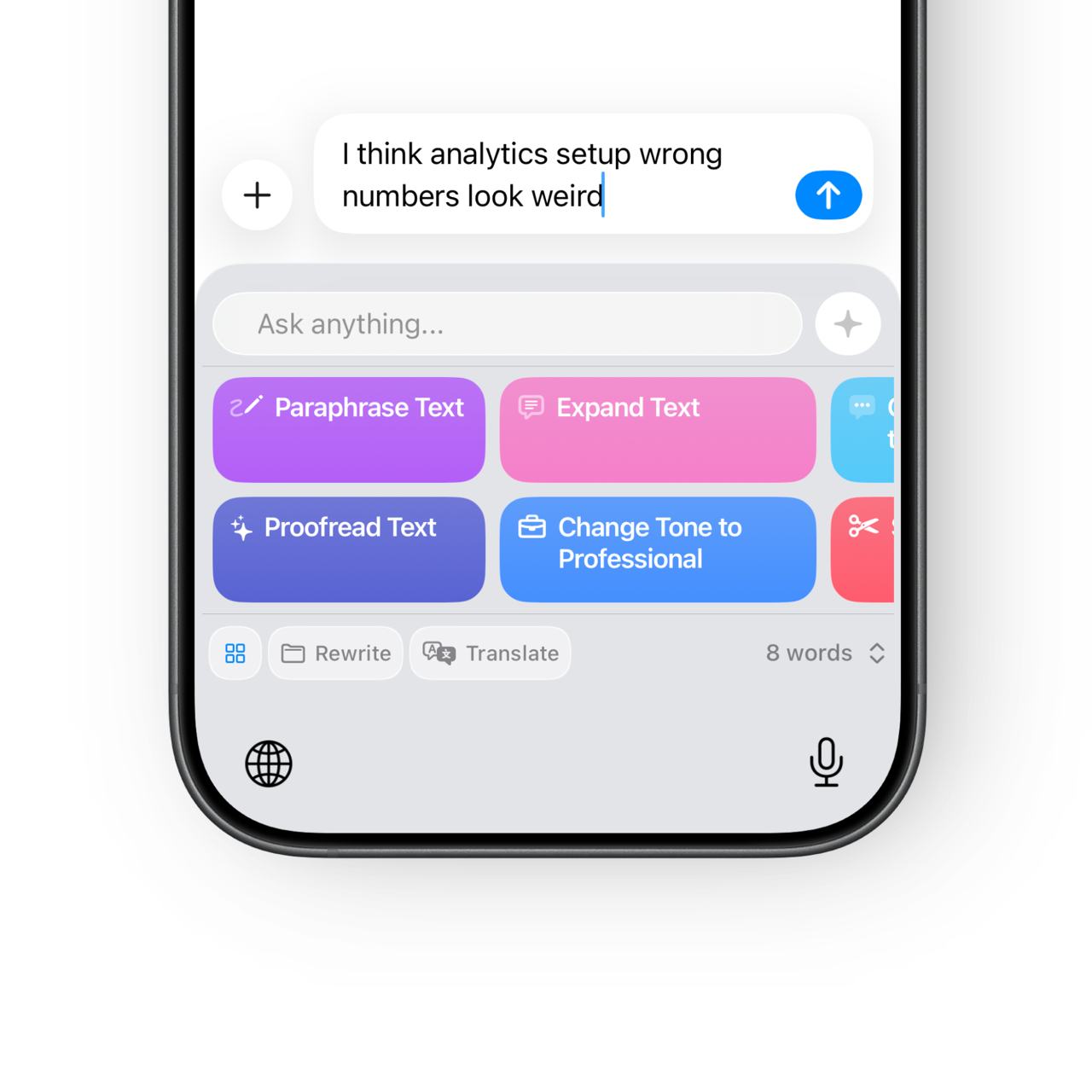
Writers, marketers, students, and professionals report completing tasks 30-50% faster when AI handles the polishing — allowing more focus on strategy and creativity.
Write better everywhere
Rewrite, rephrase, and refine text instantly without switching apps.
Use Cases: When Keyboard AI Helps Most
Users frequently ask questions like “Can a keyboard writing assistant help me write emails faster?” or “Will it improve grammar and tone without sounding robotic?”. The short answer is yes — when it’s thoughtfully integrated into your workflow. A keyboard-based AI helper can adapt to your style, suggest context-aware rewrites, and even help non-native speakers find the right phrasing for complex thoughts. From professional communications to academic drafts, an AI writing assistant can fill in where traditional spellcheckers fall short.
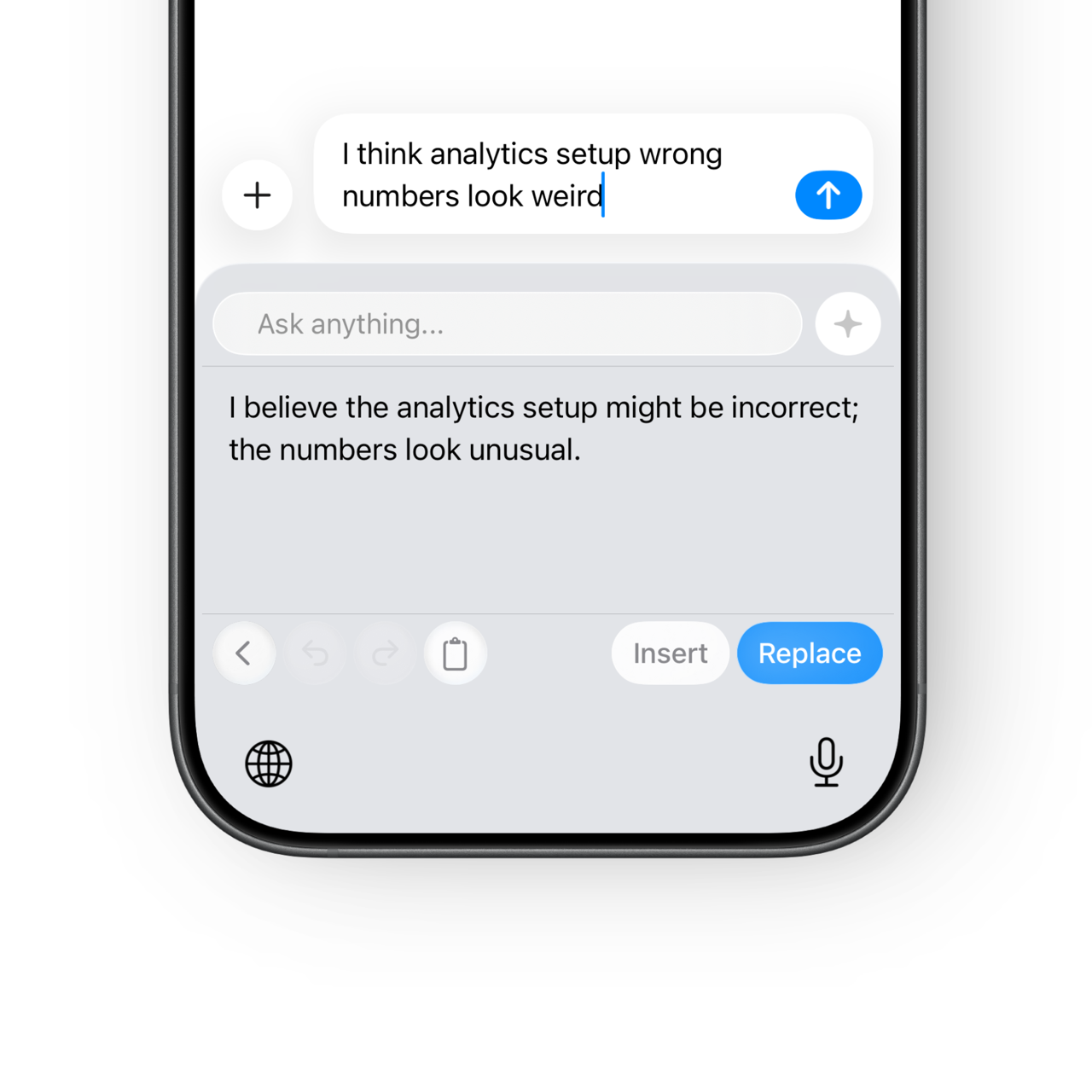
Why Non-Native English Speakers Love Keyboard AI Tools
A growing use case for keyboard AI writing tools is language support for non-native speakers. By suggesting clearer phrasing and idiomatic expressions in real time, these tools help writers express nuanced meaning with confidence. Many users find that this boosts both accuracy and fluency, particularly in professional or academic writing where precision matters most. In professional or academic contexts, this precision can make a significant difference.
Conclusion
In a world where writing happens everywhere — from chats to full-length reports — an AI writing assistant app for keyboard offers a seamless, powerful way to improve writing quality and speed. Ready to transform your writing? Try integrating an AI keyboard assistant into your daily workflow.
Sound clear, natural, and confident in every message.
Polish emails, chats, and posts with an AI keyboard built for real communication.
FAQS
Can an AI keyboard really help me write emails and messages faster?
Yes—especially for repetitive or high-volume writing.
By offering one-tap actions such as rewrite, shorten, polish, or adjust tone, an AI keyboard reduces the number of draft cycles. Many users rely on it to quickly clean up emails, clarify intent, or soften phrasing before sending—without rethinking every sentence from scratch.
Will my writing still sound like me?
That depends on the tool.
Some AI writing assistants apply fixed styles that can feel generic. RewriteMate is designed to be more transparent and customizable, allowing users to adjust prompts and presets so rewrites stay close to their original voice rather than replacing it.
Is an AI writing assistant keyboard useful for non-native English speakers?
Very much so.
Non-native speakers often use keyboard AI tools to refine phrasing, improve fluency, and avoid unnatural expressions while keeping their original meaning. Because suggestions appear in real time, users can learn better sentence patterns as they write—not after the fact.
Is my text private when using an AI keyboard?
Privacy varies by product, so it’s an important question.
RewriteMate processes only the text you explicitly select and does not store or reuse user content. This makes it suitable for sensitive writing such as work emails, academic drafts, or private messages.
Who benefits most from using RewriteMate?
RewriteMate is especially helpful for:
- Professionals handling frequent written communication
- Non-native English speakers seeking clarity and confidence
- Students refining essays and reports
- Social media creators polishing captions and tone
- Anyone who wants better writing without interrupting their flow

Felix Tran
Indie Developer & RewriteMate Founder