July 2, 2026
Mobile Productivity Apps For Writing in 2026
You're typing a message and it comes out wrong — not incorrect, just off. Stiff where it should be warm, rushed where it should be careful. The usual fix means copying the text, opening another app, waiting for a rewrite, then pasting it back into whatever you were doing in the first place.
That round trip is the real productivity tax on mobile writing in 2026, and it's why the tools below exist. Here are the five apps writers rely on most — starting with the one built specifically to remove that round trip.
1. RewriteMate
RewriteMate is an AI keyboard extension for iOS and macOS that rewrites, adjusts tone, fixes grammar, and translates text directly inside whatever app you're already using — Messages, Mail, Notes, Instagram, Slack, Notion, Safari, anywhere you can select text.
The interaction stays minimal: select text, tap a command, get a result, keep writing.
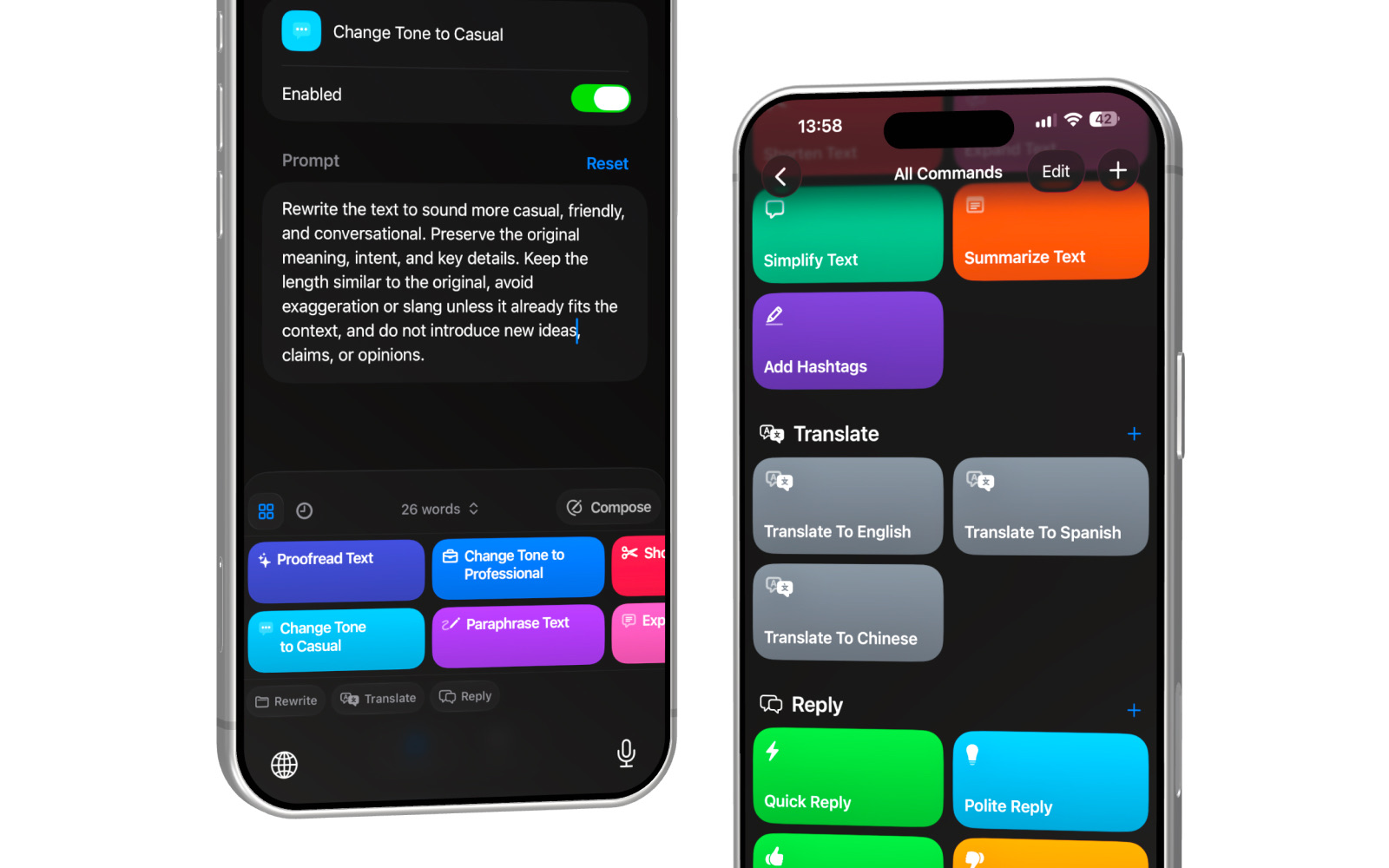
Rather than routing you through a separate chat app, RewriteMate puts more than 14 built-in commands — Proofread, Change Tone, Paraphrase, Shorten, Expand, Simplify — directly in a command bar above the keyboard. Select a sentence, tap Change Tone to Professional, and the rewrite streams in above the keys with three options: Insert, Replace, or Copy.
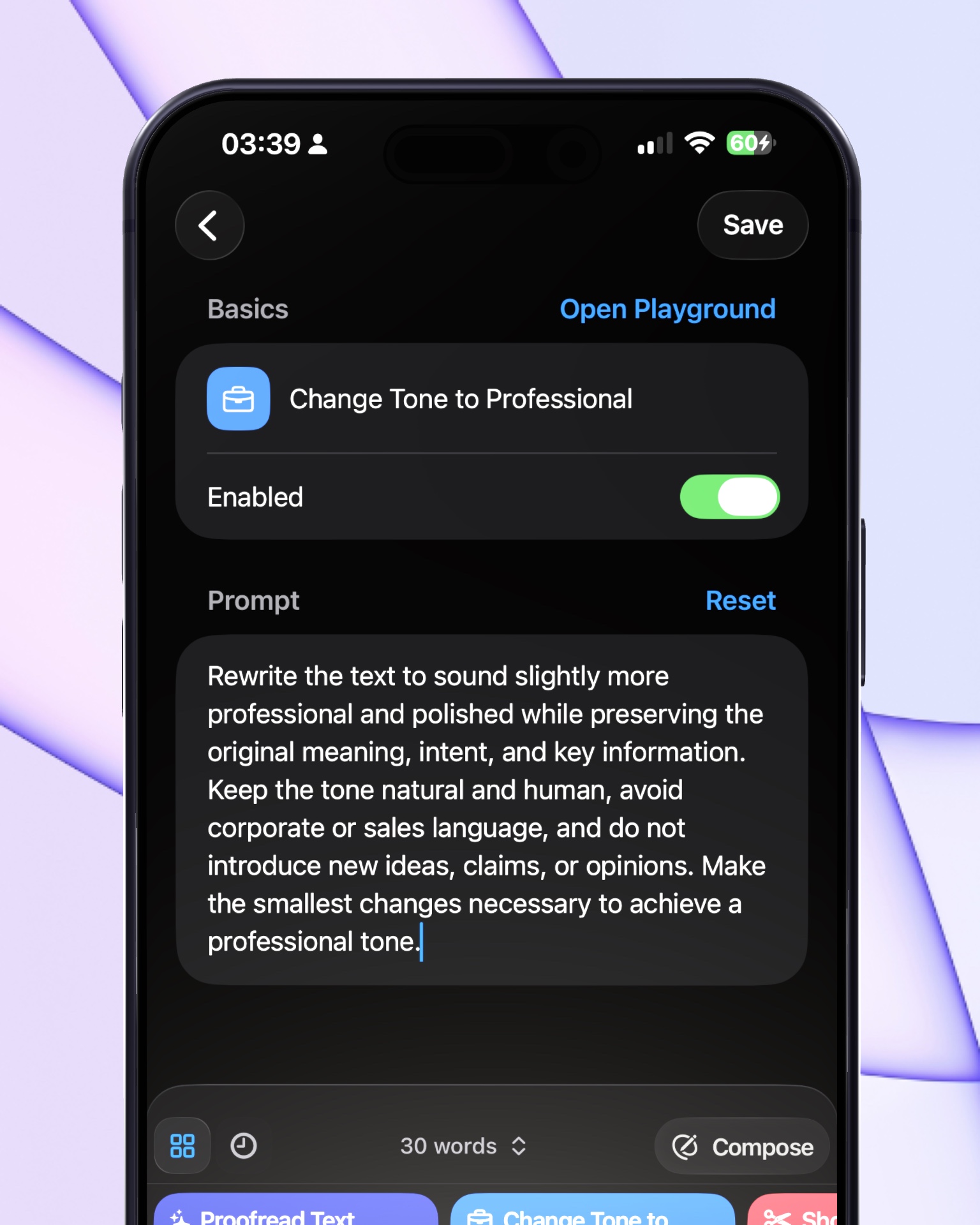
What sets it apart from a fixed-preset tool is the prompt editor. Every command is fully visible and editable — RewriteMate calls this its "glass box" approach — so a user can adjust exactly how a command behaves (for example: "make it more casual, but never add slang") instead of accepting a black-box result. Custom commands can be saved with their own icon and organized into folders, so a personal writing style becomes a one-tap shortcut instead of something re-explained to an AI every time.
It also supports translation to over 100 languages from the same in-keyboard panel, and Premium users can choose which underlying AI model powers their rewrites (including models from OpenAI, Anthropic, and Google), so the writing style isn't locked to one vendor's default voice.
On privacy, RewriteMate only processes the text a user explicitly selects — nothing is stored, logged, or used for training. For a tool that sits inside every text field on the phone, that's a real constraint, not a footnote.
If you want to see how it fits your workflow, RewriteMate is free to download on the App Store — it takes about a minute to set up.
2. Grammarly
Grammarly remains one of the most widely used writing tools on mobile, and its keyboard has moved well past simple red-underline corrections. Grammarly's AI assistant is now available in its keyboard for all users, offering one-tap rewrites across roughly 20 languages, tone detection, and full message rewrites adjustable for length, fluency, and tone — a meaningful shift from its older grammar-only reputation.
Where it still differs from a keyboard-native tool is the workflow: Grammarly's rewrite panel opens as an overlay you interact with in steps — select text, tap Improve It, choose a formality option — rather than a single persistent command bar. For heavy proofreading and clarity scoring across long documents, it's a strong baseline. For fast, in-flow rewriting inside a text message, it can feel like an extra layer.
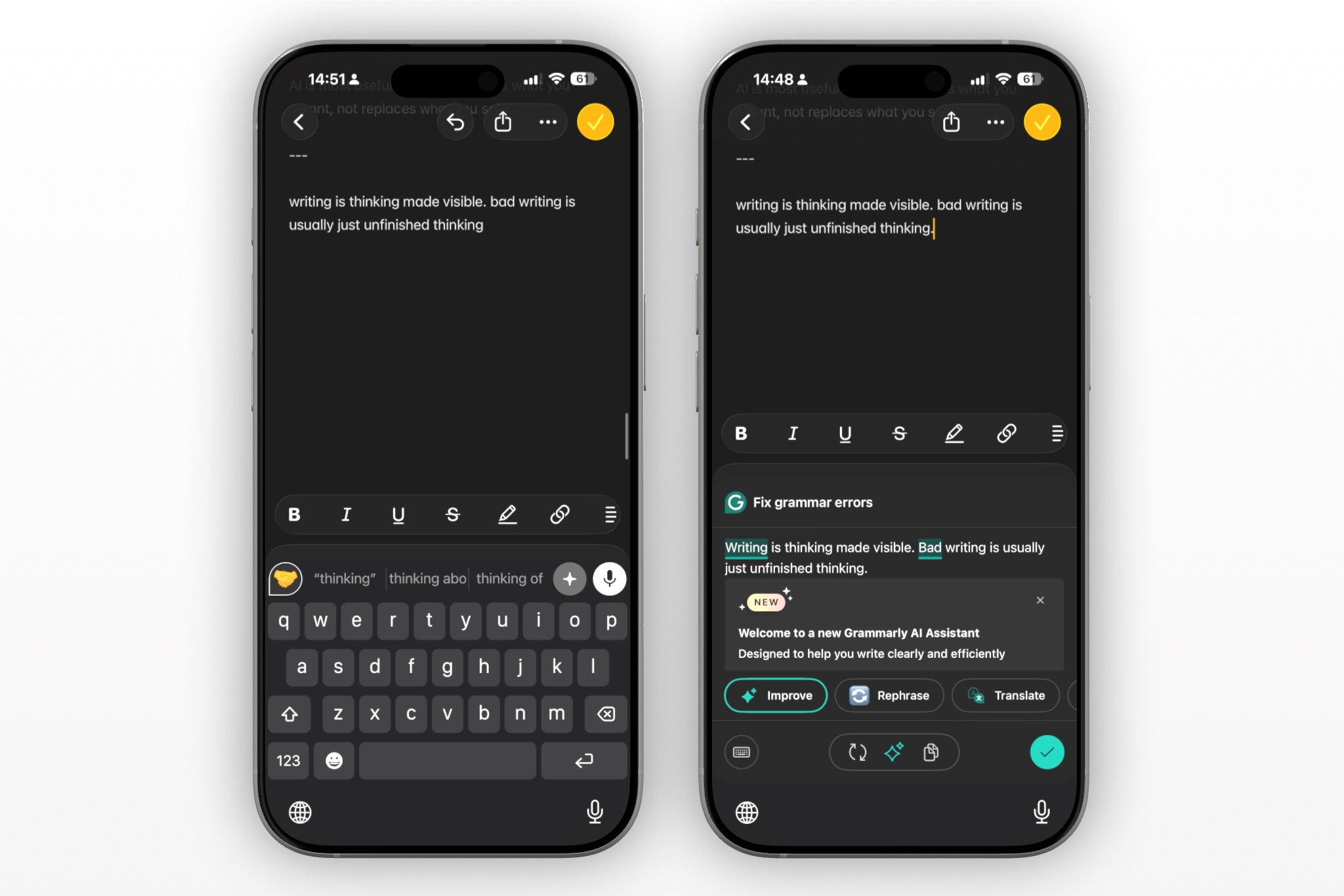
Apple Notes — A Reliable Place to Put Things Down
Apple Notes isn't a writing assistant, and it doesn't try to be one. Its value is that it opens instantly, syncs reliably across devices, and doesn't ask a writer to organize a thought before it exists.
Many writers use Notes as a first landing place for fragments and early drafts, then bring the more finished version into whatever app needs it — often polishing it there with a rewriting tool before sending.
Otter.ai — Dictation for When Typing Isn't the Right Mode
Not every idea starts as typed text. Otter.ai converts speech into structured text and is commonly used for voice notes, meeting recordings, and interview transcripts — capturing an idea before it's lost, rather than replacing typing altogether.
The output from a dictation app is usually a rough draft in its own right; most writers still run it through a separate rewriting or tone pass afterward, which is where an in-keyboard tool comes back into the workflow.
Microsoft SwiftKey — Predictive Typing, Not Rewriting
SwiftKey focuses on predictive typing — suggesting the next word or phrase, correcting typos automatically, and speeding up the mechanical act of typing itself. That's a genuinely different job from rewriting: SwiftKey helps with what comes next, not with reworking a sentence that's already been typed.
Writers who need tone changes or a full rewrite of existing text typically pair a predictive keyboard like SwiftKey with a separate rewriting command — which is the specific gap RewriteMate is built to fill.
Choosing Based on What You Actually Need
None of these tools compete on the exact same job. Otter.ai captures speech, Apple Notes captures fragments, SwiftKey speeds up typing itself, and Grammarly checks and rewrites with a strong focus on grammar accuracy. RewriteMate's job is narrower and more specific: taking text you've already written — anywhere on your phone — and reshaping its tone, length, or clarity in place, using rules you define yourself.
The best mobile writing setup in 2026 isn't one app doing everything. It's fewer interruptions between the thought and the finished sentence.
If in-app rewriting without the copy-paste cycle is the piece you're missing, RewriteMate is available on the App Store. What's your current fix for a message that just doesn't sound right yet?
Related articles
Keep reading

RewriteMate vs Grammarly Keyboard: Which Is Better for Mobile Writing?
Compare RewriteMate vs Grammarly Keyboard to see which iPhone writing assistant fits your workflow. Learn the differences in AI rewriting, grammar checking, customization, pricing, and everyday mobile writing.
Grammarly Alternative iPhone: RewriteMate vs Grammarly
A head-to-head comparison of the best AI writing keyboards for iOS, highlighting why custom prompts beat locked presets.

5 Best Grammarly Alternatives for iPhone in 2026
Grammarly's keyboard has gotten smarter — but here are five tools worth comparing if you write mostly on your iPhone.

Felix Tran
RewriteMate Dev & Editorial Lead
Write about everyday workflows, systems that help ideas move faster, from first draft to finished work.