June 30, 2026
The 5 Best AI Keyboards for iPhone in June 2026, Ranked
I spent the last few weeks switching between five different AI keyboards on my iPhone, trying to find one that actually solved this without creating a new chore. Most of them can clean up a sloppy sentence. Far fewer can hold onto your actual voice while doing it.
It matters whether you're a non-native English speaker checking a work email, a support rep replying to ticket forty of the day, or a creator racing to post a caption before the moment passes. Each of those people needs something slightly different from a keyboard, and the gap between "fixes my grammar" and "sounds like me" is where most of these tools fall short.
The keyboards below range from fully baked into iOS to fully built around your own custom instructions, and where each one lands on that spectrum decides who it's actually good for. Here's how the top five stack up in 2026.
1. RewriteMate AI Keyboard
Most AI tools ask you to work inside their rules. RewriteMate starts from the opposite assumption: you write the rule. If you are looking for a tool that closes the gap between "fixes my grammar" and "sounds like me," this is the benchmark. Every command, built-in or custom, opens as an editable prompt. Want "Change Tone to Professional" to also drop the exclamation points and keep sentences short? Open the prompt, add that instruction, save it, the next rewrite follows your version, not a generic one.
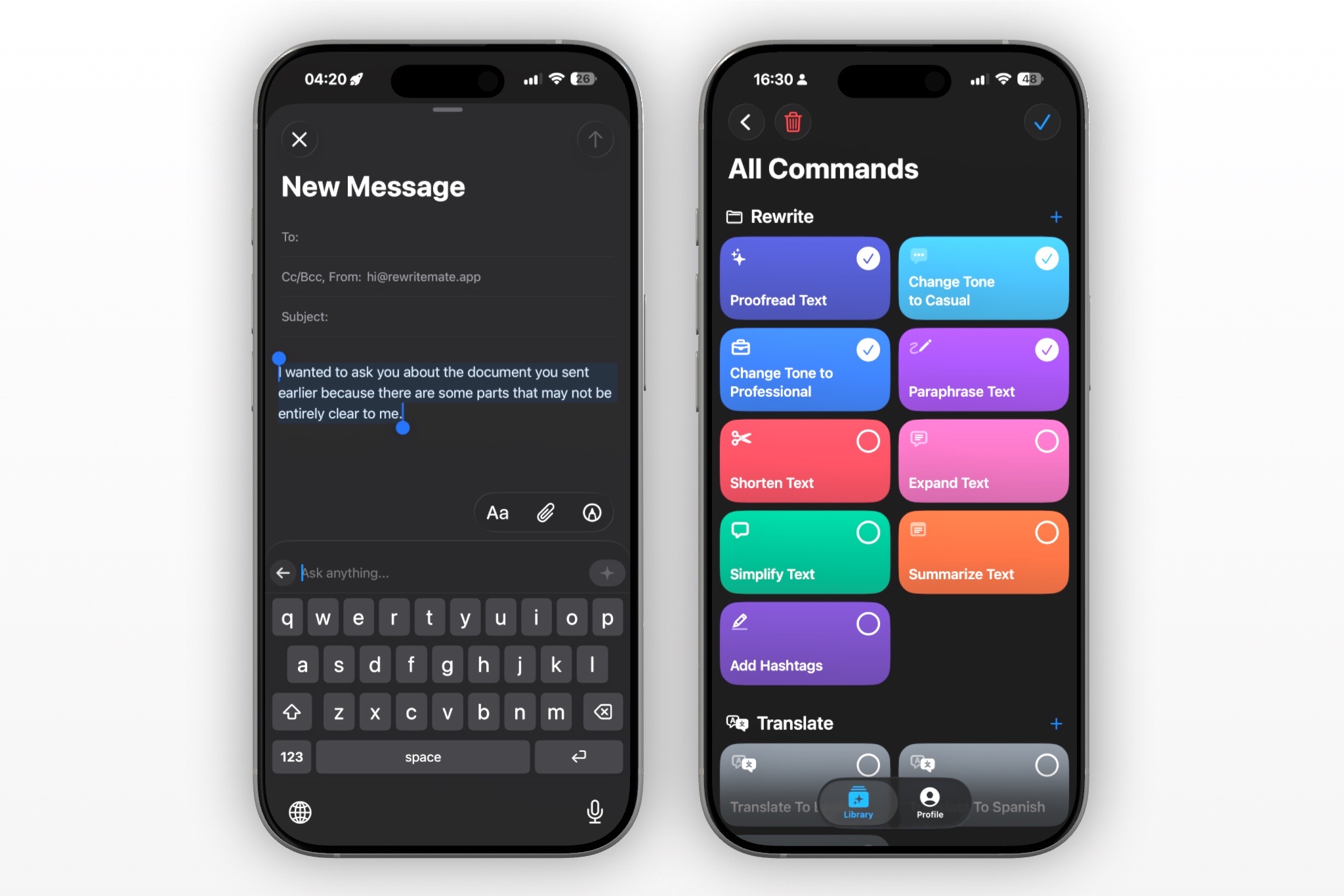
Custom commands get their own icon and color, then organize into folders Work, Social, Replies, whatever fits your day. A support rep's tone-matching command and a creator's caption punch-up command can both live one tap away without crowding each other out. Draft a rough reply in Slack, tap your custom command, and the rewrite streams in right there in the message field. No switching apps, no clipboard, no losing your place in the conversation.
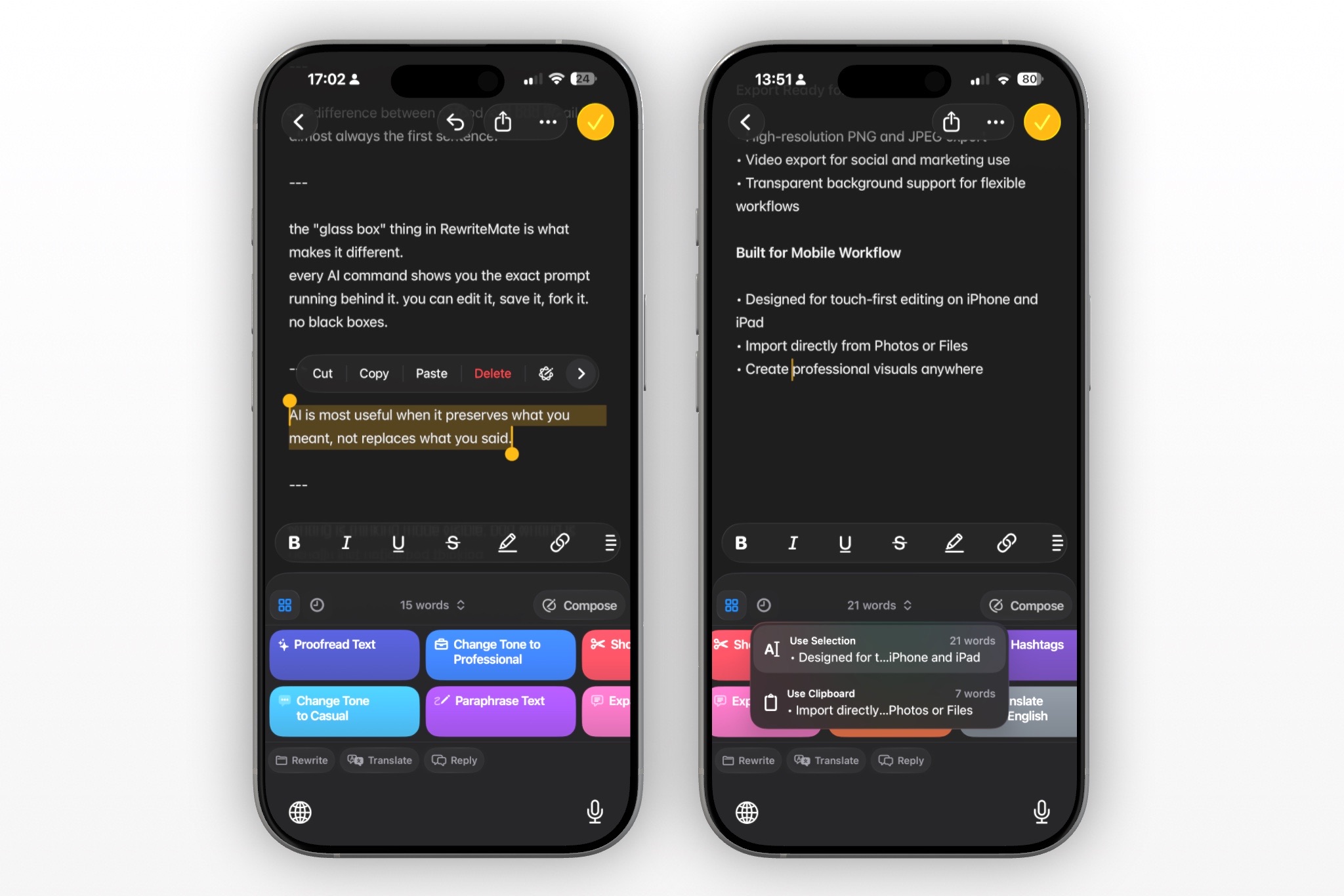
Beyond the custom commands, there are 14-plus built-in ones covering the basics. Proofread, Paraphrase, Shorten, Expand, Translate, tone changes, and reply suggestions for messages you're responding to, not just writing from scratch. It also offers a choice of underlying AI model, including Claude, GPT, and Gemini, so the writing engine isn't locked to one company's style either.
There's also a Prompt Playground for testing a new command against sample text before you save it to your keyboard, plus an "Ask anything" field for one-off requests that don't need a saved command at all. Useful for the one time you need "rewrite this as a bulleted list" instead of a fifteenth permanent shortcut. If you want a keyboard that works the way you already write instead of forcing you into pre-made lanes, RewriteMate is free to download, and setting up your first custom command takes about a minute.
2. Apple Intelligence (Writing Tools)
Apple's Writing Tools win on convenience before they win on anything else. There's nothing to download, nothing to set up, and no copy-pasting required.
Select text almost anywhere — Notes, Mail, Messages, Safari, most third-party apps — and Writing Tools shows up with Proofread, Summarize, and three rewrite tones: Friendly, Professional, and Concise. For basic cleanup on a quick text, that's genuinely enough.
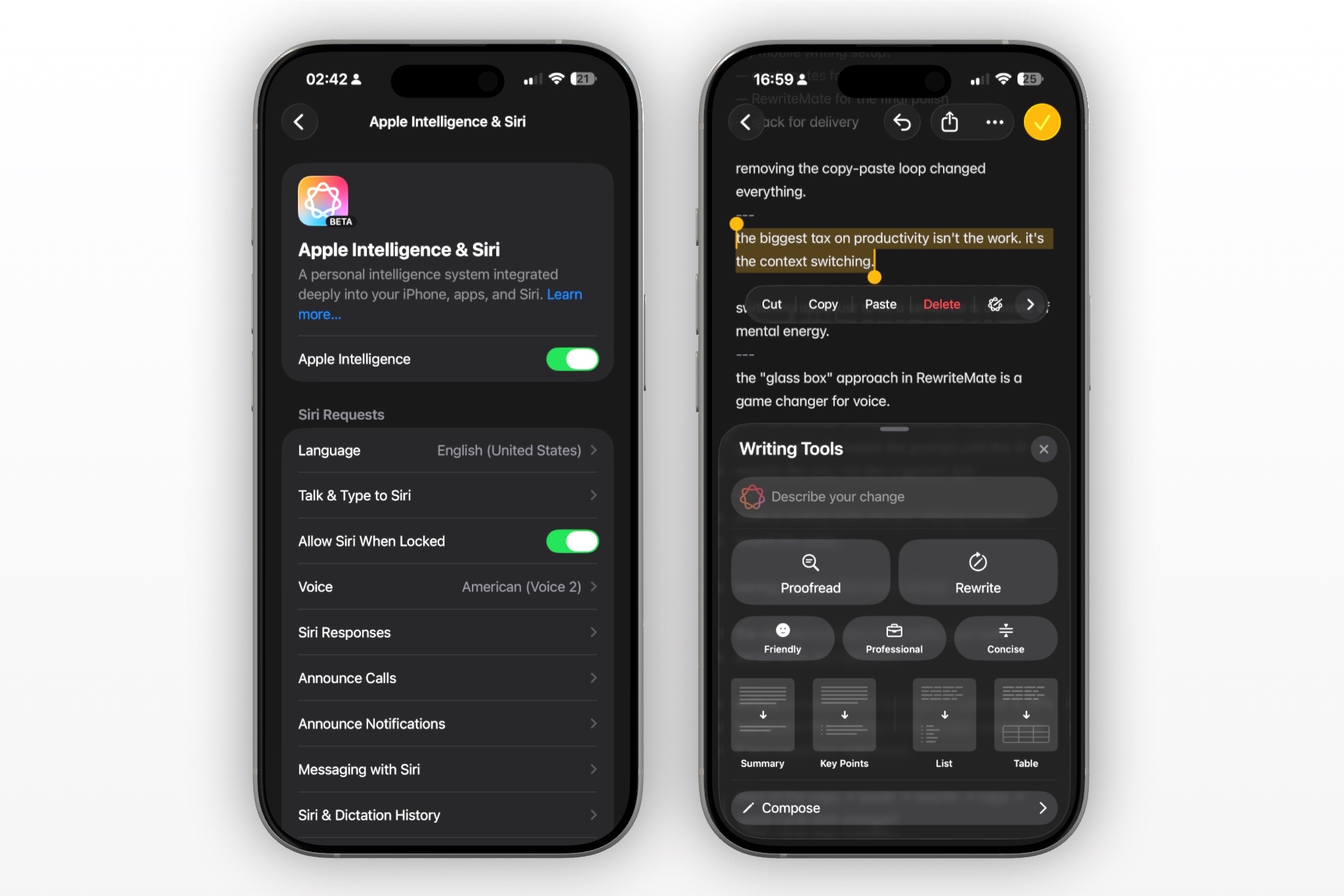
The catch is the hardware gate. Apple Intelligence needs an iPhone 15 Pro or newer, since the A17 Pro chip is the floor — so the standard iPhone 15, the 15 Plus, and anything from the iPhone 14 generation or earlier don't get Writing Tools at all, no matter how current the software is. Free only matters if your phone is new enough to actually run it.
Even on a qualifying phone, the three tone presets are fixed. You can't tell Writing Tools to match your usual sign-off, avoid a specific phrase, or sound like you closing a deal versus you texting a friend — it rewrites within Apple's three lanes, not yours.
There's also a separate "Compose with ChatGPT" handoff for moments when you need new text instead of an edit to something you already wrote. It works, but it's a distinct step out of Writing Tools, not something built into the rewrite flow itself.
Writing Tools make the most sense if you've got a qualifying iPhone and only need occasional cleanup. Think a quick proofread before sending, not a daily voice-matching tool.
3. Grammarly Keyboard
Grammarly is still the keyboard most people think of first, and the grammar engine earns that reputation. It catches subject-verb mismatches, misplaced commas, and word-choice slips that basic autocorrect waves right through.
It's grown well past simple error-catching, too. Generative rewrites now produce full new versions of your message, adjusting length, fluency, and tone in a couple of taps, not just two fixed buttons.
The tone options still come from Grammarly's own menu, though. You pick from the choices it presents to you — you don't get to write your own instruction explaining how you specifically want to sound.
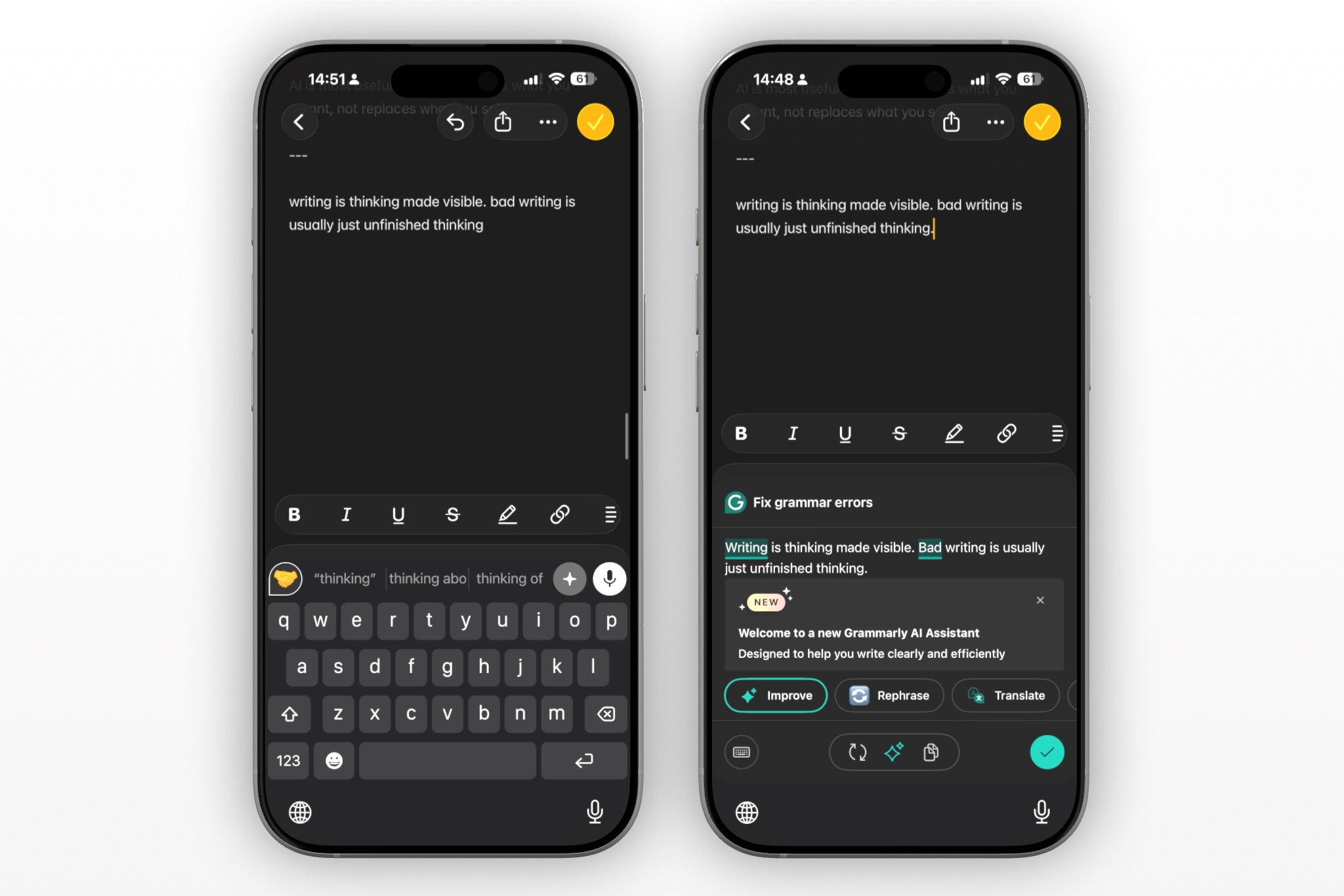
Voice dictation is the other place Grammarly stands out. Speak naturally and it strips out filler words, fixes the grammar, and keeps your tone intact, which is a genuinely fast way to draft a reply on the move.
The deeper rewrite features also sit behind a daily prompt limit on the free tier, plus a premium gate for full tone transformations. Fine for occasional polish, less fine if you're rewriting messages all day.
Grammarly still makes sense if grammar accuracy is your main worry, especially while you're learning the rules behind the corrections. It's a tighter fit if you need the exact same tone every time, in your own words.
4. Microsoft SwiftKey AI Keyboard
SwiftKey ships with Microsoft's Copilot built right in, and it's genuinely capable. Search the web without leaving your chat, ask Copilot a question mid-conversation, rewrite a sentence in a different tone, or generate an image to drop into a message.
That range is also the catch. The toolbar carries search, chat, image and meme generation, GIFs, stickers, and themes alongside the actual rewriting tools, so the one feature you opened the keyboard for competes for space with everything else Copilot can do.
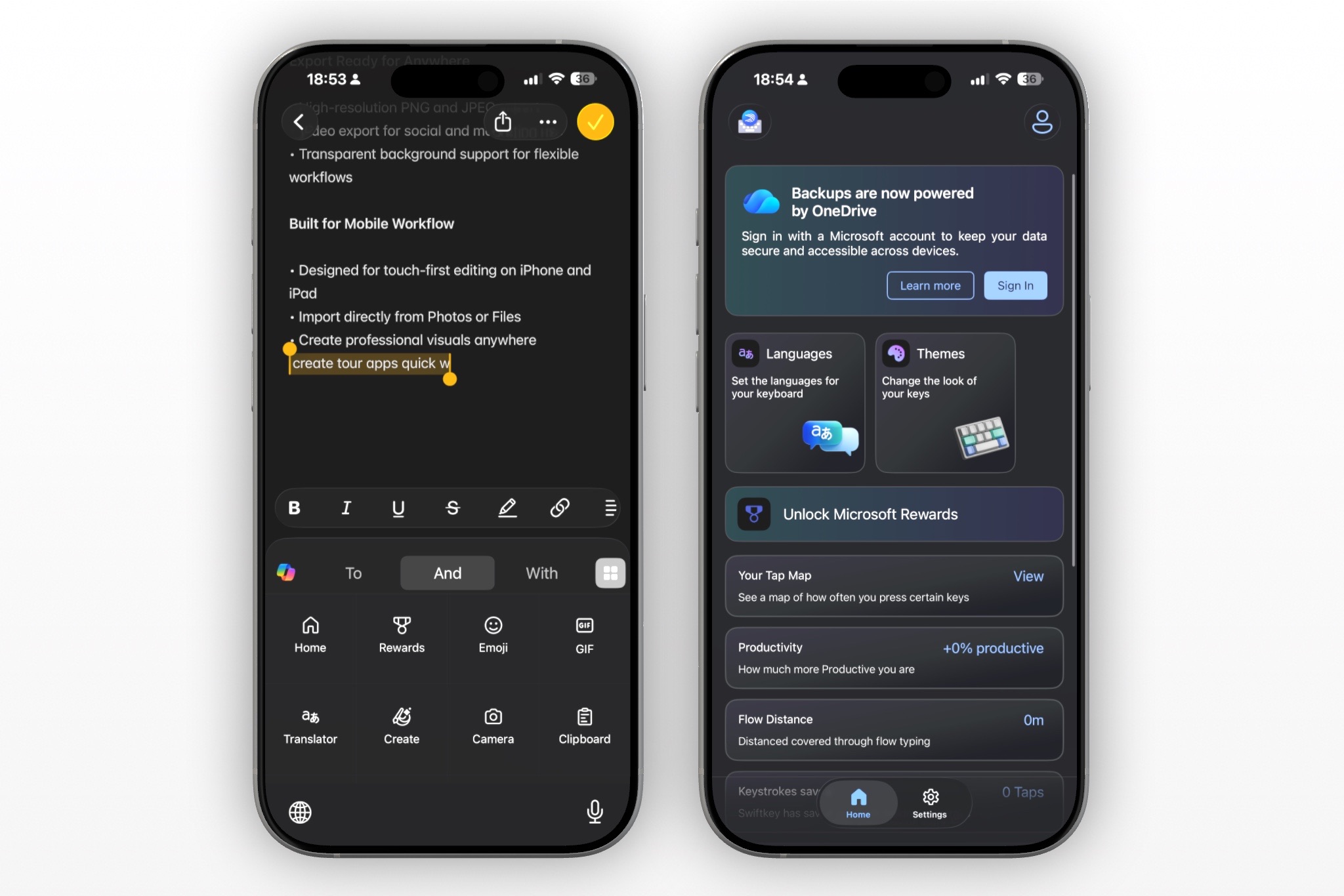
Getting the full Copilot experience also means signing into a Microsoft account from inside the keyboard, a step that's tripped up enough people to show up repeatedly in App Store reviews.
To be fair, the typing fundamentals are still excellent. SwiftKey's swipe and prediction engine, the original reason people loved it, still handles over 700 languages and learns your slang and shorthand better than most competitors.
If you want an AI keyboard that doubles as a mini chatbot and image generator, this is a strong pick. SwiftKey fits someone who wants one app to handle typing, quick research, and the occasional AI image, all without leaving the conversation. It's a lot of keyboard for someone who only wanted a better sentence.
4. Writely AI Keyboard
Writely targets the creator and social media manager who views their keyboard less as a standard editing tool and more as a portable brainstorming buddy. Instead of just tweaking sentences, it focuses heavily on structured, generative creation—allowing you to pick from a vast library of ready-made prompts categorized into tabs like "Social," "Writing," and "Work" to draft full emails or social captions right from your text stream.
It also comes with a few highly specific creative tricks that you won't find on standard corporate keyboards, like an automatic emoji formatter that suggests icons based on the general emotional tone of your text, and a tool that can instantly convert regular text messages into original poems.
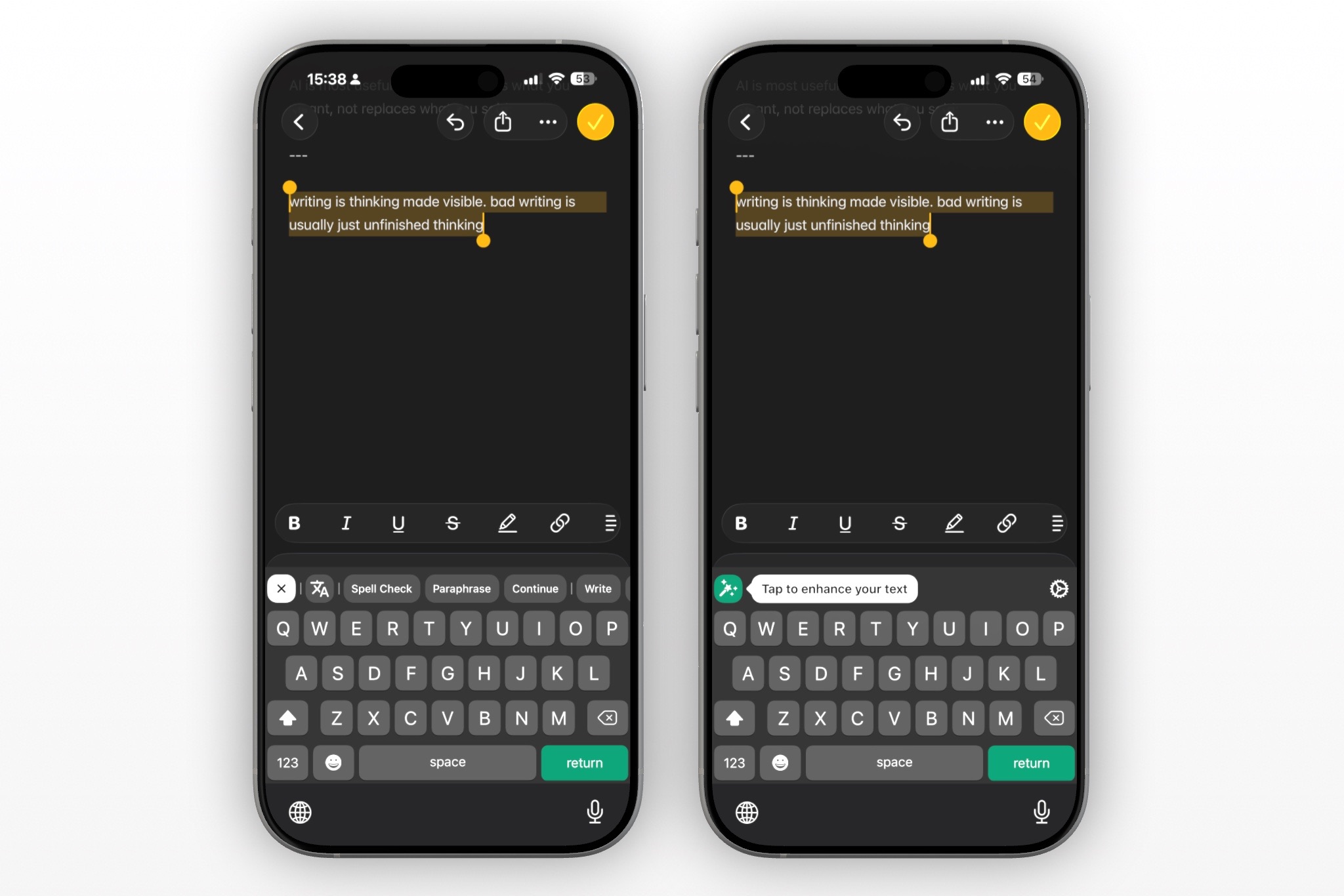
The app functions as a dual experience: a standalone dashboard packing an "all-knowing AI chatbot" to help brainstorm broader concepts (like summarizing books or answering one-off questions), alongside a system-wide third-party keyboard that handles your standard grammar checking, sentence completion, and paraphrasing.
The tradeoff is how aggressively the app locks down its functionality. Writely hits you with a strict paywall almost immediately upon download, and the full utility of the keyboard is tied tightly to its premium subscription tier.
Additionally, because it packs themes, chat modules, and heavy generation templates into one interface, it can feel a bit cluttered if you just want an invisible, lightweight typing companion.
Writely is a great fit for users who want a versatile writing companion, love structural templates, and want a chatbot built directly into their typing interface. It’s less of a fit for purists looking for seamless, un-gated background autocorrect.
5. CleverType AI Keyboard
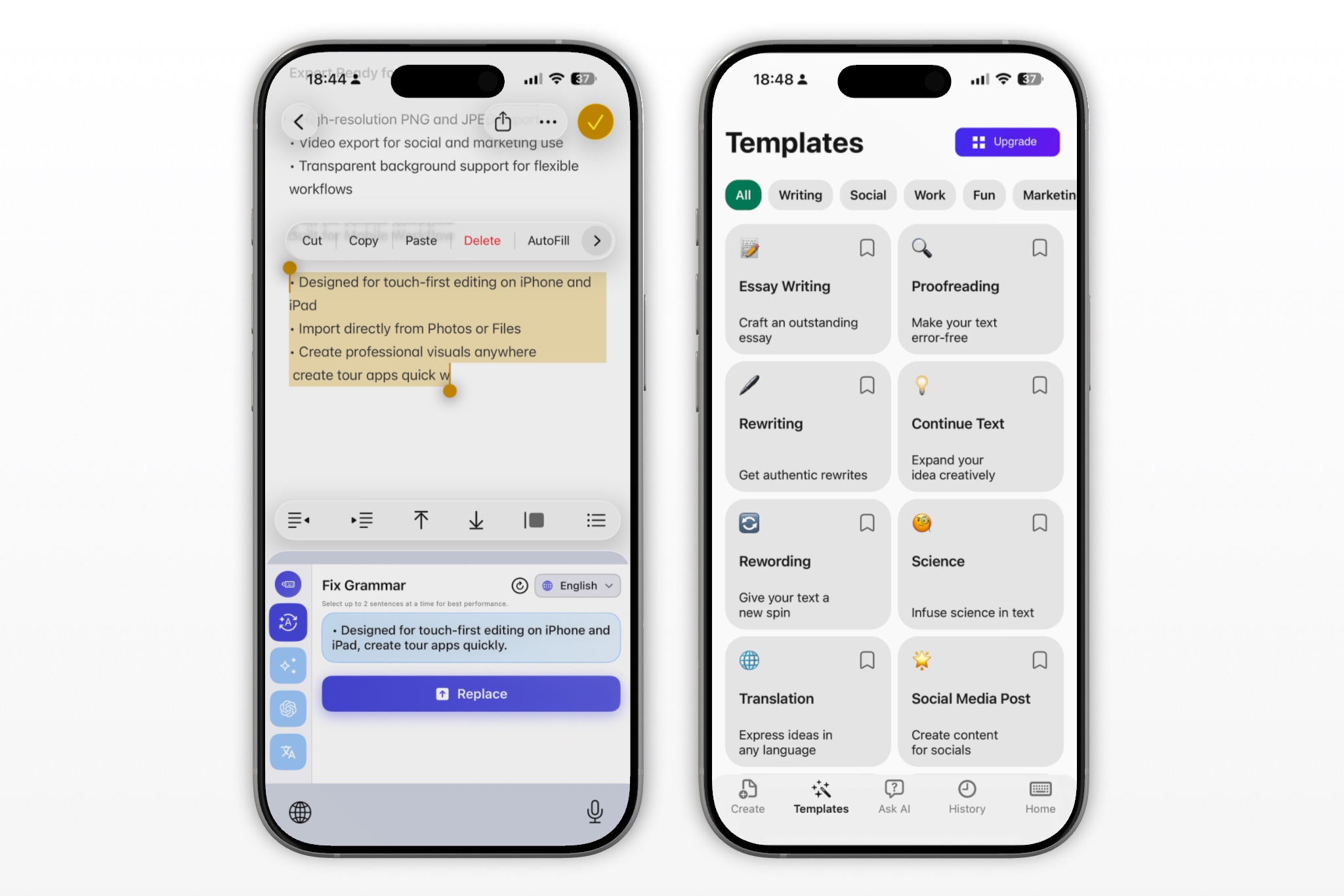
CleverType deserves more credit than it usually gets in these roundups. It has real custom AI assistants — you write your own instructions, save them, and they show up as one-tap shortcuts above the keyboard, not buried three menus deep.
The tone library is broad, too: professional, casual, polite, sarcastic, even poetic, on top of 30-plus built-in writing assistants and translation across 40-plus languages.
The limit is the toolbar itself. The quick-action row only holds up to eight shortcuts, so once you've built a custom assistant for client emails, another for social captions, and a third for quick replies, you're already close to the ceiling.
It's also one of the few keyboards on this list built for more than iPhone — CleverType runs on Android and desktop too, with basic corrections processed on-device and only the heavier AI requests going to the cloud.
CleverType fits someone who writes in a handful of consistent contexts and wants real custom prompts without much setup. It gets tighter once your work spans more scenarios than its shortcut row can hold.

Felix Tran
Indie Developer & RewriteMate Founder