Social Media & Content Creator Workflows
Write captions, replies, and posts faster — directly from your keyboard. No more switching between apps to polish your content.
AI keyboard for iOS and macOS. Free to try.
The Content Creator's Friction
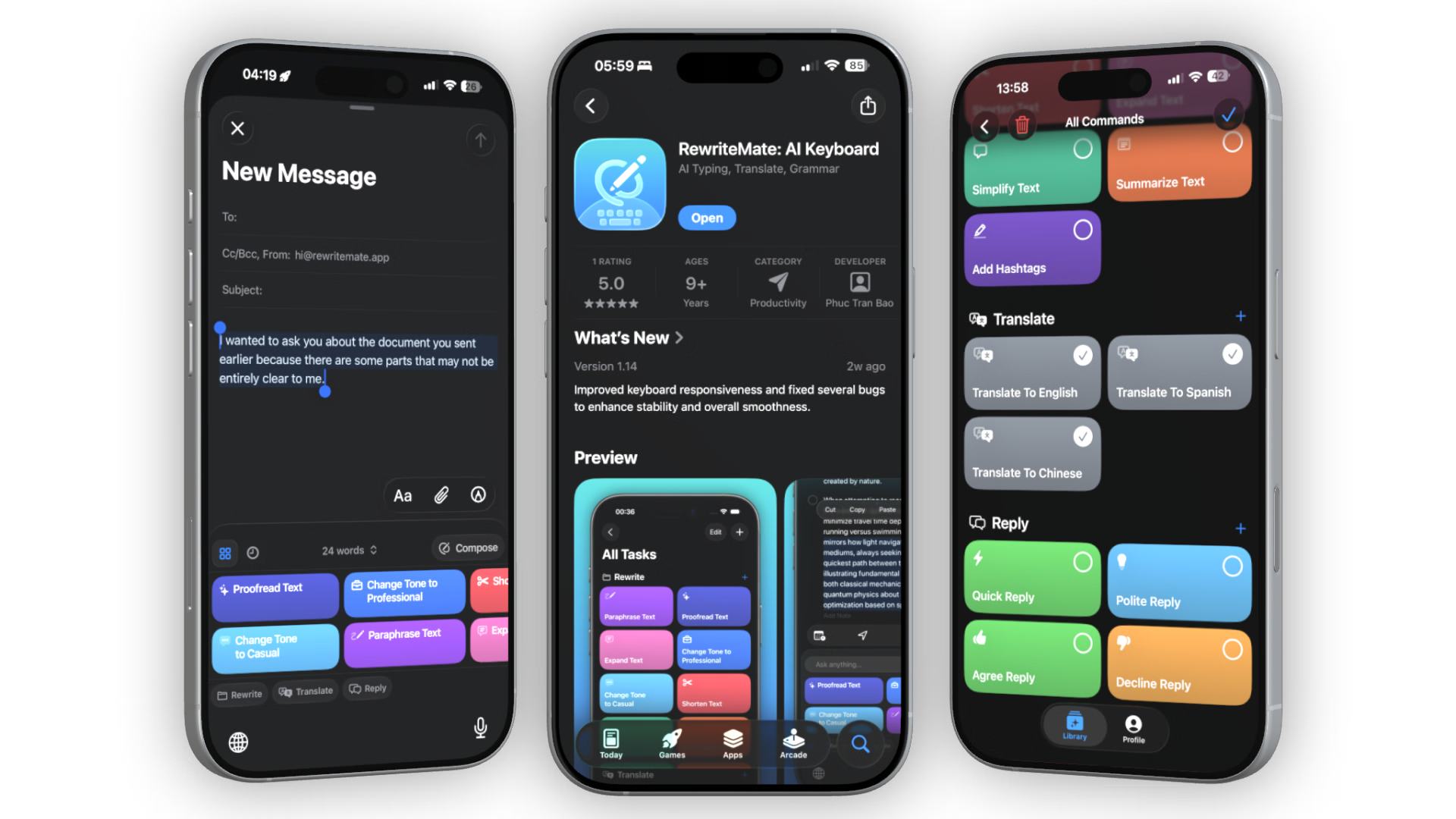
Writing captions, replies, and posts across multiple platforms means repeating the same work — draft in Notes, paste into a rewriting tool, copy back, paste into the app. Every context switch kills your flow. RewriteMate lives inside your keyboard, so you can rewrite, rephrase, and polish your content without ever leaving Instagram, TikTok, LinkedIn, or X.
One-Tap Caption Workflows
Polishing a Raw Draft
Type your caption → Select text → Tap Paraphrase → Add Hashtags → Copy
Clean up rough ideas and add relevant hashtags in seconds.
Shorten for Character Limits
Select text → Tap Shorten → Review → Insert
X/TikTok bios and captions need to be tight. Shorten cuts fluff without losing meaning.
Repurpose Across Platforms
Select caption → Tap Paraphrase → Tweak tone → Paste on next platform
One idea, multiple formats. RewriteMate helps you adapt without starting from scratch.
Quick Replies to Comments
Type a rough reply → Tap Polite Reply or Quick Reply → Insert
Engage with your audience faster. Keep your brand voice consistent across every response.
Tone Switching for Every Platform
The same message needs a different voice on each platform. RewriteMate's Change Tone command adjusts your text instantly — no rewriting by hand.
We just dropped a new feature that's going to change everything.
✨ I'm excited to share our latest update — designed to help you work more efficiently.
New feature drop. It's pretty cool, check it out.
✨ Something new just landed and we think you're going to love it ✨
TikTok
Tone: Creative / CheekyHere is a tutorial for our new editing tool.
✨ PSA: stop manually cropping your videos. This one trick saved me 10 minutes today ⏱️
X (Twitter)
Tone: Concise / PunchyWe have published a new blog post about how to grow your audience on social media.
✨ New post: grow your audience without burning out. Read time: 3 min.
Compose for Brainstorming
Stuck on a hook or caption idea? Use the Compose tab to type a free-form instruction and let the AI generate options directly in your keyboard.
Try these Compose prompts:
Custom Commands for Recurring Formats
Save your most-used content formats as custom commands with a tap. Create them once in the RewriteMate app, and they appear as chips in your keyboard.
Caption: Product Launch
Custom saved command chip
Reply: Customer Question
Custom saved command chip
Bio: Short & Punchy
Custom saved command chip
Create Better Content with AI
RewriteMate helps you write captions, switch tones, and generate ideas directly inside Instagram, TikTok, LinkedIn, X, and every other app.
Download RewriteMate FreeFrequently Asked Questions
Can RewriteMate add hashtags to my captions?▾
Yes. Select your caption text, tap the Add Hashtags command, and RewriteMate generates relevant hashtags based on your content. Copy and paste into your post.
Does RewriteMate work inside Instagram and TikTok?▾
Yes. RewriteMate is a system-wide keyboard extension. It works in any text field across any iOS or macOS app, including Instagram, TikTok, LinkedIn, X, and more.
Can I use different tones for different platforms?▾
Absolutely. The Change Tone command lets you switch between Professional, Casual, Friendly, Formal, and Creative. Use Compose for custom instructions like 'Make this sound cheeky for TikTok.'
How do I create a custom command for recurring content?▾
Open the RewriteMate app, tap the + button, give your command a name, icon, and prompt. It will appear as a chip in your keyboard's top bar.
Is RewriteMate free for content creators?▾
Yes. The free tier includes powerful commands like Paraphrase, Add Hashtags, and Change Tone. Upgrade to Pro for unlimited use and custom commands.