Writing Guide
Write clearly, concisely, and with confidence. Learn the principles of good writing, then use RewriteMate"s AI keyboard to polish words in any app — Messages, Mail, Notes, Slack, and more.
AI keyboard for iOS and macOS. Free to try.
The Four Pillars of Good Writing
Clarity
Your reader should never have to re-read a sentence to understand it. Use plain language, short sentences, and familiar words.
Conciseness
Say what you need to say and stop. Remove filler words like very, really, actually, and just.
Structure
Organize your writing so the main point comes first. Use headings, short paragraphs, and bullet points to guide the reader.
Tone
Match your tone to your audience. Professional for work, friendly for coworkers, warm for customer communication.
Mastering Mobile AI: Prompt Engineering
Good writing applies to how you instruct AI, too. When you use an advanced keyboard extension, writing custom instructions turns the AI into a precise assistant that mirrors your true intent.
The Problem with Rigid Buttons
Standard mobile presets like “Make Professional” or “Casual” strip away context, often producing dry, generic fluff that sounds robotic.
The Power of Custom Instructions
Editable prompts give you total control. Specify the details:“Shorten this email, make it warm, and do not apologize.”
Fixed Presets vs. Custom Commands
Saying "No" to a Client
Drafting a Quick Slack Update
The Writing Process
1. Plan
Know your audience and your goal before you write. What do you want the reader to know, feel, or do?
2. Draft
Write without editing. Get your ideas down first. Don't worry about perfection — you will fix it in the next step.
3. Revise
Read your draft aloud. Cut unnecessary words. Check that your argument flows logically.
4. Edit
Fix grammar, spelling, and punctuation. Use a grammar checker to catch what you missed.
Common Writing Weaknesses
Passive Voice
Before: The report was written by the team.
After: The team wrote the report.
Wordiness
Before: In the event that the meeting is cancelled, we will notify you.
After: If the meeting is cancelled, we will notify you.
Jargon
Before: We need to leverage our core competencies.
After: We should use our strengths.
Redundancy
Before: The end result was a final conclusion.
After: The result was a conclusion.
Engineered for Writing Flexibility
Custom Task Cards
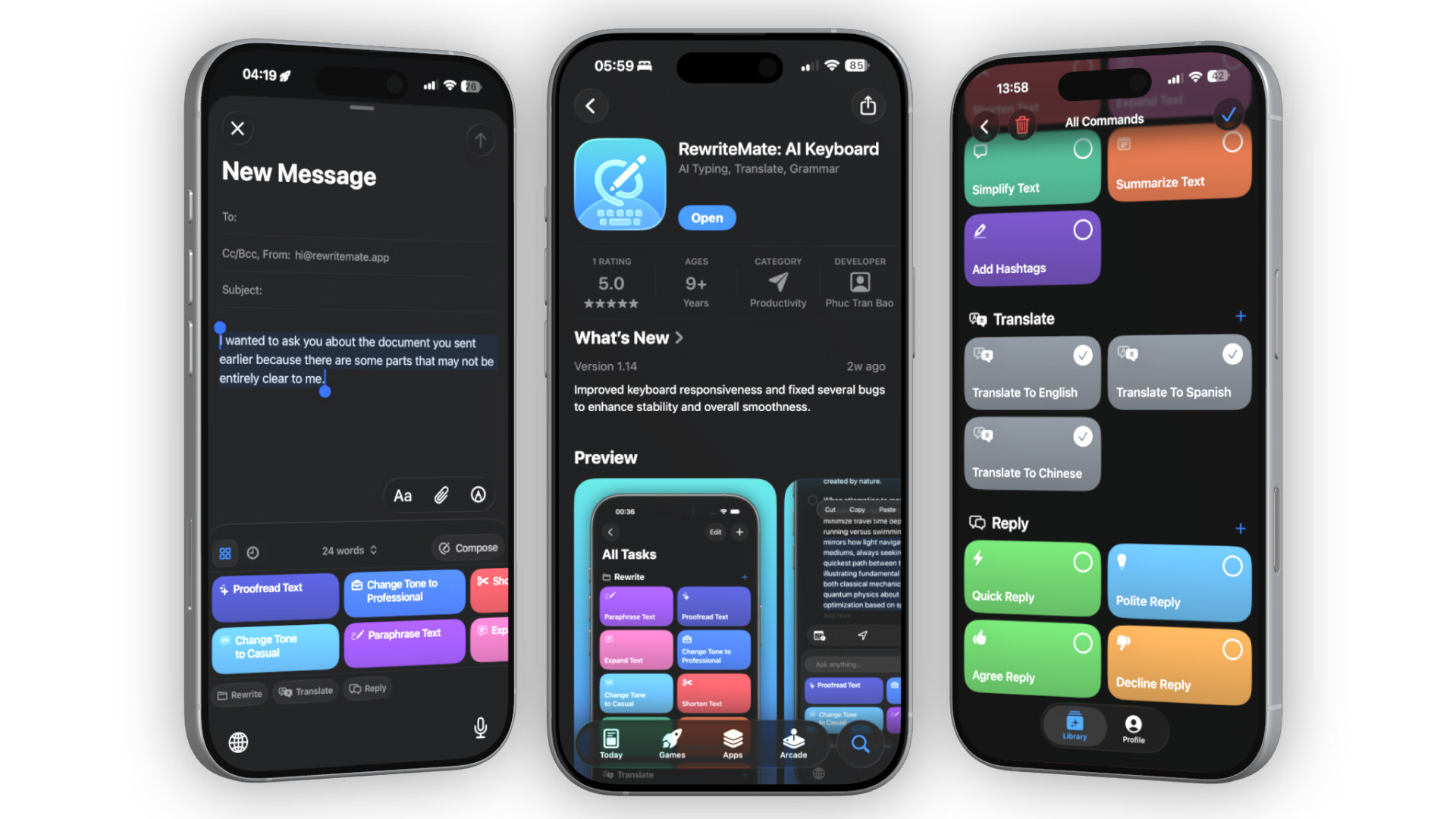
Build prompts inside the main app configuration sheet and pin them directly to your keyboard layout as instant task chips.
Live Free-Form Input
Type real-time editing commands into the floating top-bar input row without leaving your messaging or document screen.
Total Privacy Assurance
Process text entirely on-demand. Zero backend data collection or message retention, keeping sensitive client interactions fully protected.
Polish Your Writing in Seconds
RewriteMate helps you rewrite, proofread, adjust tone, and translate text — directly inside any app. No switching tabs. No copy-paste.
Download RewriteMate FreeFrequently Asked Questions
What makes writing good?▾
Good writing is clear, concise, and tailored to its audience. It communicates the intended message without confusion or unnecessary words.
How can I improve my writing skills?▾
Practice regularly, read good writing, and use tools like RewriteMate to get instant feedback on grammar, tone, and clarity.
How does RewriteMate help with writing?▾
RewriteMate is an AI keyboard that works in any app on iOS and macOS. Select text, choose a command, and the AI rewrites it — proofreading, adjusting tone, shortening, expanding, or translating.
Is there a free version?▾
Yes. RewriteMate has a free tier with built-in commands. Upgrade to Pro for unlimited rewrites and custom commands.