August 19, 2026
Gboard vs RewriteMate for iPhone: Which Keyboard Should You Use?
Gboard and RewriteMate solve different iPhone writing problems. Gboard is a general-purpose keyboard built around glide typing, multilingual input, GIFs, emoji search, and Google-powered utilities. RewriteMate is an AI writing keyboard built around rewriting, proofreading, tone changes, translation, and reusable custom writing commands.
Choose Gboard if you mainly want faster everyday typing and Google-style keyboard utilities. Choose RewriteMate if you want help improving the text you have already written—without leaving Messages, Mail, Notes, Slack, or another app.
The quick comparison
| If you need… | Better fit |
|---|---|
| Glide typing and multilingual keyboard support | Gboard |
| GIF, emoji, and Google search tools in the keyboard | Gboard |
| Grammar, clarity, and tone improvements | RewriteMate |
| Rewriting an existing message in a different style | RewriteMate |
| Custom one-tap prompts for repeated writing tasks | RewriteMate |
| A keyboard mainly for typing faster | Gboard |
| A keyboard mainly for writing better | RewriteMate |
You do not necessarily have to choose only one. Many people keep more than one keyboard enabled and use the globe key to switch based on the task.
What Gboard is designed for on iPhone
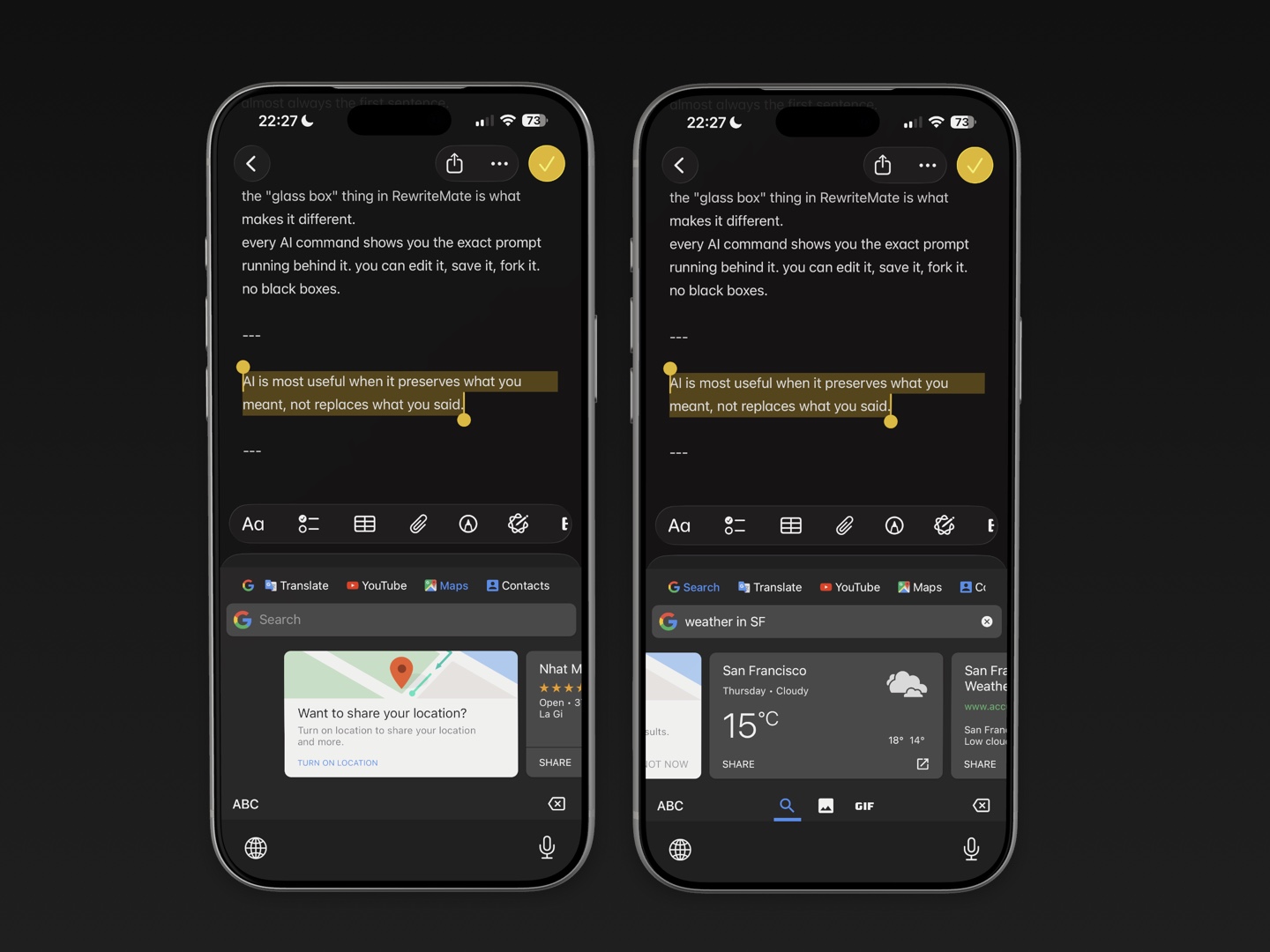
Gboard is Google’s keyboard app for iPhone and iPad. Its iOS experience focuses on typing, search, expression, and language support.
Google’s current App Store listing highlights features including:
- Glide typing
- Emoji search
- GIF search
- Stickers
- Google Search from the keyboard
- Search for nearby places, videos, images, weather, news, and sports
- Support for a broad range of languages
Check Gboard’s iPhone App Store listing for its latest language support, feature availability, and privacy details.
Gboard is especially practical when your keyboard is part of how you find and share information. For example, you may want to type a message, search for a GIF, find a restaurant, or switch between languages without opening a separate app.
Who Gboard is best for
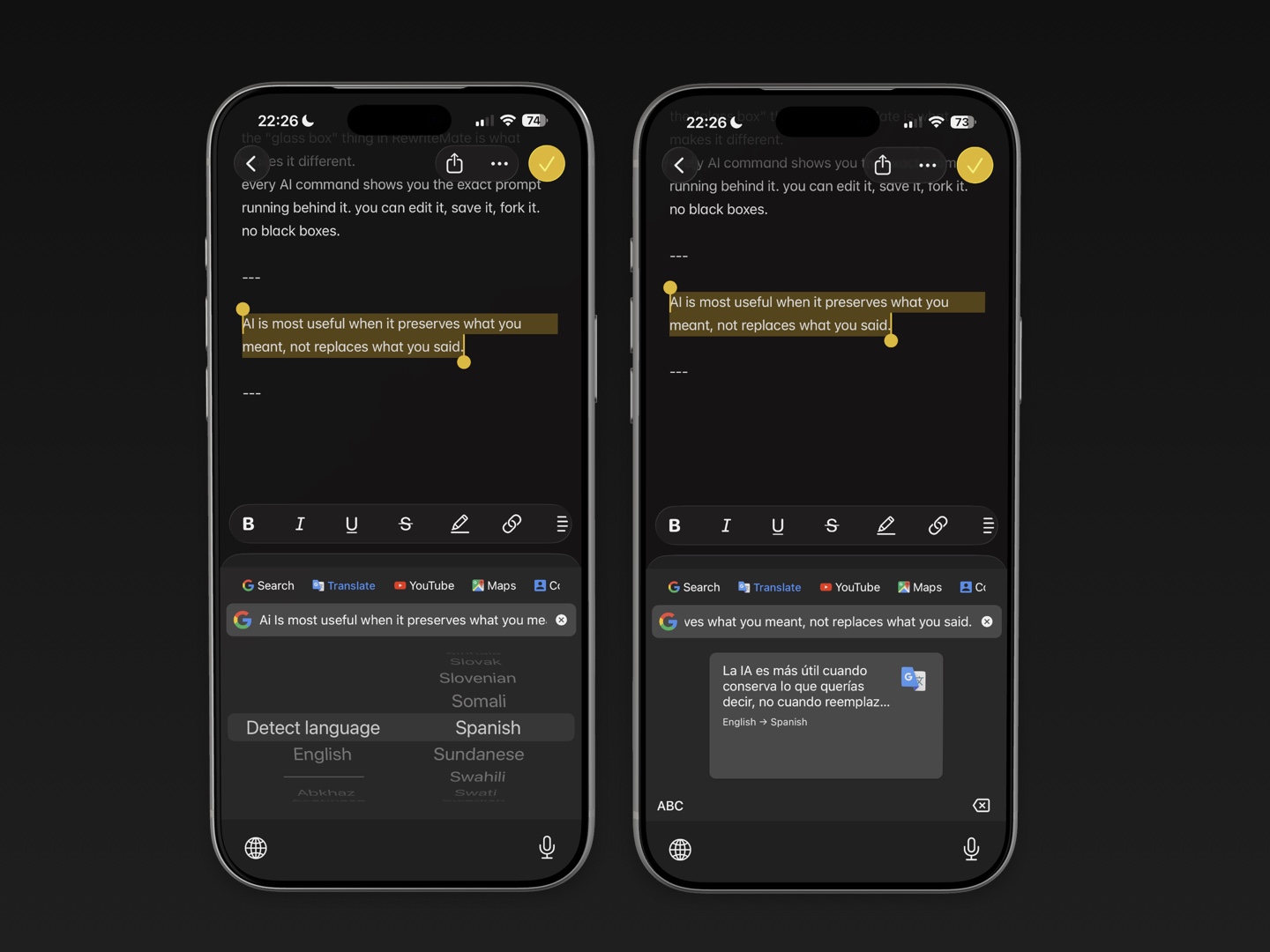
Gboard is a good match if you:
- Prefer glide typing
- Use multiple languages often
- Want a built-in GIF and emoji search workflow
- Use Google Search frequently while chatting
- Want easy access to places, images, or quick searches
- Care more about typing and sharing tools than AI rewriting
Gboard can make everyday messaging feel faster. But typing faster and improving the quality of a finished message are different jobs.
What RewriteMate is designed for on iPhone
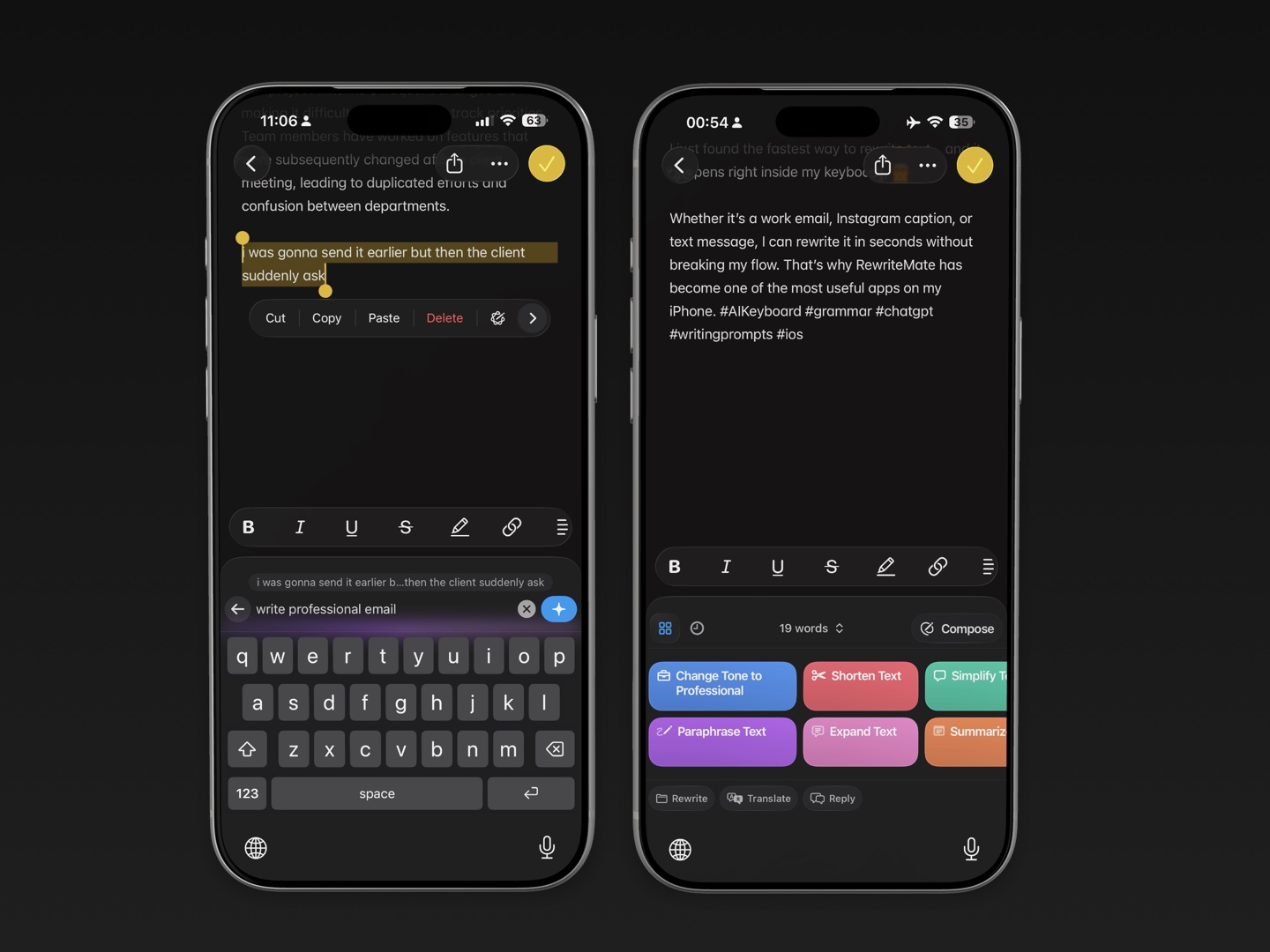
RewriteMate is an AI keyboard for editing and transforming text while you are already writing.
Its iPhone workflow is designed around tasks such as:
- Proofreading grammar and spelling
- Paraphrasing a sentence
- Changing tone
- Making text shorter or more concise
- Expanding a rough draft
- Simplifying language
- Translating text
- Summarizing key points
- Running saved custom instructions
RewriteMate’s iOS keyboard page describes these tools as available inside the apps where you write, including messages, email, notes, and social apps.
Instead of making the keyboard a place to search for information, RewriteMate makes it a place to improve the message itself.
Who RewriteMate is best for
RewriteMate is a strong fit if you:
- Write work emails or client messages from your iPhone
- Regularly change a message from casual to professional
- Want grammar help without copy-pasting into another app
- Need to shorten long messages
- Write in a second language and want more natural phrasing
- Use repeated writing rules, such as “keep this friendly but concise”
- Want to edit text where you already type
Gboard for typing, RewriteMate for rewriting
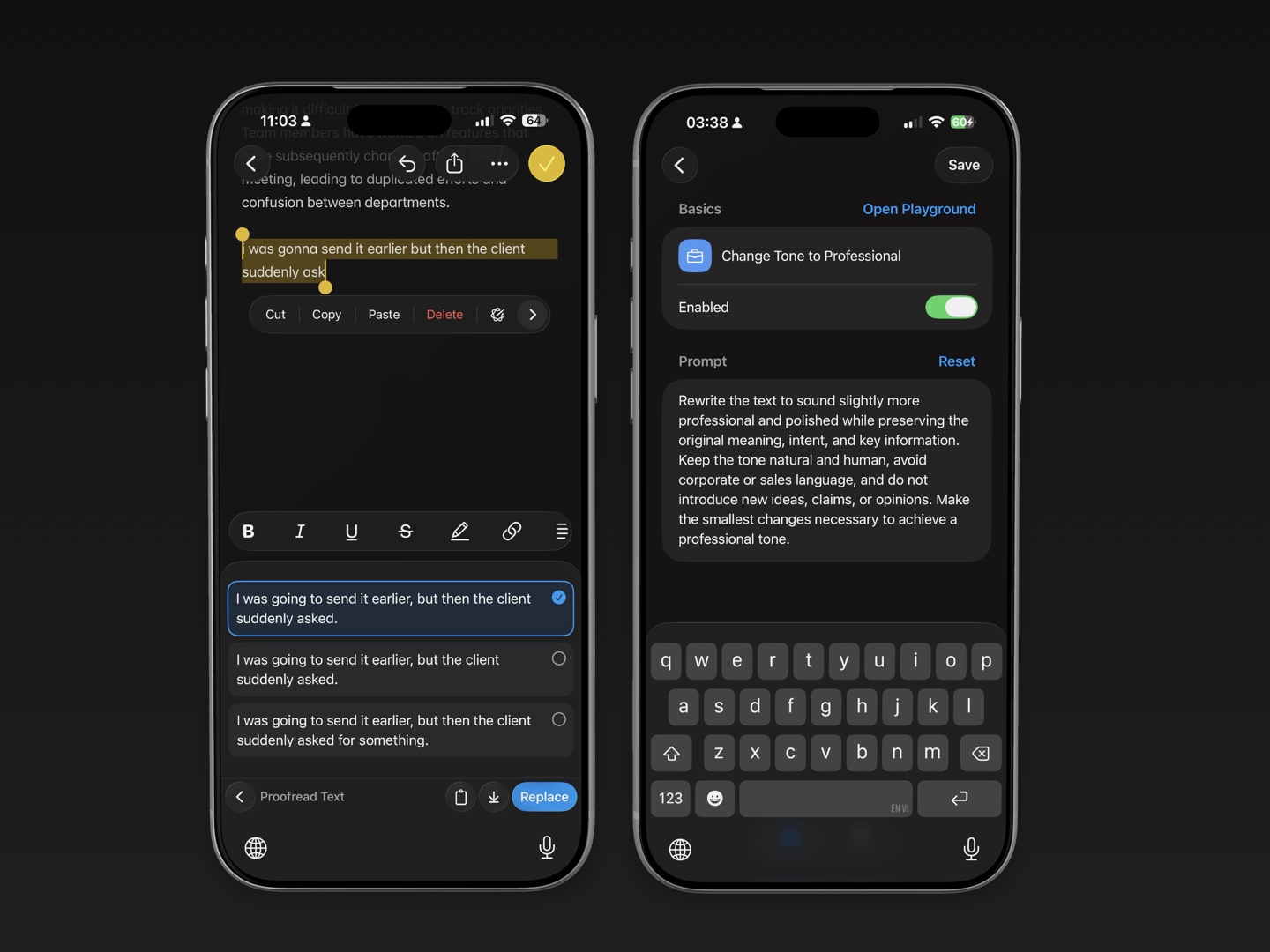
The clearest difference is where each keyboard helps in the writing process.
Gboard is useful at the start of a message. It helps you enter text, swipe-type, switch languages, find an emoji, or search for something to share.
RewriteMate is useful after you have an idea on the screen. It helps you refine that idea.
For example, imagine you write:
Hi, I saw your email. I will check the details and send you information soon.
With Gboard, you may type that message quickly.
With RewriteMate, you could revise it into:
Hi, thanks for your email. I’ll review the details and send you an update by tomorrow afternoon.
The second version is clearer because it gives the recipient a specific expectation. That is not a typing-speed problem. It is a writing-quality problem.
AI writing features: do not assume Android and iPhone are the same
Google offers Writing Tools for Gboard on supported Android devices. Google’s official guide describes features such as proofreading, rephrasing, professional and friendly tone changes, shortening, elaborating, and emoji suggestions.
However, Google’s Writing Tools support page specifically describes Android requirements. Do not assume that every Gboard AI feature available on Android is also available in the iPhone version.
This is important when comparing Gboard and RewriteMate on iPhone. Gboard is still a useful iOS keyboard, but RewriteMate is the more direct choice if your main priority is AI rewriting on iPhone.
Before choosing either app, check its current App Store listing and official support documentation. Keyboard features can change with app updates, iOS versions, supported languages, and regions.
Grammar and clarity: which workflow is easier?
If you only need to avoid typos, a general keyboard with autocorrect may be enough.
But many writing problems are not spelling mistakes. They are clarity and tone problems:
- A text is too blunt.
- An email is too long.
- A sentence sounds awkward.
- A request does not include a clear next step.
- A non-native English writer wants the phrasing to sound more natural.
- A Slack message needs to be direct without sounding cold.
RewriteMate is designed for this type of editing. You can write a rough draft, select it, and apply a relevant command without moving the text to another editor.
Gboard is a better fit if your main challenge is entering text quickly, especially with swipe typing or multilingual input.
Tone changes: where RewriteMate is more useful
Tone is hard to get right on a phone. A message can be technically correct but still feel too demanding, vague, formal, or casual.
Consider this draft:
Send me the file today.
It may be appropriate in some situations. In others, you may want:
Could you please send the file today? It would help us keep the project on schedule.
Or:
When you have a moment today, could you send the file over?
RewriteMate is useful because it can help you turn an initial draft into a version that fits the relationship and situation.
Its value is not making every message sound formal. It is making the intended tone easier to achieve.
Multilingual typing and translation
Gboard is especially appealing for people who type in multiple languages. Its iPhone listing includes support for many language keyboards, and that can make everyday multilingual messaging more comfortable.
RewriteMate is useful at a different stage: translating or refining text once you know what you want to say.
A practical setup might be:
- Use Gboard or Apple’s keyboard to type in your preferred language.
- Switch to RewriteMate when you want to translate or improve the English version.
- Review names, dates, numbers, and tone before sending.
This can be a good workflow for people who communicate across languages but still want to keep the final message natural.
Custom commands: a major RewriteMate advantage
One of RewriteMate’s most useful features is the ability to save custom writing instructions.
Its custom-command guide explains how users can turn their own prompts into one-tap keyboard shortcuts.
That helps when you repeat the same edit often.
Examples for work
Fix grammar, remove filler, keep the tone warm, and preserve all deadlines.
Rewrite this as a concise Slack update with clear action items.
Make this suitable for a client. Keep it professional but not stiff.
Examples for personal messages
Make this friendlier and more natural without adding extra detail.
Shorten this text while keeping the key point.
Fix grammar but keep my casual writing style.
Gboard is built around keyboard utilities and input. RewriteMate is built around reusable writing transformations. If you have a few edits you make every day, custom commands can save meaningful time.
Can you use Gboard and RewriteMate together?
Yes. iPhone lets you add multiple keyboards and switch between them while typing.
A simple setup could be:
- Apple’s keyboard for normal typing and password fields
- Gboard for glide typing, multilingual input, GIFs, or Google Search
- RewriteMate for proofreading, tone changes, paraphrasing, and custom commands
To switch, touch and hold the globe key or Emoji key while typing, then choose the keyboard you want. Apple’s keyboard guide explains how to add, remove, reorder, and switch keyboards.
Keep the list short. Too many enabled keyboards make it harder to quickly choose the one you need.
Privacy and Full Access
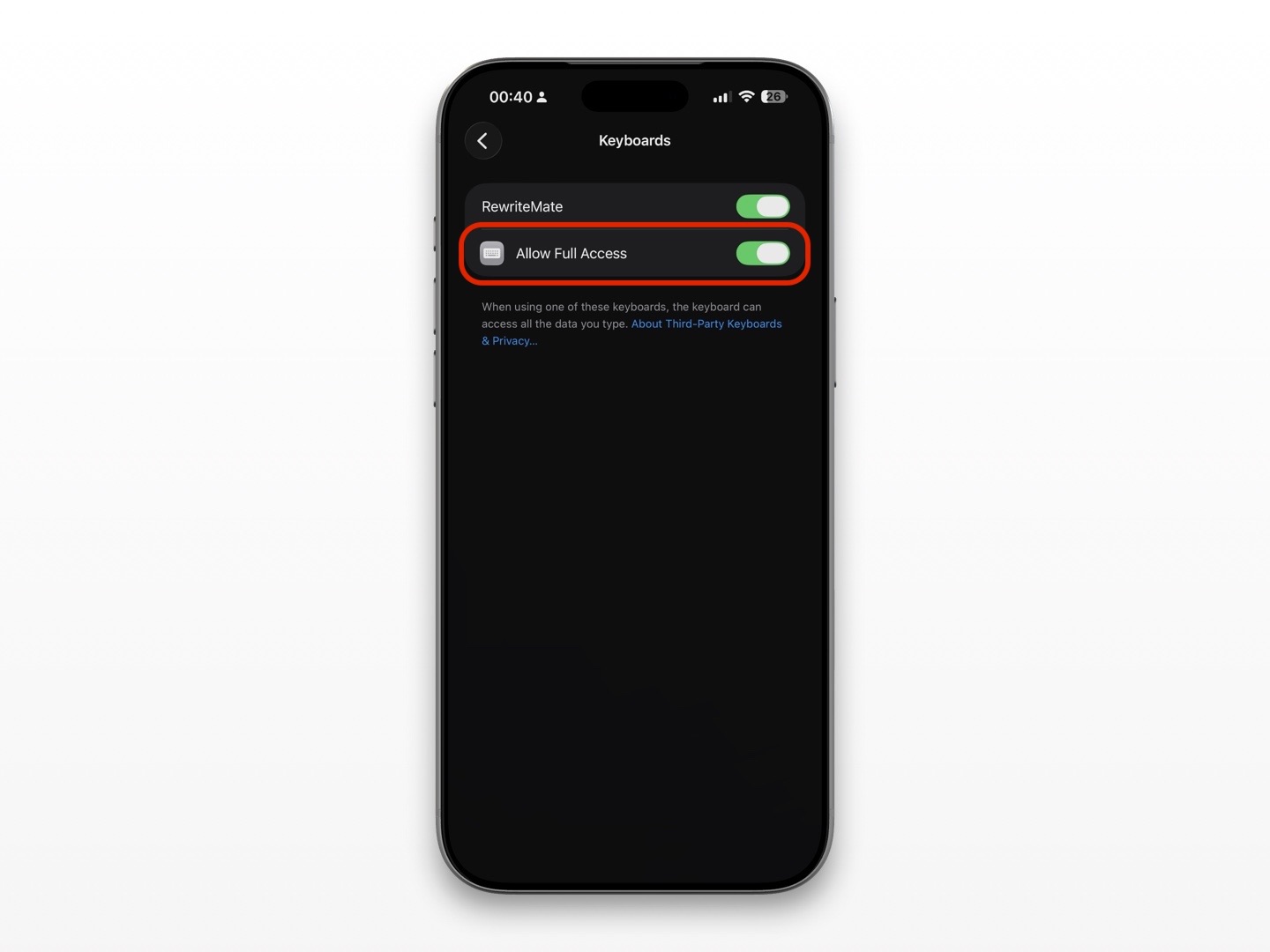
Third-party keyboards can request Allow Full Access on iPhone. This permission may be required for certain network-connected features.
Apple’s developer documentation explains that custom keyboards do not have network access by default. When a user enables Full Access, a keyboard may use network resources and support features that require a server. Read Apple’s open-access guidance for custom keyboards.
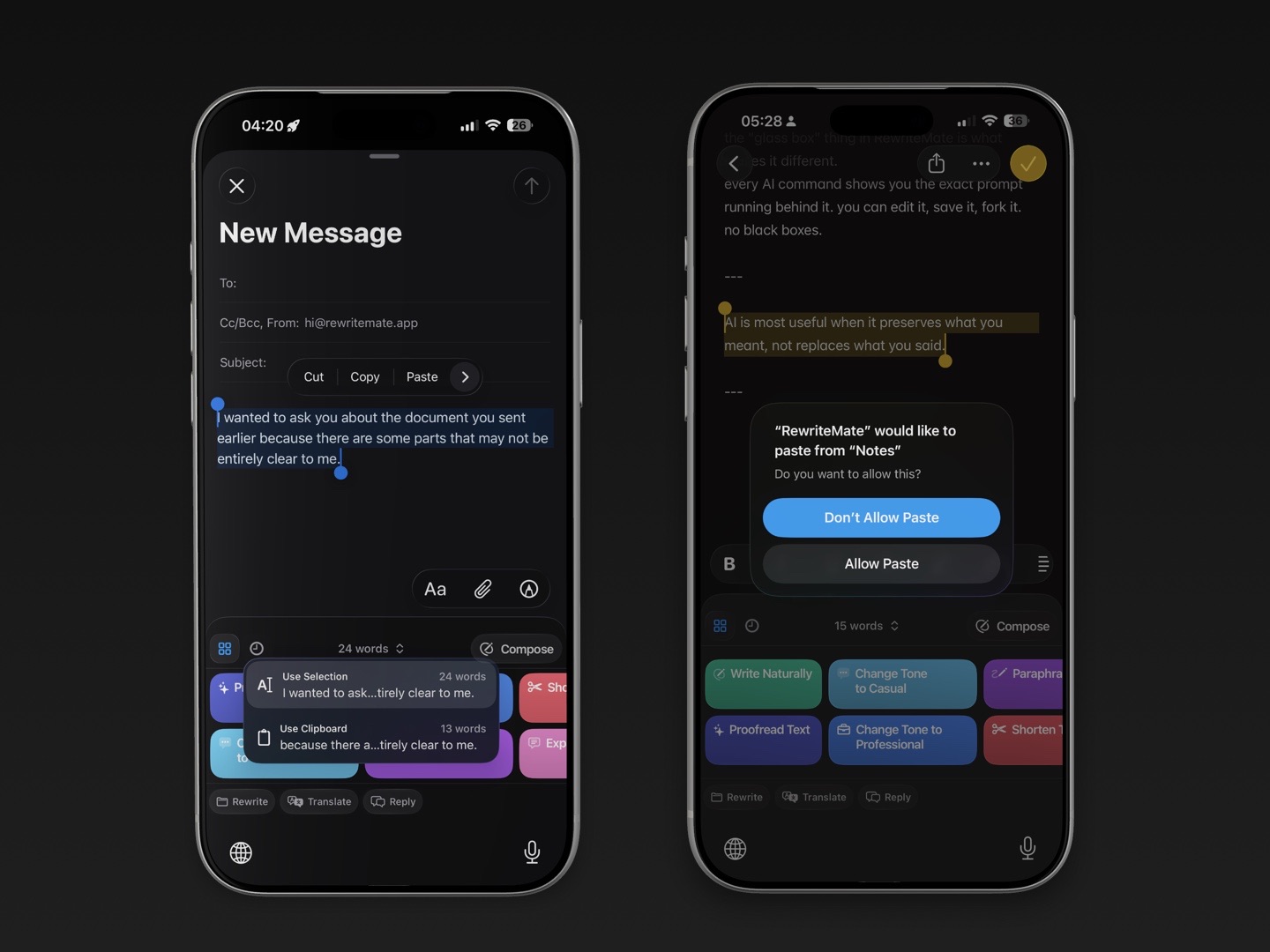
Before enabling Full Access for Gboard, RewriteMate, or any other keyboard:
- Read the current privacy policy.
- Understand which features need network access.
- Check whether text is sent only when you trigger an AI action.
- Avoid entering passwords, financial data, or confidential work details.
- Turn off access if you stop using the keyboard.
Google’s iPhone App Store listing says Gboard sends usage statistics to Google to help understand feature use and crashes. Review the current listing and Google’s privacy information before you decide whether it fits your comfort level.
FAQs
Is Gboard better than RewriteMate on iPhone?
They are better at different things. Gboard is a general keyboard for typing, search, emoji, GIFs, and multilingual input. RewriteMate is an AI writing keyboard for proofreading, rewriting, tone changes, and reusable custom commands.
Does Gboard have AI writing tools on iPhone?
Google documents Gboard Writing Tools for supported Android devices. Do not assume Android-only AI features are available in the iPhone version. Check the current iOS App Store listing and official Google support pages for the latest availability.
Can RewriteMate replace Gboard?
It can replace Gboard if your main need is writing assistance rather than glide typing, Google Search, or Gboard’s language and sharing tools. Many people may prefer to keep both and switch based on the task.
Which keyboard is better for professional emails on iPhone?
RewriteMate is generally the stronger fit for professional email editing because it focuses on grammar, clarity, tone adjustments, shortening, and custom writing instructions.
Which keyboard is better for multiple languages?
Gboard may be the better fit for multilingual keyboard input. RewriteMate can be useful afterward when you need translation or help refining the final wording.
Do Gboard and RewriteMate need Full Access?
Some features may require Full Access, particularly tools that use online services. Review each keyboard’s current permission explanation and privacy policy before enabling it.
Can I use Gboard and RewriteMate in the same app?
Yes. Add both keyboards in iPhone Settings, then use the globe key to switch while typing in supported text fields.
Pick the keyboard for the job in front of you
Choose Gboard when you want fast input, language flexibility, GIFs, emoji, and Google-powered keyboard utilities. Choose RewriteMate when you want a message to sound clearer, more professional, friendlier, shorter, or more like the version you meant to write.
For many iPhone users, the best answer is not Gboard or RewriteMate. It is using Gboard when you need a flexible typing keyboard and switching to RewriteMate when your words need a better final pass.
Related articles
Keep reading

QuillBot vs RewriteMate for iPhone: Which AI Keyboard Fits Your Writing?
Compare QuillBot and RewriteMate on iPhone for paraphrasing, grammar, tone changes, translation, custom workflows, and everyday writing without app switching.

RewriteMate vs Grammarly Keyboard: Which Is Better for Mobile Writing?
Compare RewriteMate vs Grammarly Keyboard to see which iPhone writing assistant fits your workflow. Learn the differences in AI rewriting, grammar checking, customization, pricing, and everyday mobile writing.
Grammarly Alternative iPhone: RewriteMate vs Grammarly
A head-to-head comparison of the best AI writing keyboards for iOS, highlighting why custom prompts beat locked presets.

Felix Tran
RewriteMate Dev & Editorial Lead
Write about everyday workflows, systems that help ideas move faster, from first draft to finished work.