Your Guide to English Grammar
Make mistake-free writing your superpower. Learn the rules of grammar, then use RewriteMate's AI keyboard to polish your writing in any app — Messages, Mail, Notes, Slack, and more.
AI keyboard for iOS and macOS. Free to try.
Free Online Grammar Checker
Fix any punctuation, grammar, or spelling errors with a single click. RewriteMate's AI-powered writing assistance helps ensure your writing is spotless.
What is Grammar?
Grammar is a set of language rules that allows you to combine individual words to make different meanings. Your writing is stronger, clearer, and more effective when you follow grammar rules. Learn more about the principles of grammar and see how polished writing is brilliant writing.
Parts of Speech
Every word in English belongs to one of eight categories. Understanding them is the foundation of good grammar.
Nouns
People, places, things, or ideas (cat, city, freedom)
Verbs
Actions or states of being (run, is, have)
Adjectives
Describe nouns (blue, tall, delicious)
Adverbs
Modify verbs, adjectives, or other adverbs (quickly, very)
Pronouns
Replace nouns (he, they, it, who)
Prepositions
Show relationships in time/space (in, on, at, between)
Conjunctions
Connect words or clauses (and, but, because)
Interjections
Express emotion (wow, oops, hey)
Moving Beyond Basic Auto-Correct
Perfect grammar is important, but context is what makes your writing connect. Traditional spellcheck tools only see static rules. They don't know who you are talking to or what your true goals are.
Where Standard Checkers Fail
They strip out your personality. They force passive voice warnings on sentences designed to sound conversational, making your emails read like a sterile template.
How AI Context Solves It
An AI keyboard reads your message as a whole. It ensures your text is completely error-free while preserving the exact tone, cadence, and warmth you intended.
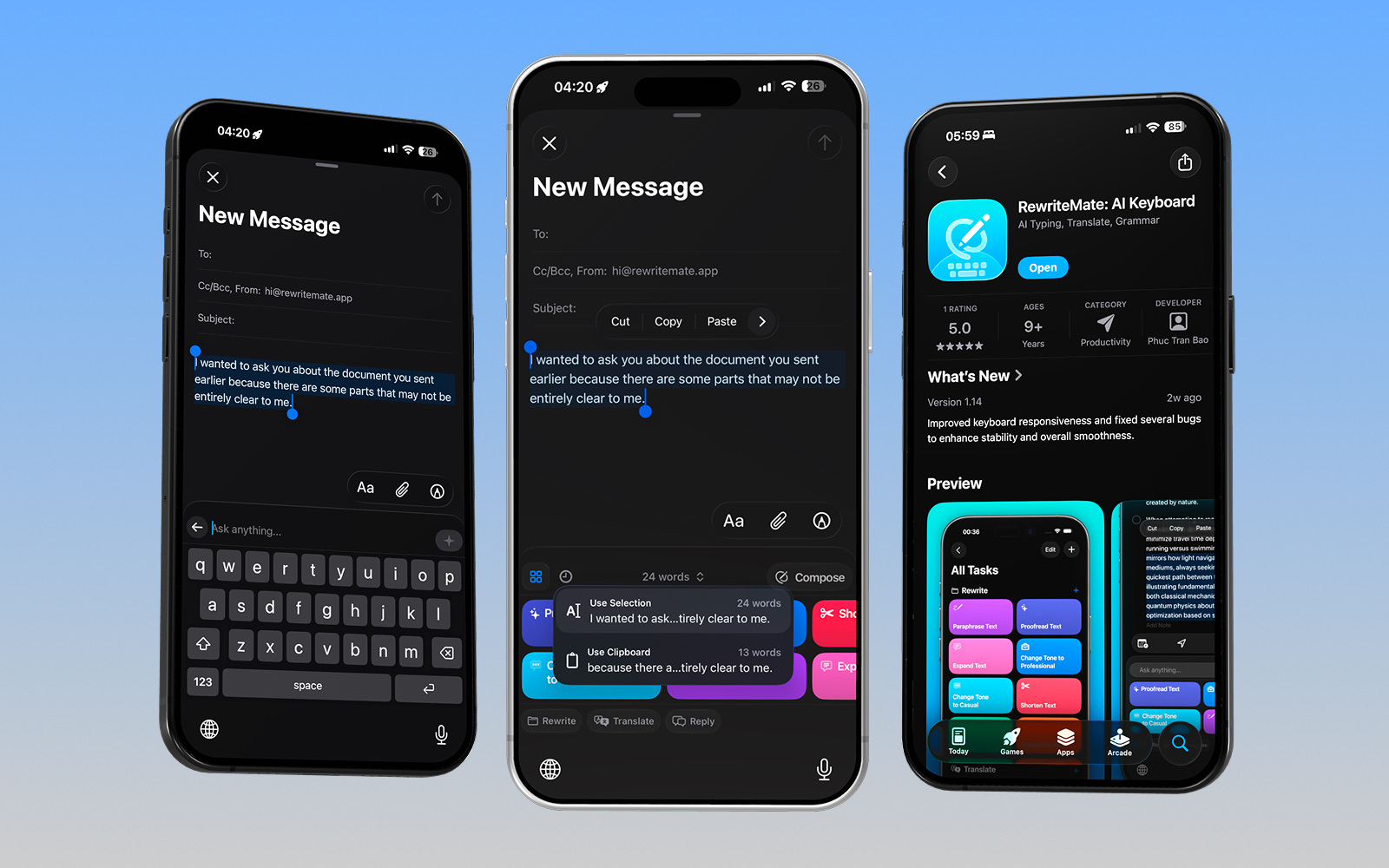
Custom Prompts for Advanced Grammar Fixes
Instead of accepting a generic edit, use these custom instructions inside your keyboard to polish text exactly your way:
The Executive Polish
Perfect for quick, professional text replies while moving between meetings.
The Friendly Editorial Review
Ideal for keeping your personal Slack or Discord updates smooth and readable.
Bilingual Flow Adjustment
Helps native and non-native speakers write confidently across messaging apps.
AI Writing Assistance That Makes Your Words Shine
Submit your best work with proper grammar and choose your exact words with custom AI instructions right where you type. RewriteMate makes mistake-free writing easy with AI-powered rewriting, tone adjustment, and translation — all from your keyboard.
Frequently Asked Questions
Can I use custom commands to fix complex phrasing rules?▾
Yes. With custom tasks, you can go beyond basic corrections. You can program instructions like 'fix grammar and change passive phrasing to active' or 'convert these sloppy bullet points into clear sentences' and save it as a permanent keyboard shortcut.
Does checking my grammar expose my personal data or keystrokes?▾
No. Unlike traditional cloud keyboards that continuously monitor and store everything you type, RewriteMate works strictly on-demand. Text is sent for AI parsing only when you actively trigger a command, and data is never retained or collected on servers.
What is grammar?▾
Grammar is the set of structural rules that govern the composition of clauses, phrases, and words in a language. It includes parts of speech, punctuation, sentence structure, and spelling conventions.
How can I check my grammar for free?▾
Use RewriteMate's free online grammar checker above. Paste your text and click Check Grammar to get instant corrections with explanations. No sign-up required.
How does RewriteMate help with grammar?▾
RewriteMate is an AI keyboard for iOS and macOS that checks grammar, fixes spelling, adjusts tone, and rewrites sentences — directly inside any app. You don't need to switch to a web editor.
Is RewriteMate free?▾
Yes. RewriteMate has a free tier with powerful built-in commands including proofreading, paraphrasing, tone adjustment, and translation. Upgrade to Pro for unlimited rewrites and custom commands.
Does RewriteMate work on iPhone and Mac?▾
Yes. RewriteMate is available as a keyboard extension on iOS and a menu bar app on macOS. It works in every app — Mail, Messages, Notes, Notion, Slack, Safari, and more.