July 3, 2026
5 Best Grammarly Alternatives for iPhone in 2026
Grammarly Pro runs about $144 a year, and a lot of iPhone users pay for a full suite of grammar checking, tone detection, and plagiarism scanning when what they actually use, day to day, is the tone rewrite button on three messages a week.
That gap between what you're paying for and what you're actually using is why "Grammarly alternative" searches keep climbing in 2026. Most of the roundups you'll find compare desktop tools built for essays and manuscripts — useful, but not what you need when you're rewriting a text message on the subway.
Here are five tools worth comparing if most of your writing happens on your iPhone, not in a browser tab.
1. RewriteMate
RewriteMate is a system keyboard extension, which means it replaces your iOS keyboard entirely rather than sitting alongside it. That distinction matters more than it sounds: select any text in Messages, Mail, Instagram, or Slack, and a command bar appears right above the keys — Proofread, Change Tone, Paraphrase, Shorten, Expand — with the rewrite streaming in and three ways to use it: Insert, Replace, or Copy. The difference isn't that it rewrites well. It's that you never leave the app to get there.
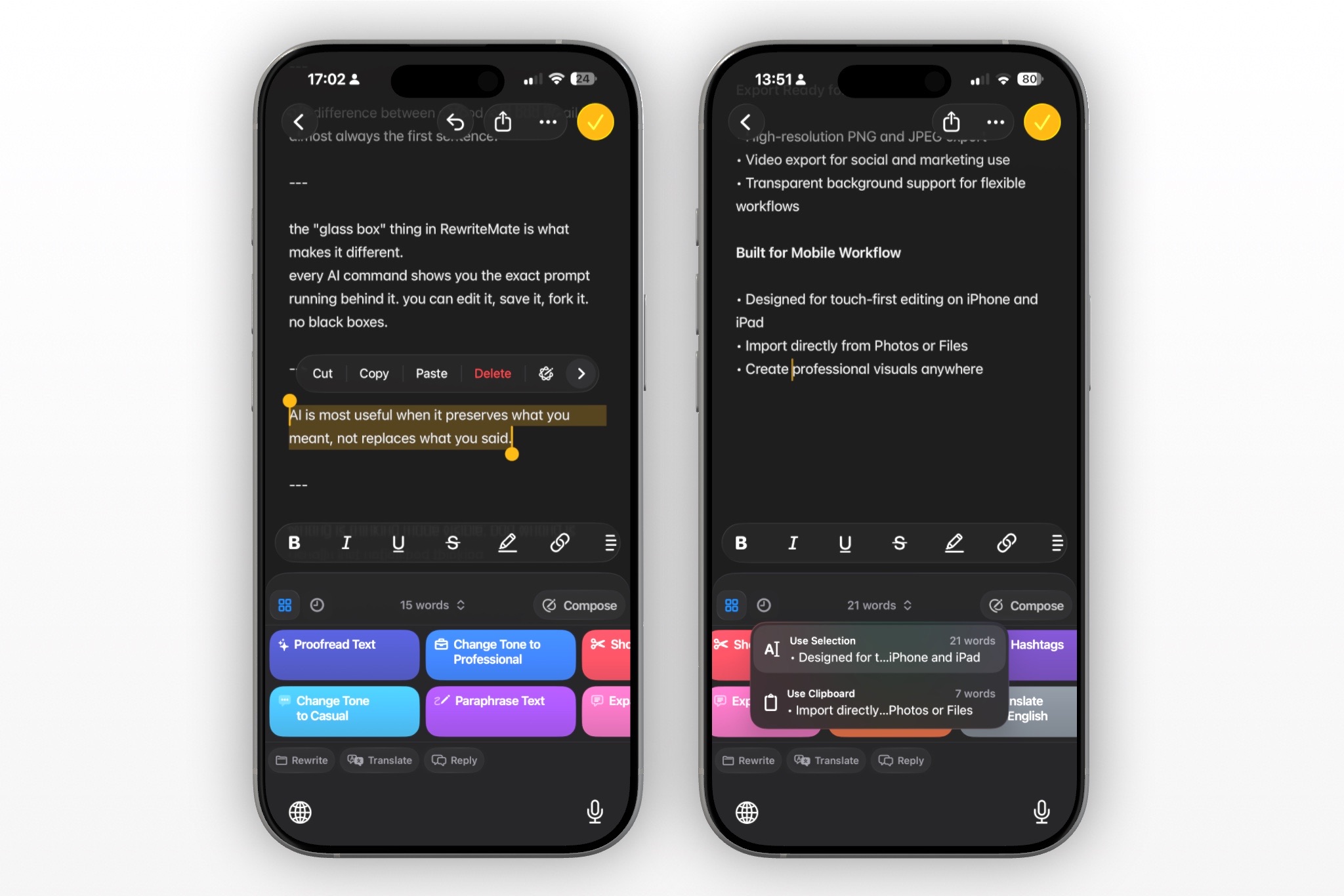
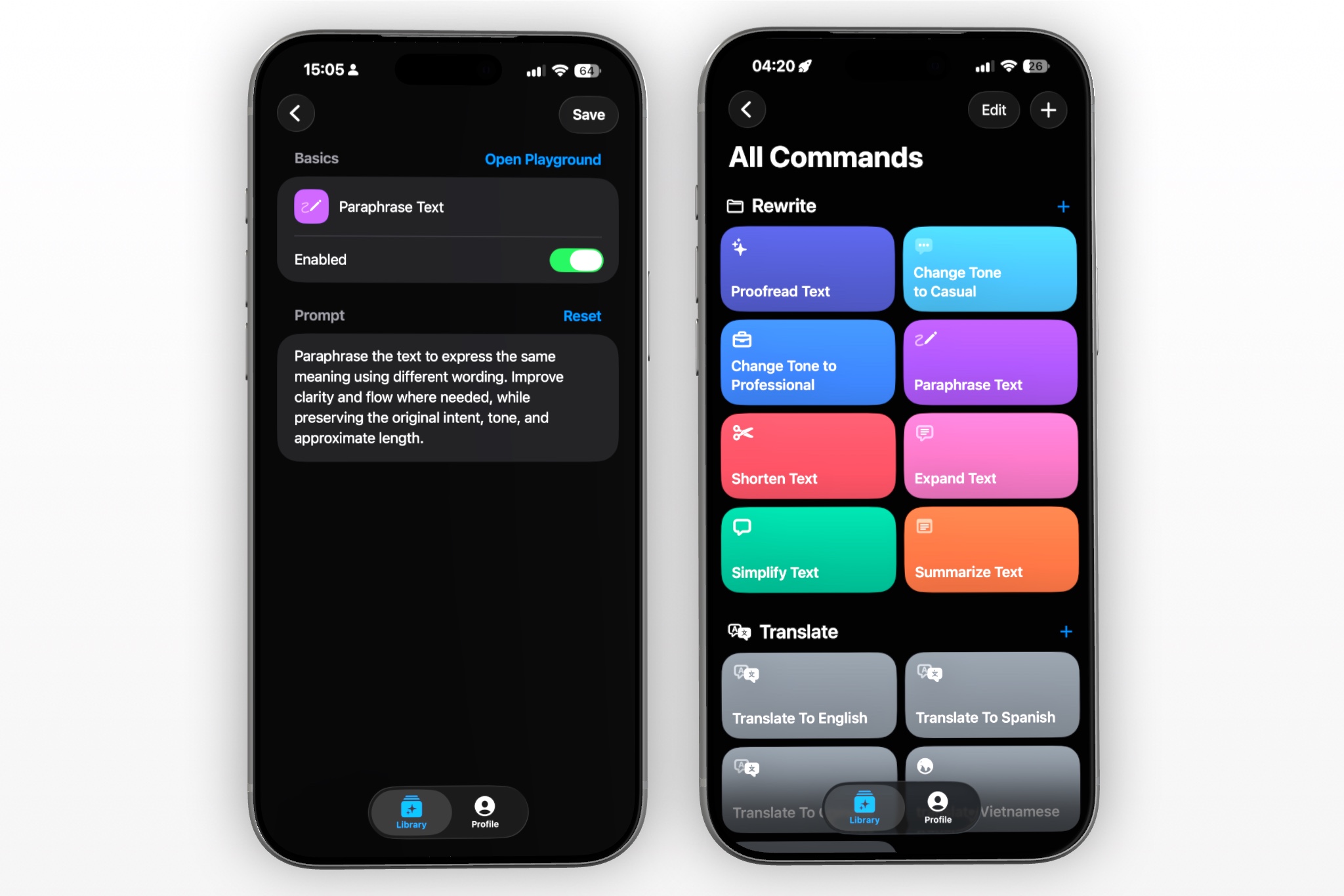
What separates it from most Grammarly alternatives on this list is the prompt editor. Every command's underlying instruction is visible and editable, so instead of picking from Grammarly's fixed tone presets, you can write your own rule ("keep it casual but never use slang") and save it as a one-tap custom command with its own icon and folder. It also translates into 100+ languages from the same panel, and Premium users can choose which AI model handles their rewrites.
RewriteMate is free to download on the App Store if you want to compare it directly against your current keyboard.
Pricing
Monthly Plan: $6.99 per month (unlimited generations)
Annually Plan: $39.99 (equivalent to about $3.33/month)
2. QuillBot AI Keyboard
QuillBot's iOS app includes a genuine keyboard extension with seven paraphrase modes (Standard, Fluency, Formal, Creative, Expand, Shorten, Simple), plus grammar checking and translation to 40+ languages, all accessible without leaving your current app.
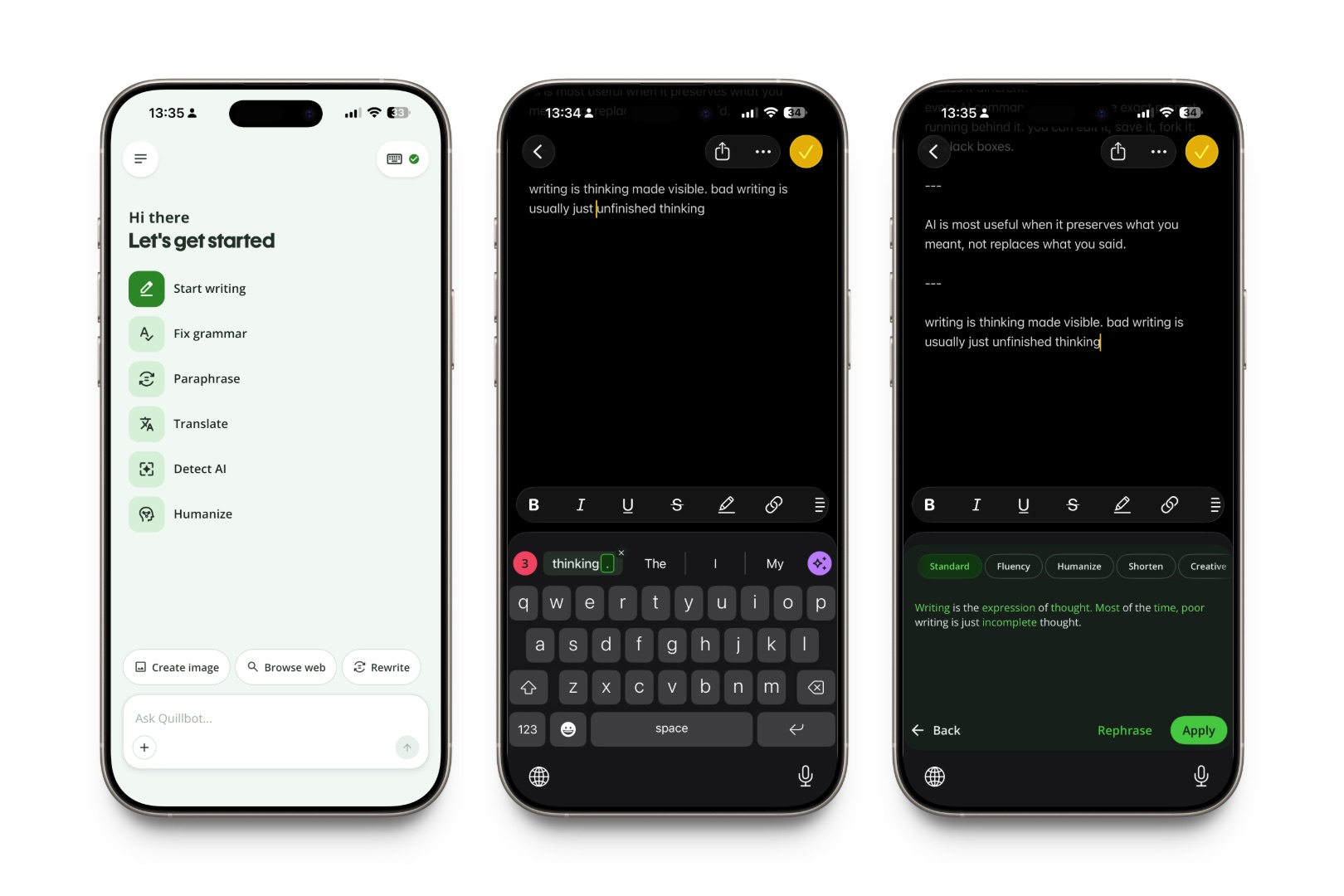
The paraphrasing quality is a real strength — it's what QuillBot was built for. The tradeoff, based on consistent user feedback, is the keyboard's core typing experience: autocorrect and voice-to-text on the keyboard itself lag behind the iOS default, so some users end up switching between QuillBot for rewrites and the system keyboard for everyday typing.
Best for: someone who wants QuillBot's specific paraphrase modes and doesn't mind toggling keyboards for different tasks.
Pricing
Monthly Plan: $9.99/month on mobile (or $19.95/month on the web).
Semi-Annual / Quarterly Plan: $39.95 billed every 3 months (or $39.95 billed every 3 months on the web).
Annual Plan: $49.99/year on mobile (or $8.33/month, billed at $99.95 every 12 months on the web)
3. Wordtune
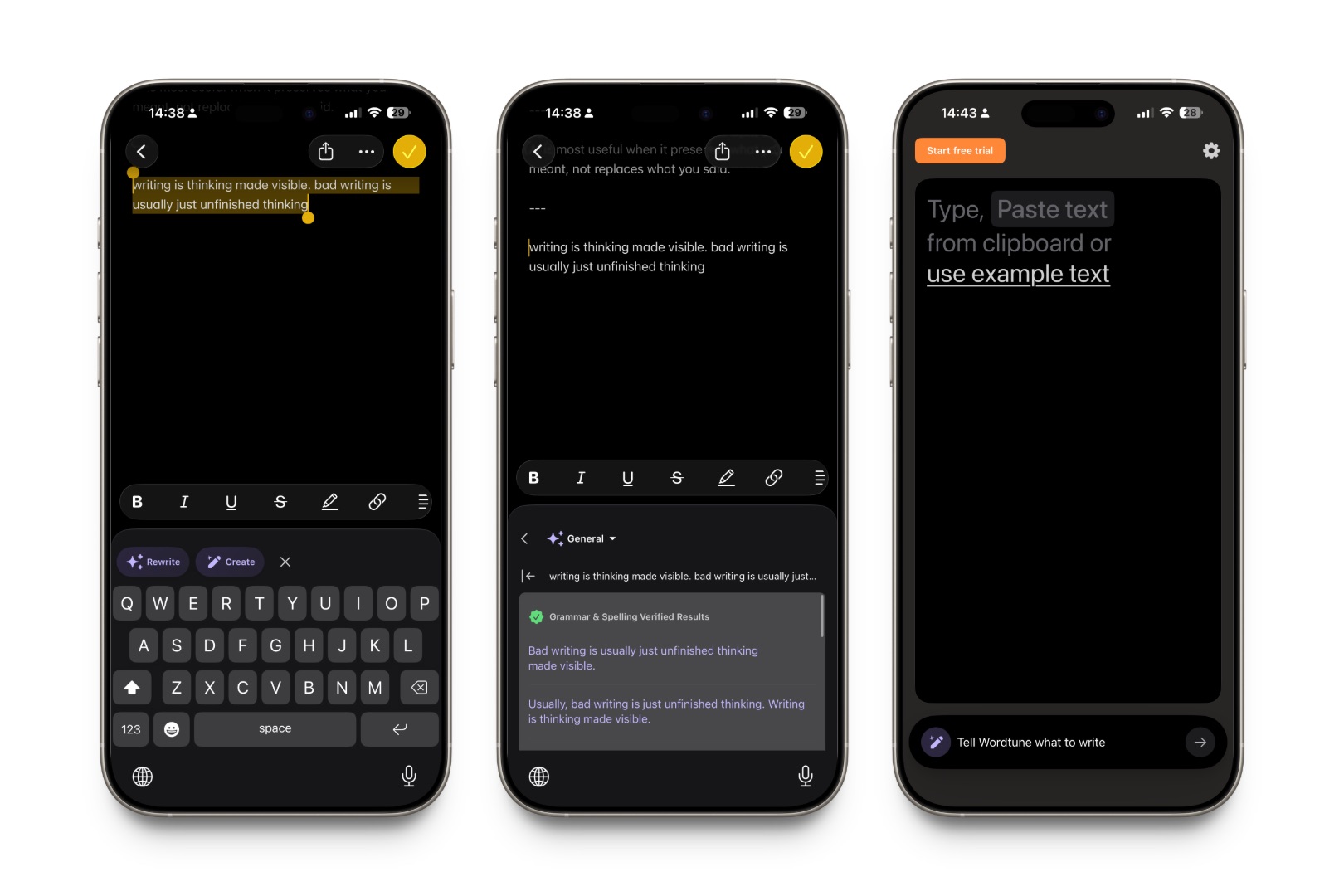
Wordtune's rewriting quality is well regarded, especially for tone and phrasing that reads more naturally than a literal grammar fix. It offers a mobile app and browser extension, with free and paid tiers that adjust length and formality.
The catch for mobile use: Wordtune's mobile app isn't a keyboard extension you type with. You copy text in, get a rewrite, and copy it back out — closer to the classic "switch apps to fix a sentence" workflow than an in-place rewrite.
Best for: longer writing sessions where you're not trying to stay inside another app while you edit.
Pricing
Starts at $6.99/month (billed annually) or $13.99/month (billed monthly).
Unlimited: Starts at $9.99/month (billed annually) or $19.99/month (billed monthly).
4. Apple Intelligence Writing Tools
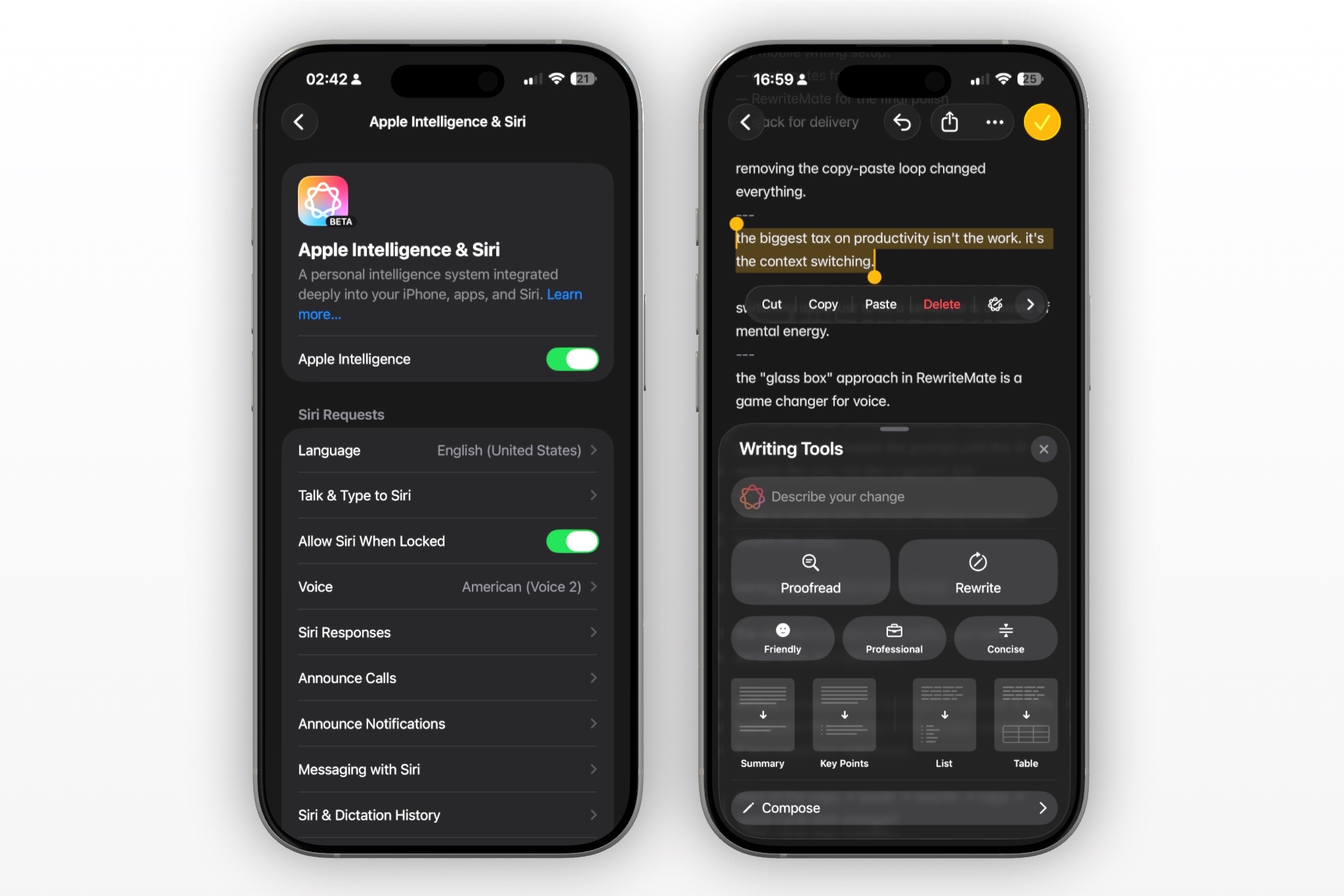
Apple's own Writing Tools are baked into iOS and free, with no separate app to install. They handle basic proofreading and tone rewrites (Friendly, Professional, Concise) system-wide, and there's no third-party keyboard to enable.
The limitation is depth: Writing Tools' presets are fixed, there's no way to define a custom instruction, and availability depends on device and iOS version. For quick, occasional cleanup it's genuinely convenient. For anyone who wants a specific, repeatable writing style, there's nothing to customize.
Best for: casual users who want a free, no-setup option and don't need customization.
5. LanguageTool
If your writing spans multiple languages, LanguageTool is worth knowing about — it checks grammar and style across more than 20 languages and has a genuinely generous free tier. It runs as a browser extension and desktop integration rather than an iOS keyboard, so on mobile it fits better as a check you run before sending something important than a tool you use mid-message.
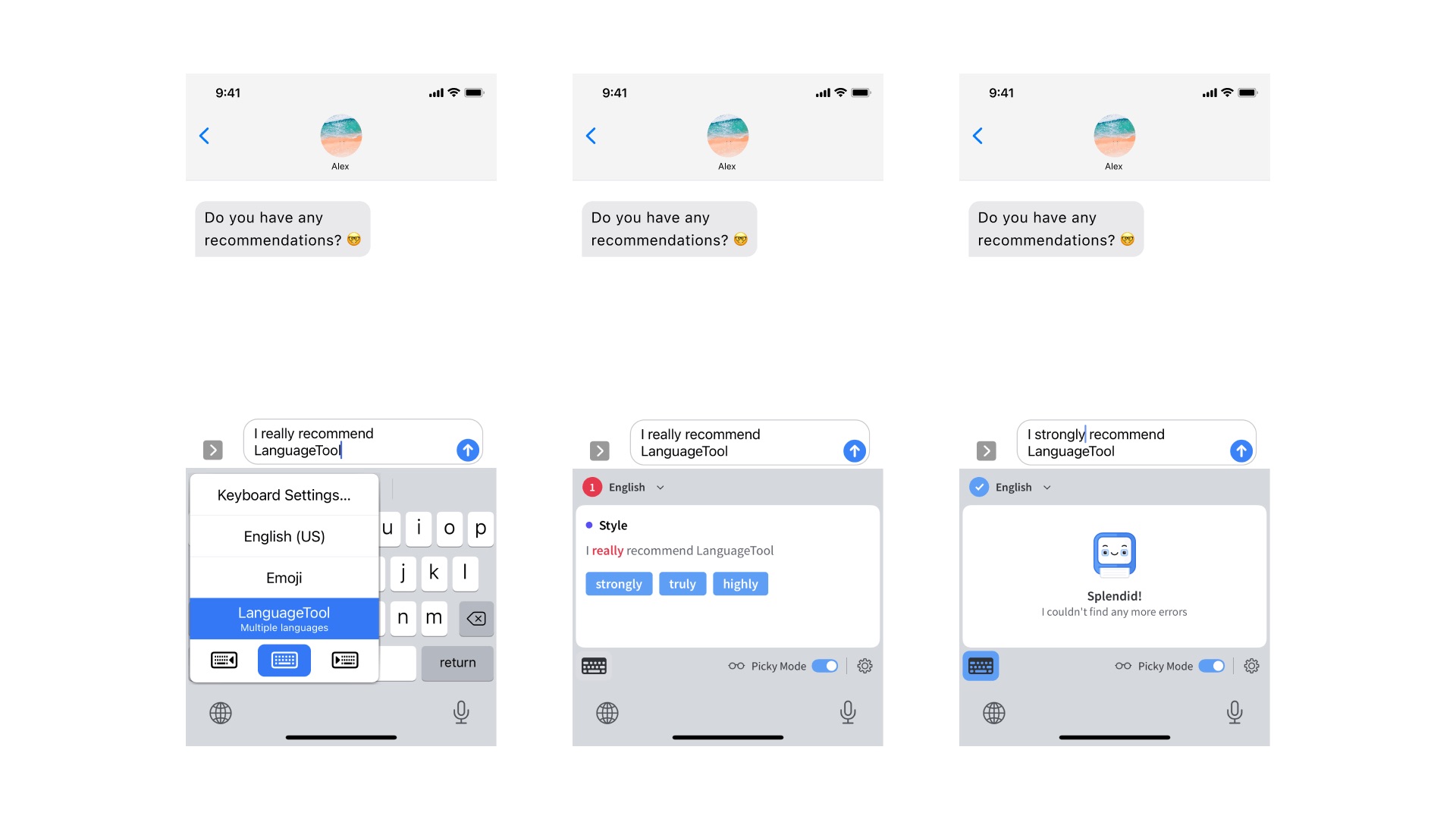
Good for: multilingual writers whose editing mostly happens on desktop, with occasional mobile touch-ups.
Pricing
Monthly: $24.90 per month
Quarterly: $49.90 per quarter (equivalent to about $16.63/month)
Write better everywhere
Rewrite, rephrase, and refine text instantly without switching apps.
Picking Based on How You Actually Write
If you write mostly on your phone and want to stay inside whatever app you're already using, a real keyboard extension, RewriteMate or QuillBot, is going to feel faster than a copy-paste tool like Wordtune or a desktop-first tool like LanguageTool. If customization matters to you, defining your own tone rules instead of picking from presets, that's where RewriteMate and Grammarly's newer AI keyboard currently differ most from the rest of this list. The best Grammarly alternative isn't the one with the most features. It's the one that's actually there when you're mid-sentence.
Worth trying a few of these side by side on the same message and comparing what actually comes out. RewriteMate is free to try on the App Store if you want to start there.
Related articles
Keep reading

RewriteMate vs Grammarly Keyboard: Which Is Better for Mobile Writing?
Compare RewriteMate vs Grammarly Keyboard to see which iPhone writing assistant fits your workflow. Learn the differences in AI rewriting, grammar checking, customization, pricing, and everyday mobile writing.

Best Grammarly Alternatives for iPhone in 2026 (Compared & Reviewed)
Looking for the best Grammarly alternative for iPhone? Compare Grammarly, RewriteMate, LanguageTool, SwiftKey, QuillBot, and Apple Writing Tools to find the best AI writing app for iOS.
Grammarly Alternative iPhone: RewriteMate vs Grammarly
A head-to-head comparison of the best AI writing keyboards for iOS, highlighting why custom prompts beat locked presets.

Felix Tran
RewriteMate Dev & Editorial Lead
Write about everyday workflows, systems that help ideas move faster, from first draft to finished work.