August 5, 2026
RewriteMate vs Grammarly Keyboard: Which Is Better for Mobile Writing?
If you've been searching for RewriteMate vs Grammarly, you're probably looking for one answer:
Which keyboard actually makes writing on an iPhone easier?
Both apps promise to improve your writing, fix mistakes, and help you communicate more clearly. But while they seem similar at first glance, they solve different problems.
Grammarly built its reputation as one of the best grammar checkers available. RewriteMate takes a broader approach by combining grammar correction with AI-powered rewriting, tone adjustment, translation, and customizable writing workflows—all from your keyboard.
In this guide, we'll compare both apps across grammar accuracy, AI capabilities, usability, customization, pricing, and real-world writing scenarios so you can decide which one deserves a place on your iPhone.
RewriteMate vs Grammarly Keyboard at a Glance
| Feature | RewriteMate | Grammarly Keyboard |
|---|---|---|
| Grammar correction | ✅ | ✅ |
| Spelling correction | ✅ | ✅ |
| AI rewriting | ✅ | ✅ |
| Tone adjustment | ✅ | ✅ |
| Translate messages | ✅ | ✅ |
| Custom AI commands | ✅ | Limited |
| Works across apps | ✅ | ✅ |
| Email rewriting | ✅ | ✅ |
| Message shortening | ✅ | ✅ |
| Expand ideas | ✅ | Limited |
| Best for | AI-powered writing | Grammar & proofreading |
Quick Verdict
Choose RewriteMate if you want an AI keyboard that actively helps you rewrite, improve, and personalize your writing.
Choose Grammarly Keyboard if your primary goal is catching grammar mistakes before you hit send.
What Is RewriteMate?
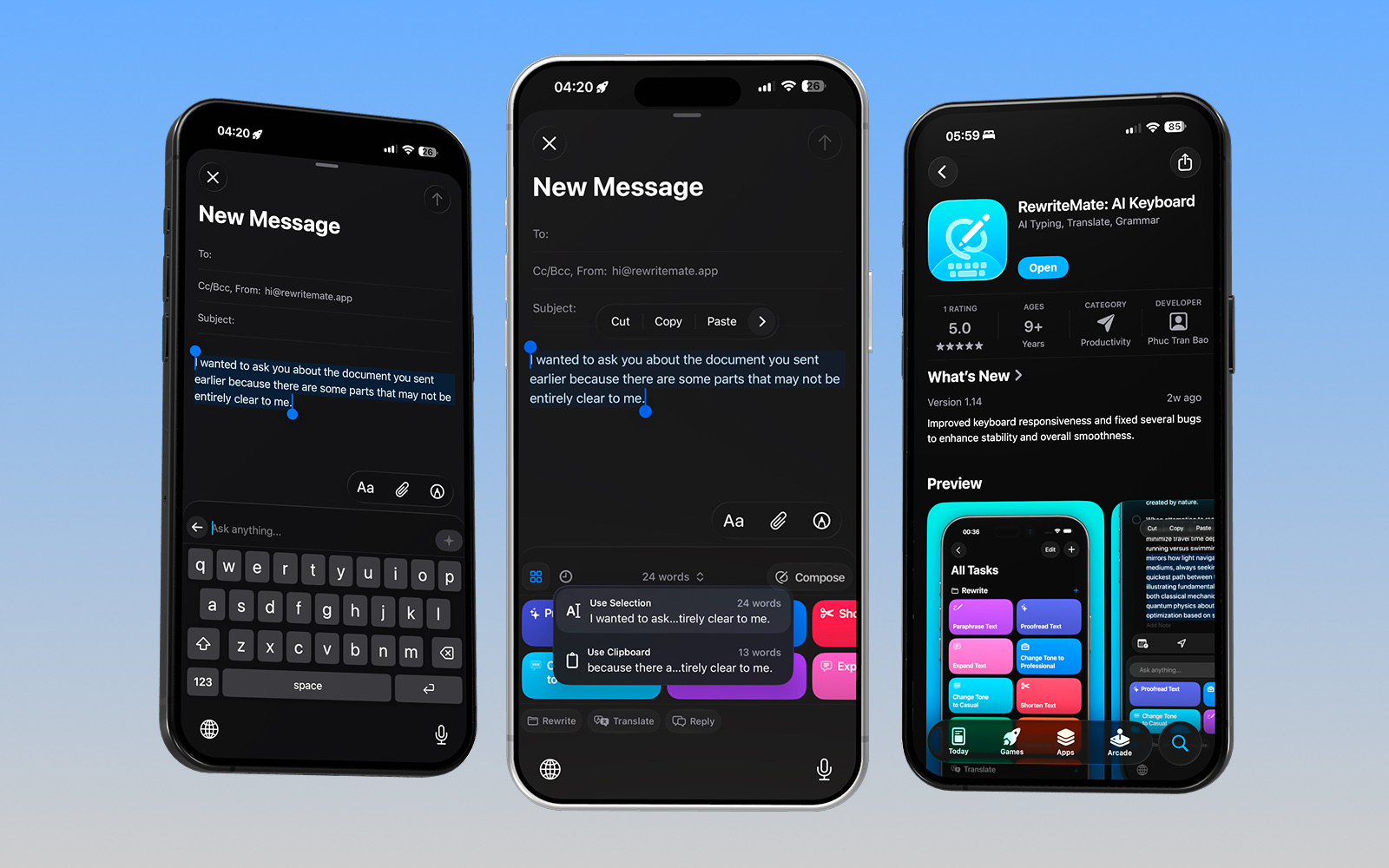
RewriteMate is an AI-powered keyboard designed specifically for iPhone users who write throughout the day.
Instead of simply correcting grammar, it helps you rewrite text in different styles without leaving the app you're using.
Whether you're writing in Messages, Gmail, Slack, WhatsApp, Notes, LinkedIn, or Instagram, RewriteMate lets you improve your writing instantly.
Key capabilities include:
- Grammar correction
- AI rewriting
- Tone adjustment
- Professional rewrites
- Friendly rewrites
- Translation
- Custom AI commands
- Shortening or expanding text
- Improving clarity
Unlike traditional grammar keyboards, RewriteMate focuses on helping users write better—not just write correctly.
Related: Homepage
What Is Grammarly Keyboard?
Grammarly Keyboard is the mobile extension of Grammarly's well-known writing assistant.
Its strength has always been grammar correction.
As you type, Grammarly checks your spelling, punctuation, grammar, and sentence clarity in real time. It also offers suggestions to make your writing sound more natural and professional.
More recently, Grammarly has introduced generative AI features that can rewrite text and change tone, although these features are generally less customizable than dedicated AI writing tools.
For users who mainly want proofreading before sending emails or messages, Grammarly remains one of the most trusted options available.
RewriteMate vs Grammarly: Feature Comparison
Grammar Accuracy
Grammar checking is where Grammarly built its reputation.
It excels at:
- punctuation errors
- spelling mistakes
- subject-verb agreement
- sentence fragments
- awkward phrasing
- clarity suggestions
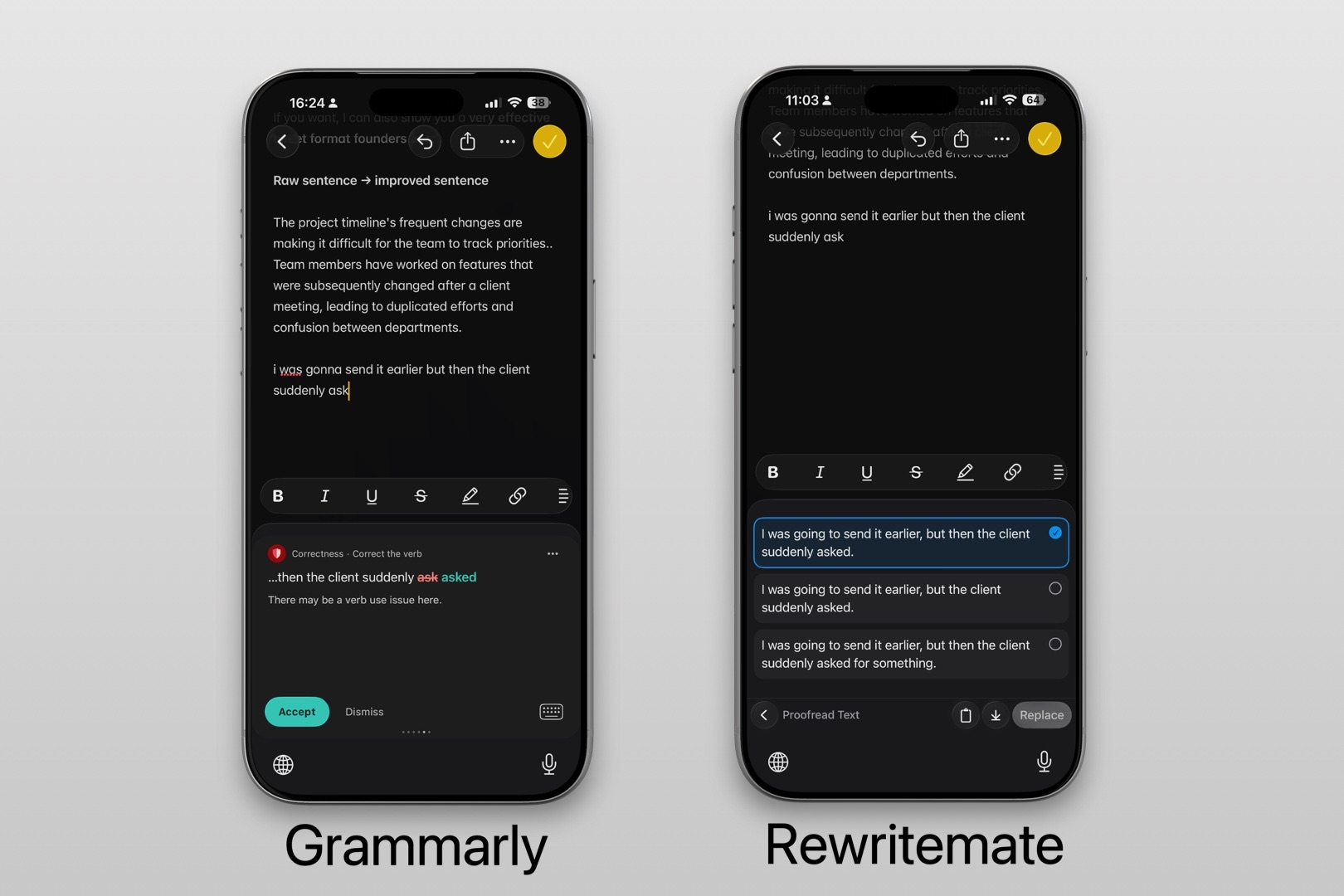
RewriteMate also provides grammar correction, but its focus is on improving the entire message rather than simply highlighting mistakes.
AI Rewriting
This is where the comparison changes dramatically.
Modern writers rarely need only grammar correction.
They often ask questions like:
- Can this sound more professional?
- Make it shorter.
- Make it friendlier.
- Rewrite this politely.
- Improve this email.
- Make this persuasive.
This is where AI keyboard vs Grammarly becomes an important comparison.
RewriteMate is built around these workflows.
Instead of manually editing text, you simply choose the result you want.
Examples include:
- Rewrite professionally
- Rewrite casually
- Simplify
- Expand
- Shorten
- Improve clarity
- Fix grammar
- Make persuasive
- Make confident
- Sound empathetic
For people who send dozens of emails and messages every day, these AI workflows can save significant time.
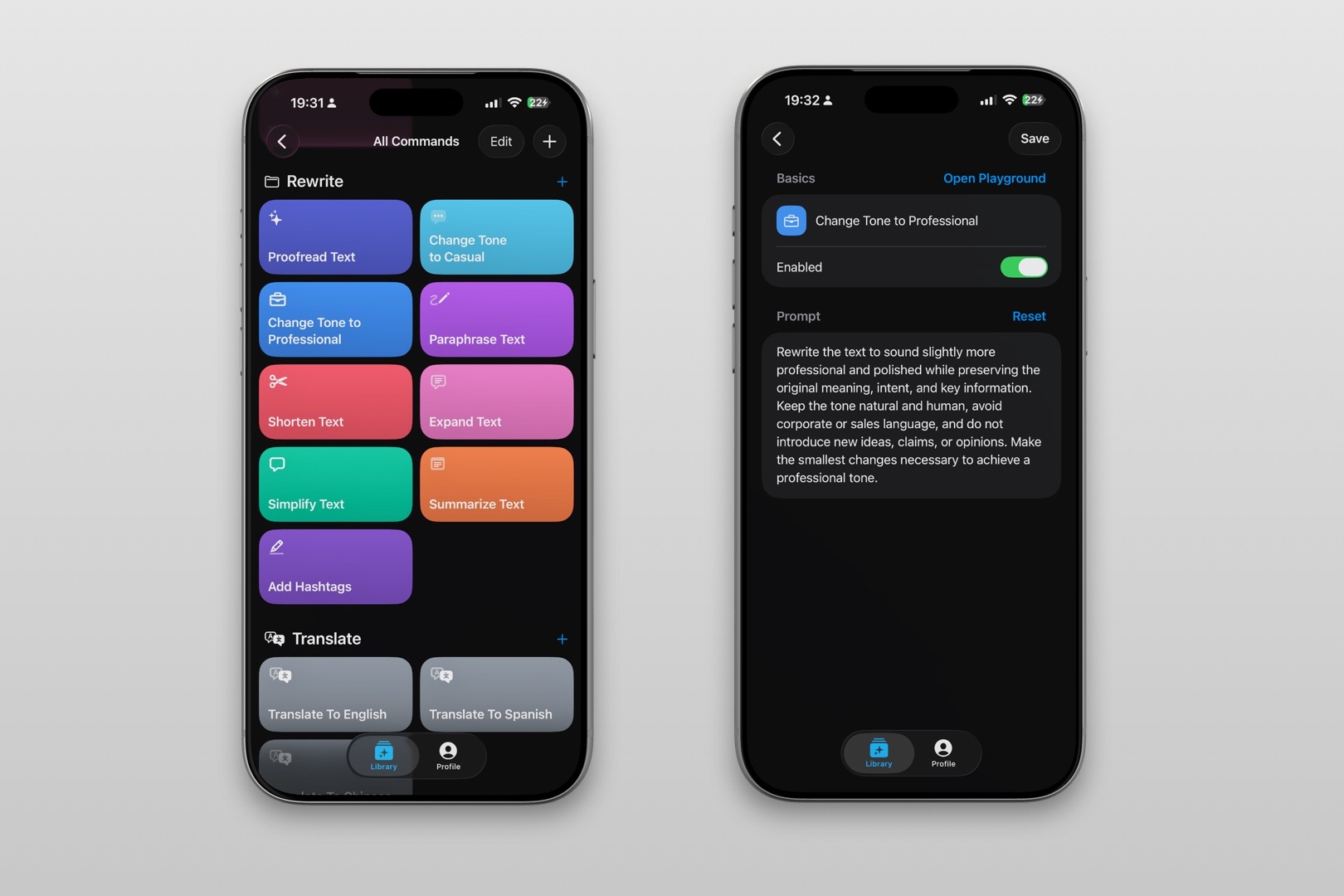
Custom AI Commands
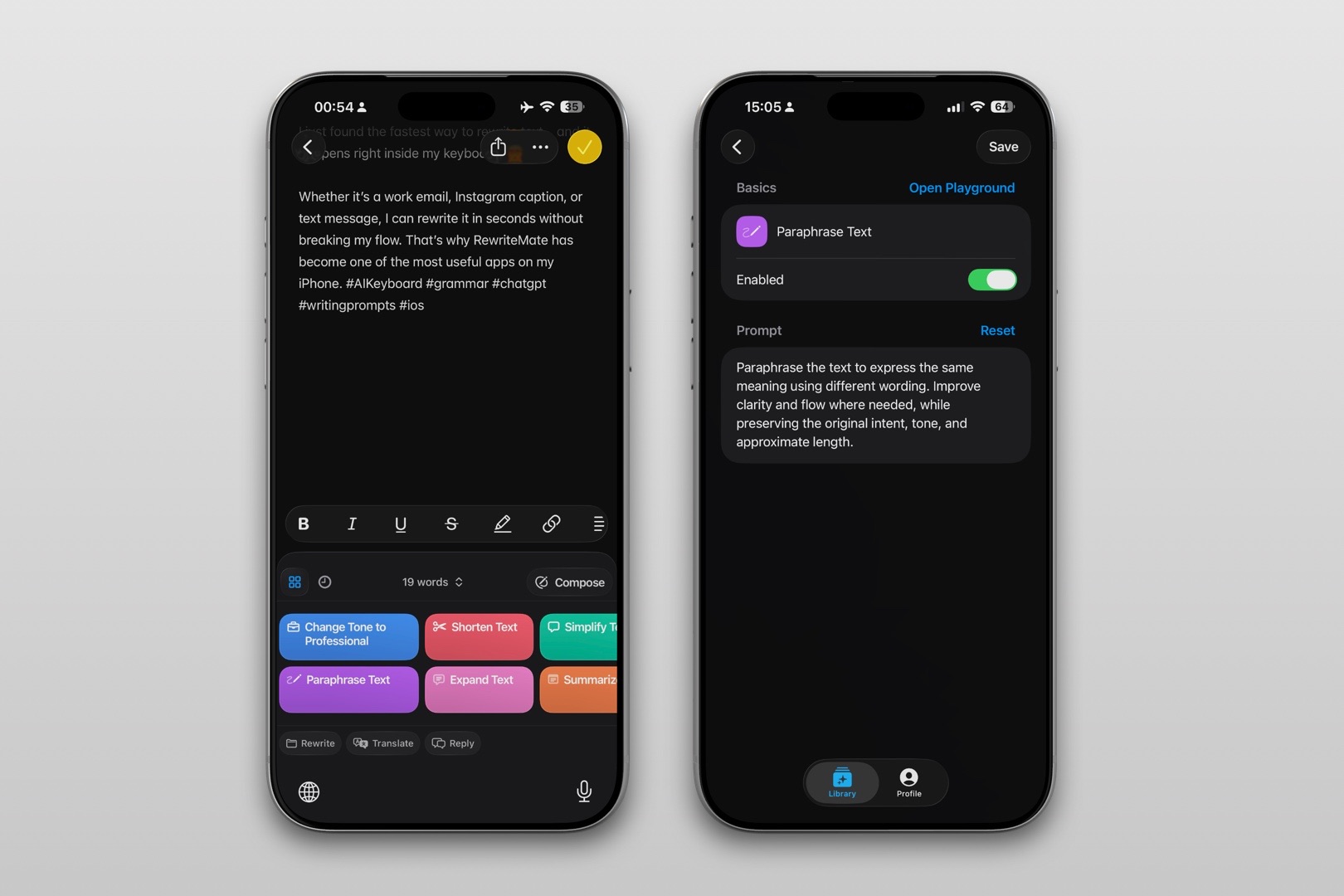
One of RewriteMate's biggest advantages is customization.
Many professionals write similar messages repeatedly.
Examples include:
Customer support replies
Sales follow-ups
Meeting confirmations
Recruiter outreach
Client proposals
Instead of typing prompts every time, RewriteMate lets you create reusable AI commands tailored to your workflow.
Examples:
- Rewrite like my CEO
- Friendly follow-up
- Turn this into a LinkedIn comment
- Make this sound confident
- Rewrite in plain English
These custom workflows reduce repetitive editing and make AI assistance feel more personal.
Grammarly currently offers fewer options for deeply customized writing workflows.
Writing Workflow
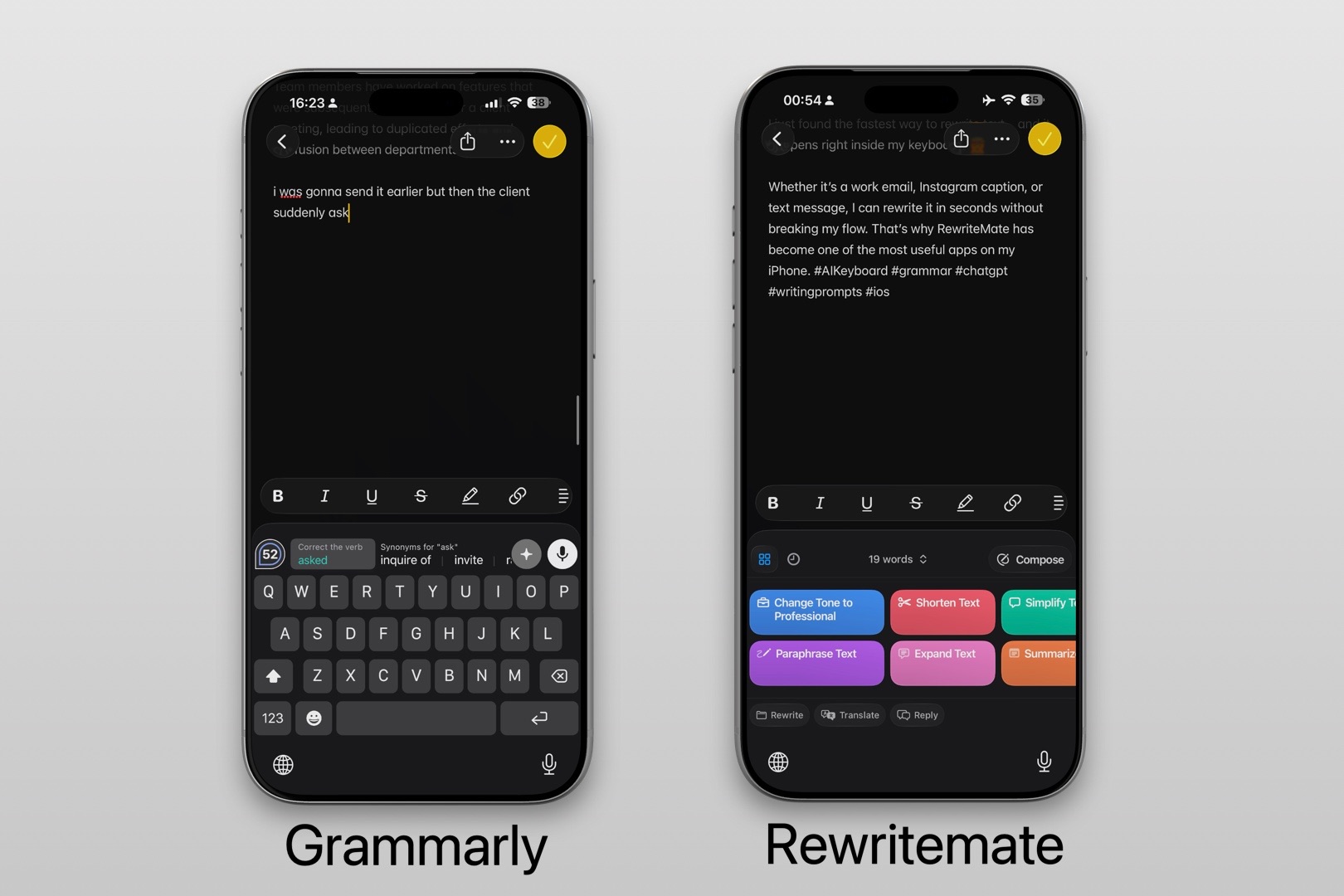
The difference becomes obvious during everyday use.
Imagine you're replying to an email on your phone.
With Grammarly
- Type message
- Review grammar suggestions
- Accept corrections
- Send
With RewriteMate
- Type message
- Tap Rewrite
- Choose Professional
- Or Friendly
- Or Shorter
- Or More Persuasive
- Or your own custom prompt
- Send
Both improve writing.
RewriteMate simply gives you more ways to transform it.
Languages & Translation
Both keyboards support multilingual users.
RewriteMate combines translation with AI rewriting, allowing users to translate while maintaining natural tone.
This is particularly useful for professionals working across international teams.
For example:
Write in Spanish.
Translate into English.
Then make it sound more professional.
Everything happens inside the keyboard.
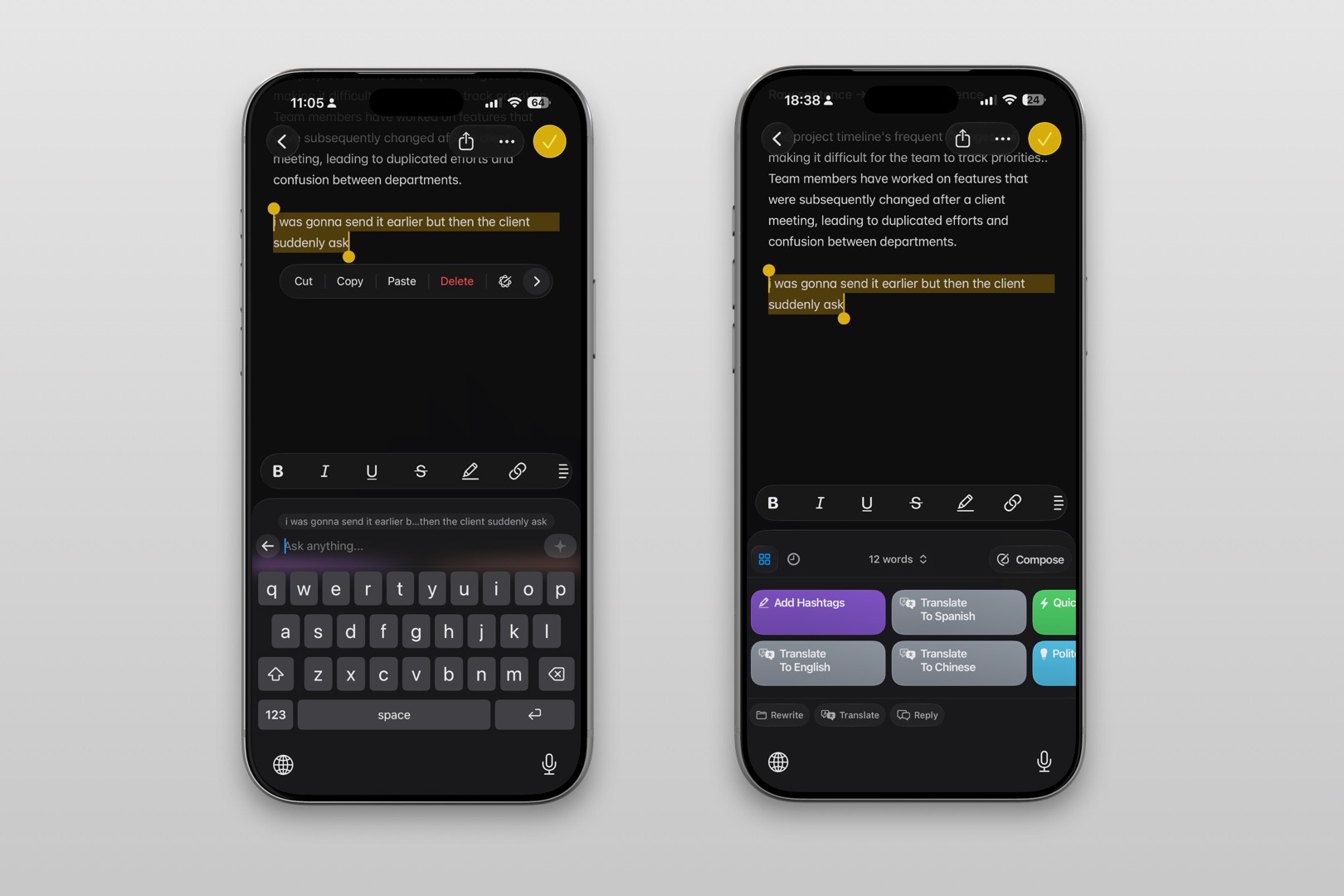
For non-native English speakers, this can dramatically reduce editing time.
Related: AI keyboard for non-native English speakers
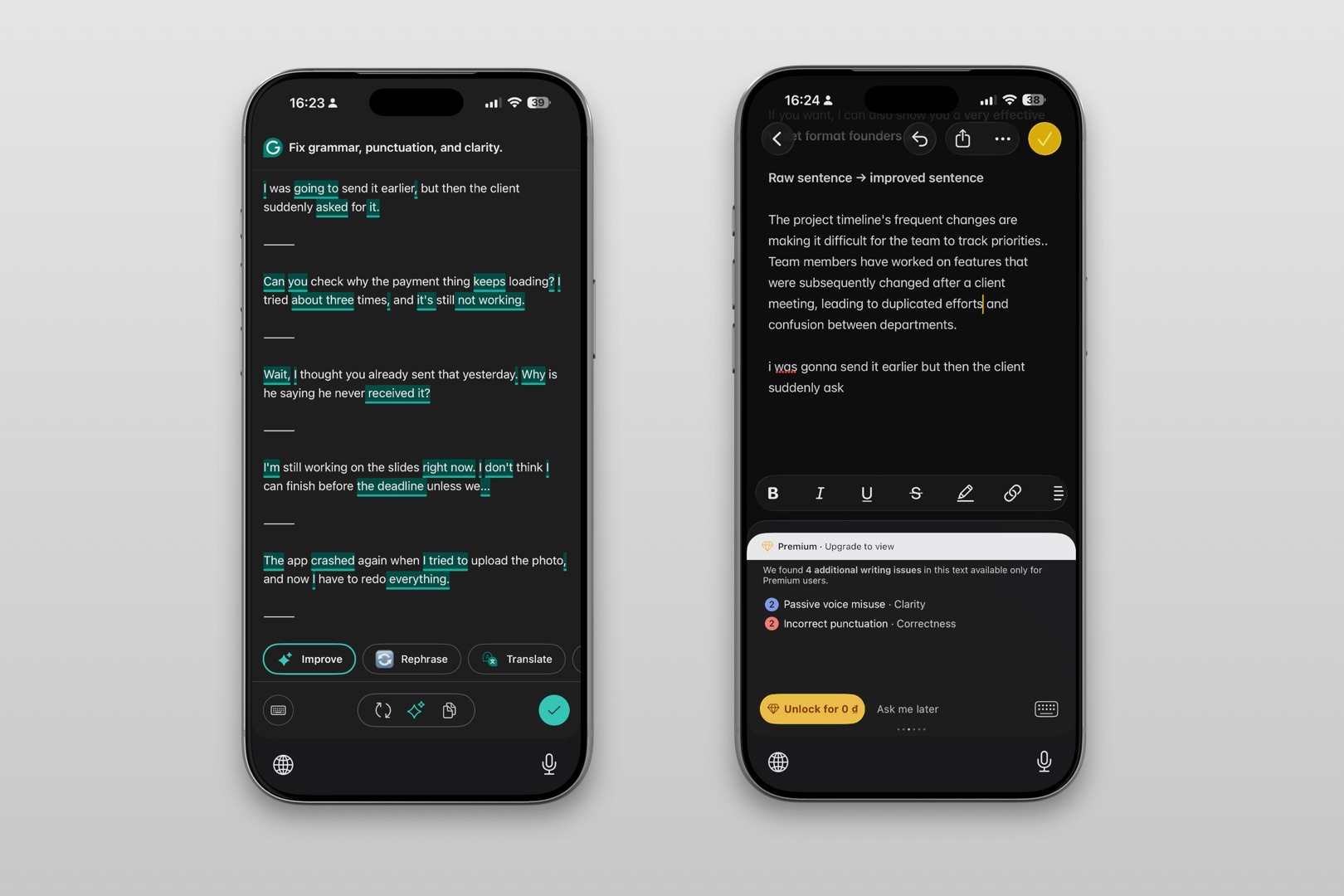
Ease of Use
Grammarly has a familiar experience.
Most users understand its grammar suggestions immediately.
RewriteMate introduces more AI capabilities, but the interface remains straightforward.
Users who already rely on ChatGPT or other AI tools often find RewriteMate feels like having those capabilities available directly inside the keyboard.
For basic proofreading and sentence rewriting, RewriteMate is much simpler
If your goal is to improve your overall writing alongside checking grammar, Grammarly offers more functionality, albeit with added complexity.
Pricing Comparison
| Plan | RewriteMate | Grammarly |
|---|---|---|
| Free version | ✅ | ✅ |
| Premium AI features | ✅ | ✅ |
| Grammar correction | ✅ | ✅ |
| AI rewriting | ✅ | ✅ |
| Custom commands | ✅ | Limited |
| Best value for AI writing | ⭐ |
Both products offer free versions, but premium plans unlock their most useful AI features.
If your daily workflow involves rewriting messages, emails, or social posts, RewriteMate generally delivers more value through its broader AI feature set.
Pros and Cons
RewriteMate
Pros
- Excellent AI rewriting
- Multiple tone options
- Custom AI commands
- Translation support
- Works across apps
- Designed for mobile productivity
Cons
- Newer platform
- More focused on AI assistance than traditional proofreading
Grammarly Keyboard
Pros
- Outstanding grammar correction
- Excellent proofreading
- Trusted by millions
- Easy to use
Cons
- Less customizable
- Fewer AI workflows
- Better at correcting than rewriting
Which One Is Better for Different Users?
Choose RewriteMate if you...
- Rewrite messages frequently
- Use AI every day
- Write lots of emails
- Want customizable AI commands
- Create content from your phone
- Value productivity over simple proofreading
Choose Grammarly if you...
- Primarily need grammar correction
- Want spelling and punctuation help
- Prefer automatic proofreading
- Don't need advanced AI customization
- Already use Grammarly across desktop and mobile
Is RewriteMate the Best Grammarly Keyboard Alternative?
Many users start looking for a Grammarly keyboard alternative because their writing needs have evolved.
Grammar correction is only one part of modern communication.
Today's professionals also need help with:
- rewriting
- summarizing
- translating
- adjusting tone
- making messages concise
- sounding more confident
- sounding more empathetic
RewriteMate addresses these broader writing tasks directly within the keyboard.
That doesn't make Grammarly obsolete—it simply serves a different audience.
If proofreading is your priority, Grammarly remains an excellent choice.
If your goal is writing faster and communicating more effectively, RewriteMate offers a more versatile experience.
Related: Grammarly Alternatives
What Is the Best Grammar Keyboard for iPhone?
If you're searching for the best grammar keyboard iPhone users can install today, the answer depends on what you expect from your keyboard.
Grammarly
Best for:
- Grammar correction
- Proofreading
- Spelling
RewriteMate
Best for:
- AI rewriting
- Professional communication
- Tone adjustment
- Productivity
- Everyday writing
Apple Writing Tools
Best for:
- Basic AI assistance
- Users already within Apple's ecosystem
For users who spend hours every day replying to emails, messaging clients, creating social content, or collaborating with teammates, RewriteMate provides a more complete mobile writing experience.
Write better everywhere
Rewrite, rephrase, and refine text instantly without switching apps.
Final Verdict: RewriteMate vs Grammarly
Both keyboards are excellent—but they're built with different priorities.
| If you want... | Choose |
|---|---|
| Best grammar correction | Grammarly |
| Better AI rewriting | RewriteMate |
| Custom AI workflows | RewriteMate |
| Professional message rewriting | RewriteMate |
| Traditional proofreading | Grammarly |
| Mobile productivity | RewriteMate |
Grammarly remains one of the strongest grammar correction tools available.
RewriteMate expands beyond grammar by helping users rewrite, personalize, and improve nearly every message they write.
If your writing consists mostly of proofreading before hitting send, Grammarly is a reliable choice.
If you're looking for an AI-powered writing assistant that helps you communicate more clearly, adapt your tone, and save time throughout the day, RewriteMate is the stronger option.
Frequently Asked Questions
Is RewriteMate better than Grammarly?
It depends on your needs. Grammarly is stronger for grammar correction and proofreading, while RewriteMate offers more advanced AI rewriting, tone adjustment, and customizable writing workflows.
Can RewriteMate replace Grammarly?
For users whose primary goal is AI-assisted writing and message improvement, RewriteMate can replace Grammarly. If grammar checking is your main priority, Grammarly still excels.
Which AI keyboard is best for iPhone?
Many users choose RewriteMate for AI-powered rewriting and Grammarly for proofreading. The best option depends on whether you prioritize writing assistance or grammar correction.
Is Grammarly Keyboard good for rewriting?
Yes. Grammarly includes AI rewriting features, but they are generally less customizable than RewriteMate's dedicated AI writing tools.
Does RewriteMate work in every app?
RewriteMate is designed to work anywhere the iPhone keyboard is available, making it useful for emails, messaging apps, social media, note-taking, and productivity tools.
Which keyboard is better for non-native English speakers?
Both are helpful, but RewriteMate's combination of translation, rewriting, and tone adjustment makes it especially useful for users who regularly write in English as a second language.
Can I use both RewriteMate and Grammarly?
Yes. Some users rely on Grammarly for proofreading and RewriteMate for AI rewriting, depending on the task.
Is RewriteMate worth paying for over Grammarly?
If you frequently rewrite emails, messages, or content on your phone, RewriteMate's AI capabilities and custom workflows can provide more day-to-day value than grammar checking alone.
Related articles
Keep reading
Grammarly Alternative iPhone: RewriteMate vs Grammarly
A head-to-head comparison of the best AI writing keyboards for iOS, highlighting why custom prompts beat locked presets.

Best Grammar Checker Keyboard for iPhone (2026 Guide)
Compare the best grammar checker keyboards for iPhone. Discover AI keyboards that proofread, rewrite, and improve your writing in every app—not just your browser.
Mobile Productivity Apps For Writing in 2026
A practical overview of mobile productivity apps writers use in 2026 to reduce friction, stay focused, and write more clearly—without breaking flow.

Felix Tran
RewriteMate Dev & Editorial Lead
Write about everyday workflows, systems that help ideas move faster, from first draft to finished work.