July 7, 2026
What Is an AI Keyboard? How It Works on iPhone
Writing on your phone should be quick. In reality, it often turns into a mess of typo fixes, awkward rewrites, tone changes, and copy-pasting text into separate AI apps just to clean up a message or email.
That’s exactly why AI keyboards have become one of the most practical writing tools on iPhone.
Instead of switching between apps to improve your writing, an AI keyboard works inside the keyboard you already use. You can rewrite a sentence, fix grammar, translate a message, shorten an email, or make a text sound more professional—without leaving the app you’re in.
If you’ve seen terms like AI keyboard app, AI writing keyboard, or AI keyboard for iPhone and wondered what they actually mean, this guide breaks it down. We’ll cover what an AI keyboard is, how it works on iPhone, what it can do, and how tools like RewriteMate fit into the category.
What Is an AI Keyboard?
An AI keyboard is a keyboard app or keyboard extension that uses artificial intelligence to help you write, edit, and improve text while you type on your phone.
Instead of acting like a normal keyboard that only handles typing, autocorrect, and emoji, an AI keyboard adds writing features such as:
- proofreading grammar and spelling
- rewriting awkward text
- paraphrasing sentences
- changing tone
- translating messages
- shortening or expanding text
- generating quick replies
- summarizing text
The key difference is where the writing help happens.
A traditional AI writing app usually asks you to open a separate app, paste your text, generate a new version, then copy it back into the original app. An AI keyboard does that work directly inside your writing flow. It sits in the keyboard layer, so you can improve text in places like:
- Messages
- Notes
- Slack
- Safari forms
- customer support apps
- work chat tools
That’s why the category matters. An AI keyboard is less about “using AI somewhere” and more about using AI exactly where you’re already typing.
How Does an AI Keyboard Work on iPhone?
At a high level, an AI keyboard on iPhone works by combining two things:
- A custom keyboard or keyboard extension
- An AI model that can rewrite, correct, or generate text
The result is a writing assistant that lives inside your keyboard rather than in a separate chatbot or editor.
Here’s what the workflow usually looks like.
1. You Type or Select Text in Any App
You start the same way you normally would: by writing in an app on your iPhone.
That could be:
- an email draft in Mail
- a message in iMessage or WhatsApp
- a Slack update
- a caption for Instagram
- a note in Apple Notes
- a comment in a web form
- a LinkedIn message
- a support reply in a work app
Most AI keyboard apps are built for these everyday writing moments rather than long-form drafting in a separate workspace.
2. You Open the AI Keyboard or Trigger a Writing Command
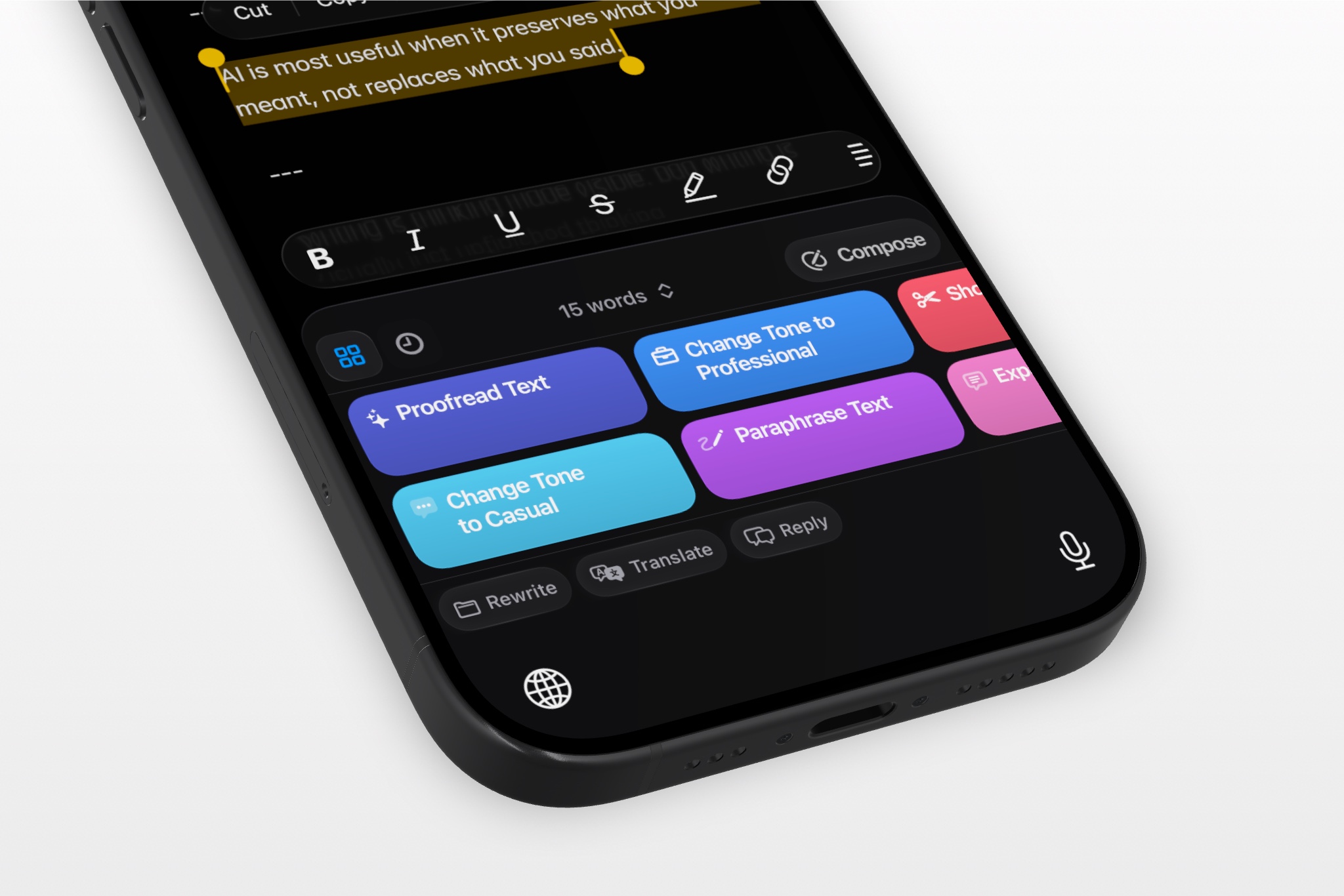
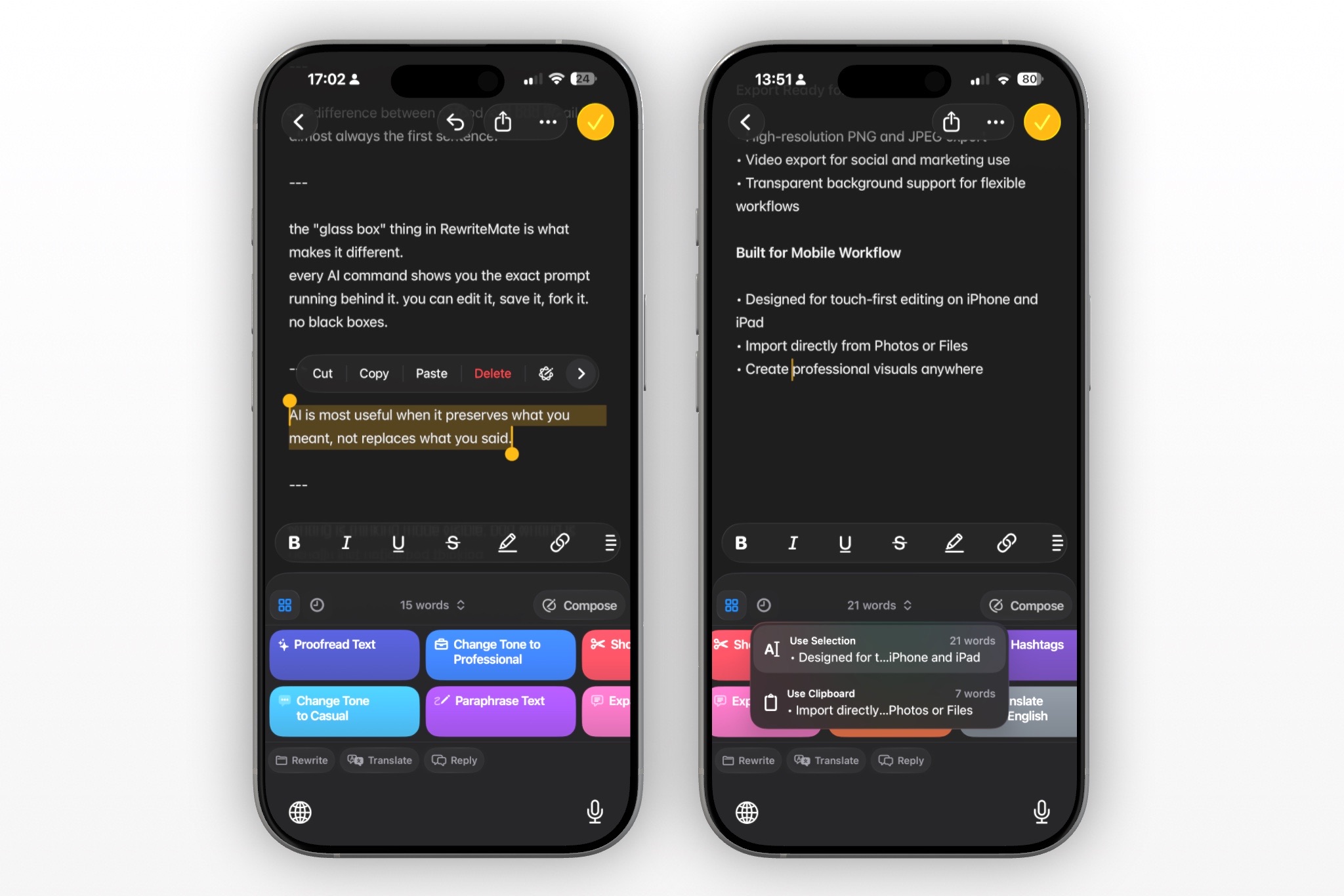
Once the keyboard is active, you can usually tap a command or action such as:
- Proofread
- Paraphrase
- Shorten
- Expand
- Make Professional
- Make Friendly
- Translate
- Summarize
- Reply
Some AI keyboard apps work with selected text. Others work on the sentence around your cursor, a paragraph you’ve just typed, or a prompt you enter into the keyboard itself.
The important part is that you don’t have to leave the app you’re in. The AI action happens from the keyboard layer.
3. The Keyboard Sends Your Text to an AI Model
When you trigger a command, the AI keyboard sends your text and your selected instruction to an AI model.
That model processes the text based on what you asked it to do. For example:
- Proofread fixes grammar, punctuation, and spelling
- Paraphrase rewrites the same idea with different wording
- Professional tone makes a message sound more polished for work
- Shorten removes fluff and tightens the sentence
- Translate converts the text into another language
- Expand turns rough notes into a fuller message
From the user’s point of view, this usually feels like tapping a command and waiting a second or two for a better version to appear.
4. You Insert, Replace, or Copy the Result
After the AI finishes, the improved version appears in the keyboard interface. From there, most AI keyboard apps let you:
- insert the rewritten text at the cursor
- replace the original sentence or paragraph
- copy the result to your clipboard
This is the real advantage of an AI keyboard on iPhone. You stay inside the app you were already using and apply the edit immediately, instead of bouncing between tools.
5. Some AI Keyboards Support Custom Commands
Basic AI keyboards usually include a set of built-in actions like proofreading and rewriting. More advanced tools go further by letting you create custom commands.
For example, instead of tapping a generic “rewrite” button, you might create a saved command like:
- “Make this email sound confident but not too formal”
- “Turn this into a concise client update”
- “Rewrite this support reply to sound warmer”
- “Shorten this caption but keep the CTA”
- “Translate to Spanish and keep the tone casual”
This is where AI keyboards become much more useful than one-size-fits-all writing tools. Instead of only fixing grammar, they start to support real workflows.
What Can an AI Keyboard Actually Do?
The easiest way to understand the category is to look at the jobs people use it for every day.
An AI writing keyboard can help with:
-
Fix grammar, spelling, punctuation, and phrasing mistakes before you hit send.
-
Clean up awkward wording, improve clarity, and make a rough draft easier to read.
-
Turn a blunt message into something polite, make an email more professional, or soften a response without rewriting it from scratch.
-
Say the same thing differently when your original wording feels repetitive, clunky, or unclear.
-
Tighten long messages, cut filler, and make your writing more concise.
-
Turn quick notes into a fuller email, explanation, or caption.
-
Translate messages into another language without switching to a separate translation app.
-
Create quick replies for common situations like agreeing, declining, following up, or responding politely.
-
Condense a longer chunk of text into something shorter and easier to scan.
-
Use saved prompts or custom commands to keep your tone, formatting, and structure consistent across similar messages.
On desktop, you can do many of these things with a chatbot or browser tool. On iPhone, the real value is being able to do them without leaving the keyboard.
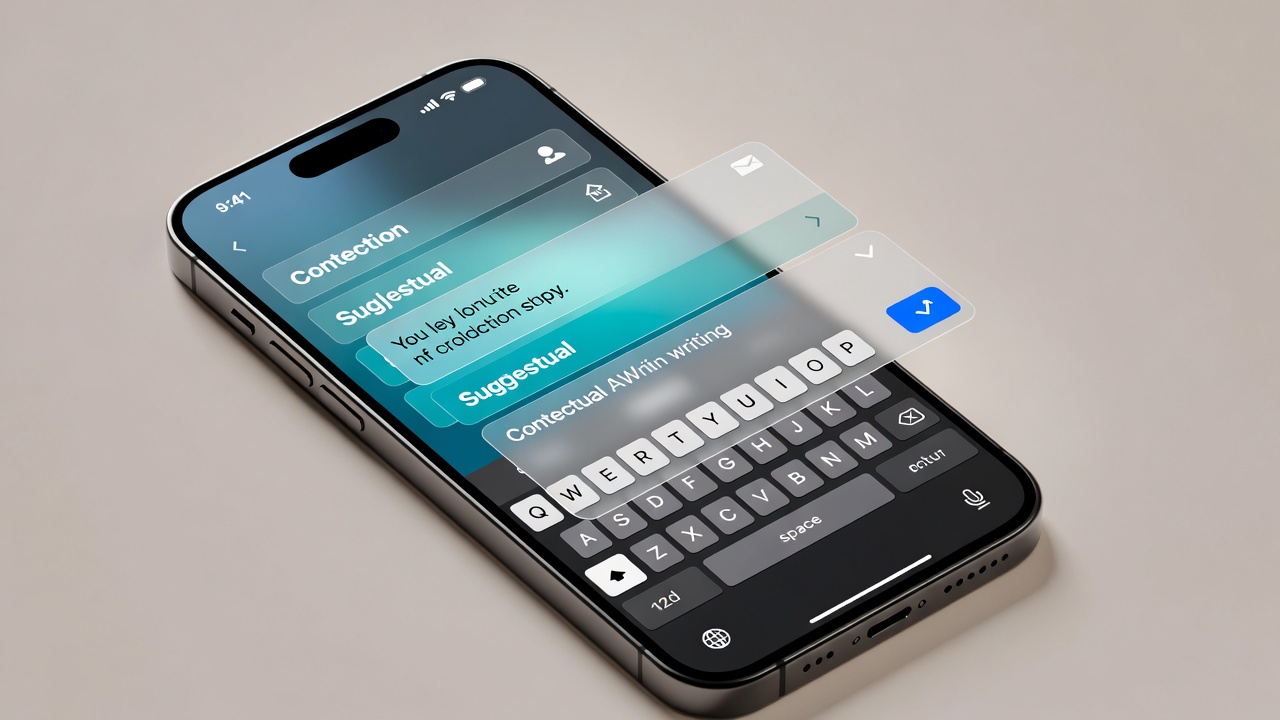
AI Keyboard vs Regular iPhone Keyboard
A regular iPhone keyboard helps you type. An AI keyboard helps you write better while you type.
Here’s the practical difference:
| Feature | Regular iPhone keyboard | AI keyboard |
|---|---|---|
| Basic typing | Yes | Yes |
| Autocorrect | Yes | Yes |
| Emoji / symbols | Yes | Yes |
| Rewrite text | No | Yes |
| Change tone | No | Yes |
| Proofread full sentences | Limited | Yes |
| Paraphrase text | No | Yes |
| Translate messages | Limited | Yes |
| Summarize text | No | Yes |
| Generate quick replies | No | Yes |
| Save custom writing commands | No | Some do |
| Improve text inside third-party apps | Limited | Yes |
A normal keyboard is built for input. An AI keyboard is built for input plus revision.
That distinction matters because a lot of mobile writing isn’t about starting from zero. It’s about fixing, refining, or adjusting something you already wrote.
AI Keyboard vs AI Writing App
This is one of the most important distinctions to understand.
Both tools use AI to improve writing, but they solve slightly different problems.
What an AI Writing App Does
A traditional AI writing app or chatbot gives you a separate place to generate or edit text. You open the app, type or paste your draft, ask the AI to change it, then copy the result back into your original app.
That setup can work well for:
- brainstorming
- drafting longer content
- outlining
- summarizing articles
- writing from scratch
But it creates friction for everyday communication on your phone.
If you’re just trying to make one email sound better or rewrite a Slack message before sending it, opening another app can feel like too many steps.
What an AI Keyboard App Does
An AI keyboard app is designed for those smaller, high-frequency writing tasks that happen throughout the day.
Instead of moving your text into a separate tool, you improve it where you’re already typing. That makes AI keyboards especially useful for:
- work emails
- text messages
- support replies
- captions
- notes
- DMs
- comments
- multilingual messaging
The easiest way to think about it is this:
- AI writing app = separate writing workspace
- AI keyboard = in-flow writing assistant
If your goal is long-form drafting, both can be useful. If your goal is rewriting text quickly on iPhone without copy-paste, the keyboard approach is usually faster.
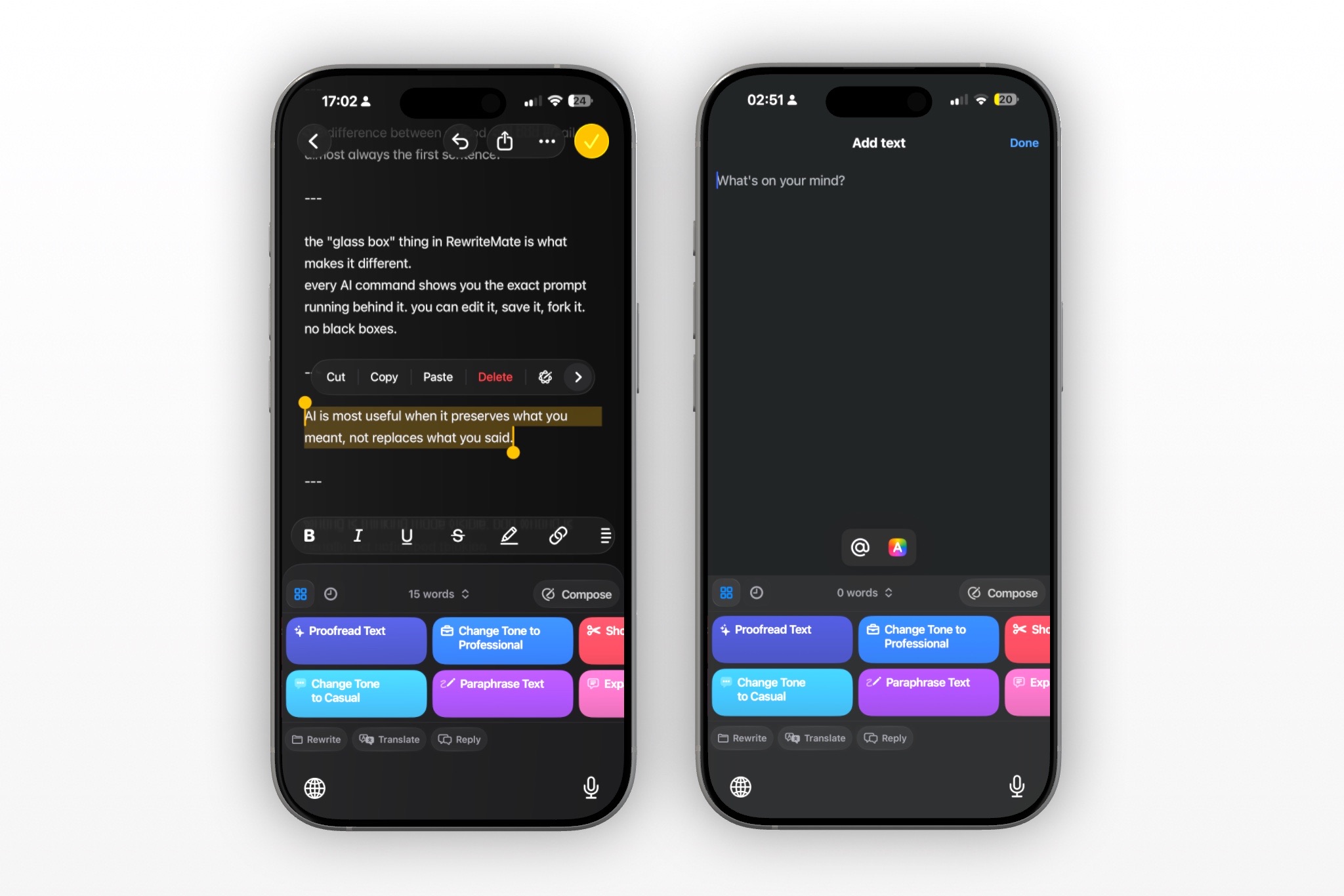
Write better everywhere
Rewrite, rephrase, and refine text instantly without switching apps.
Why People Use AI Keyboards on iPhone
The appeal of an AI keyboard isn’t just that it uses AI. It’s that it removes friction from writing on mobile.
Here are the main reasons people use them.
1. They Want to Write Better Without Slowing Down
On a laptop, it’s easy to edit as you go. On a phone, typing is cramped and revision feels slower. That’s why so many messages, emails, and notes get sent in a rougher state than people intended.
An AI keyboard helps clean up those rough edges quickly:
- fix the grammar
- improve the wording
- make it sound clearer
- send it without overthinking
2. They’re Tired of Copy-Pasting Into ChatGPT
A lot of people already use AI to rewrite text. The problem is the workflow.
If every small edit requires:
- copying text
- opening a chatbot
- pasting it in
- writing a prompt
- copying the result back
- returning to the original app
…you end up doing less of it, even when it would help.
An AI keyboard reduces that whole loop to a few taps.
3. They Write Important Messages on Their Phone
People do a surprising amount of serious writing on iPhone now:
- replying to clients
- sending work emails
- updating coworkers
- writing applications
- messaging leads
- handling support tickets
- translating messages across languages
These are not low-stakes typo fixes. They’re often communication moments where tone and clarity matter.
4. They Need Help With Tone, Not Just Grammar
Traditional grammar tools are useful, but they don’t always solve the bigger problem.
Sometimes the issue isn’t whether a sentence is technically correct. It’s whether it sounds:
- too blunt
- too vague
- too long
- too robotic
- not professional enough
- too formal for the context
AI keyboards are useful because they can rewrite for intent and tone, not just correctness.
5. They Want Writing Help Across Apps
One of the best things about an AI keyboard for iPhone is that it can travel with you. Instead of having one writing assistant for email, another for translation, and another for social captions, the keyboard becomes the common layer across all of them.
That makes it a strong fit for people who write in lots of places throughout the day.
Common Use Cases for an AI Keyboard on iPhone
AI keyboards are especially helpful when you’re doing short-to-medium writing tasks repeatedly. Here are some of the most common use cases.
Work Emails
Turn rough email drafts into something cleaner, more professional, and easier to read without leaving Mail or Gmail.
Slack and Team Messages
Rewrite quick updates so they sound clearer, more polished, or less abrupt.
Text Messages
Make personal messages friendlier, smoother, or more thoughtful when tone matters.
Notes and Personal Writing
Clean up notes, journal entries, outlines, or ideas you captured quickly on your phone.
Social Captions
Shorten, rephrase, or improve captions and replies for Instagram, LinkedIn, X, or Threads.
Customer Support Replies
Use saved prompts or reply templates to make responses more consistent, empathetic, and concise.
Translation
Translate messages while preserving tone and context rather than relying on word-for-word translation.
English Improvement
For non-native English speakers, an AI keyboard can help with grammar, phrasing, and confidence in everyday communication.
What to Look for in an AI Keyboard App
Not every AI keyboard app offers the same experience. If you’re comparing tools, these are the features worth paying attention to.
1. It should work inside the apps you already use
The whole point of an AI keyboard is convenience. If the workflow still feels clunky, it defeats the purpose.
2. It should handle more than grammar
Proofreading is useful, but the best AI keyboard apps also help with paraphrasing, tone changes, shortening, expansion, and translation.
3. It should make results easy to apply
Look for a workflow where you can quickly insert, replace, or copy the improved version.
4. It should support your real writing tasks
If you often write work emails, support replies, or social captions, the app should be able to adapt to those situations rather than only offering generic rewrite commands.
5. Custom commands are a major advantage
This is one of the clearest signs that an AI keyboard is built for real-world use rather than novelty. Saved prompts can turn a general AI tool into a repeatable writing system.
6. It should feel mobile-first
A lot of AI writing tools started on desktop and feel awkward on mobile. The best iPhone AI keyboard apps are designed around quick edits, one-handed use, and in-app writing.
7. Privacy matters
If you’re sending work messages, support replies, or personal writing through an AI keyboard, it’s worth understanding how the app handles text and what data it stores.
Where RewriteMate Fits In
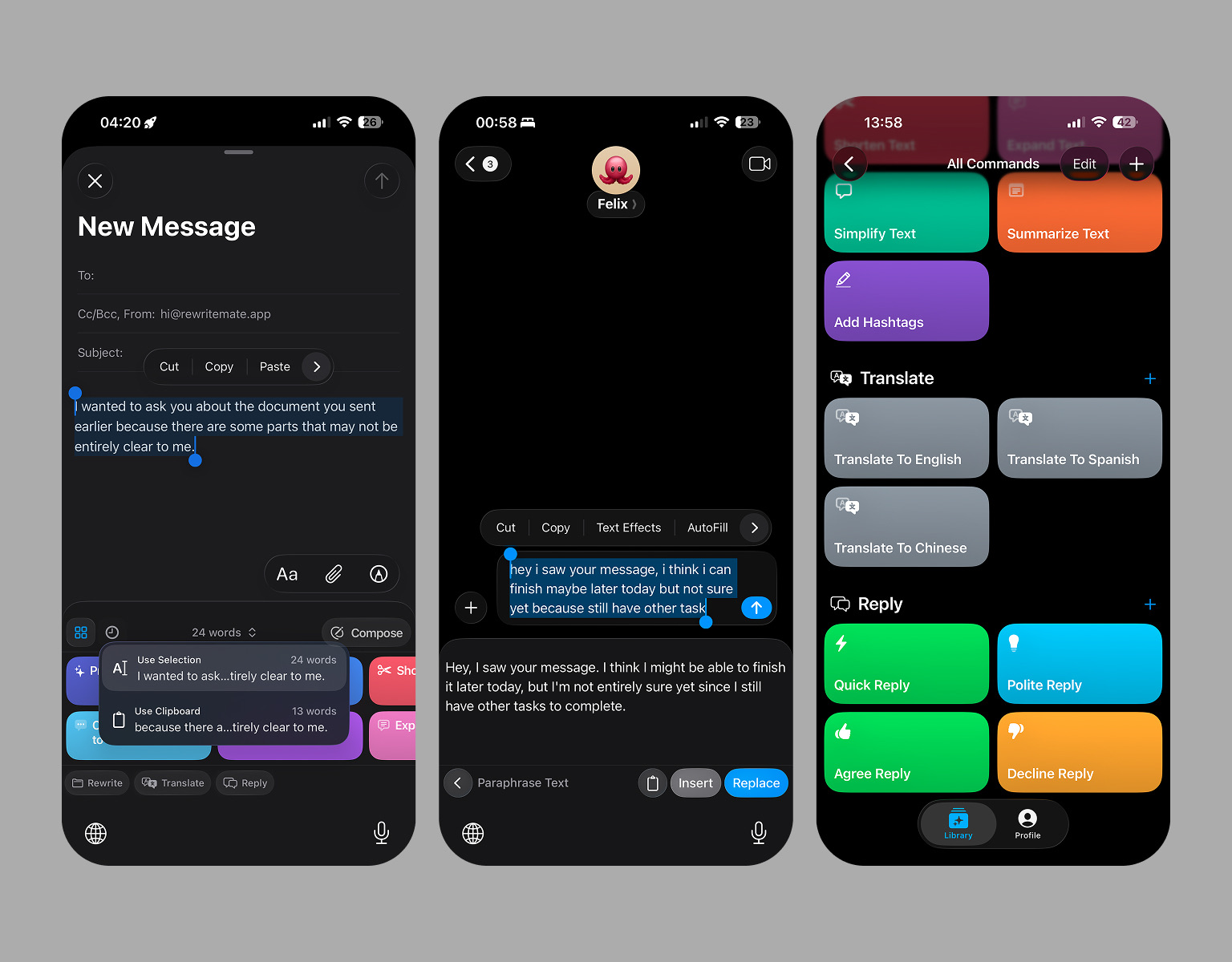
RewriteMate is part of this newer category of keyboard-native AI writing tools.
Instead of acting like a separate writing app, it’s built to help you rewrite and improve text directly inside the keyboard on iPhone. The idea is simple: if you’re already writing in Mail, Messages, Notes, Slack, or another app, the writing help should happen there too.
RewriteMate is designed for tasks like:
- proofreading rough text
- paraphrasing sentences
- changing tone for work or personal writing
- translating messages
- shortening or expanding drafts
- generating quick replies
- creating custom commands for repeated writing tasks
That last part matters because it pushes the experience beyond generic AI rewriting. If you write the same kinds of messages repeatedly—client updates, support replies, follow-ups, captions, multilingual messages—you can build commands around those patterns instead of starting from scratch each time.
In other words, RewriteMate isn’t trying to be a full writing workspace. It’s trying to be the AI writing layer inside the keyboard itself.
Is an AI Keyboard Better Than ChatGPT for Everyday Writing on iPhone?
For some tasks, yes.
If you’re brainstorming ideas, outlining a long article, or generating a first draft from scratch, ChatGPT can be a better fit because it gives you a larger workspace and a more conversational environment.
But if you’re already typing on your iPhone and just want to improve what’s in front of you, an AI keyboard is often the more practical tool.
Use ChatGPT when you want to:
- brainstorm ideas
- ask open-ended questions
- draft longer content from scratch
- explore multiple versions of something
Use an AI keyboard when you want to:
- rewrite a sentence in place
- fix grammar before sending
- make an email more professional
- shorten a message quickly
- translate a reply inside the same app
- avoid breaking your flow
That’s why the two tools aren’t really identical. One is a workspace. The other is a writing layer.
Who Should Use an AI Keyboard?
AI keyboards are most useful for people who do a lot of practical writing on their phones.
That includes:
Professionals
People writing emails, Slack messages, client updates, meeting follow-ups, and internal communication.
Students
People polishing application answers, notes, messages to professors, or personal writing on mobile.
Non-native English speakers
People who want help sounding more natural, professional, and confident in English.
Creators and marketers
People writing captions, replies, DMs, hooks, and short-form content across social apps.
Customer support teams
People sending repeated replies and trying to stay consistent in tone and clarity.
Anyone who writes often on iPhone
If you regularly catch yourself rewriting messages three times before sending them, you’re probably a good fit for an AI keyboard.
Frequently Asked Questions
What is an AI keyboard?
An AI keyboard is a keyboard app or keyboard extension that uses AI to help you write better while typing on your phone. It can proofread, rewrite, paraphrase, translate, shorten, expand, and improve text directly inside the apps you already use.
How does an AI keyboard work on iPhone?
An AI keyboard works by adding AI writing commands to your iPhone keyboard. You type or select text, choose an action like proofread or rewrite, and the keyboard sends the text to an AI model. It then returns an improved version that you can insert, replace, or copy without leaving the app.
What can an AI keyboard do?
Most AI keyboard apps can:
- fix grammar and spelling
- rewrite awkward text
- paraphrase sentences
- change tone
- shorten or expand writing
- translate messages
- generate quick replies
- summarize text
Is an AI keyboard the same as ChatGPT?
No. ChatGPT is a separate chatbot or writing workspace, while an AI keyboard works directly inside the keyboard on your iPhone. Both can help with writing, but an AI keyboard is usually faster for everyday edits inside apps like Mail, Messages, and Notes.
What is the best AI keyboard for iPhone?
The best AI keyboard for iPhone depends on what you need. Some people want grammar help, others want translation, custom commands, or work-focused rewriting. If you’re comparing options, it helps to look at whether the app works inside any app, supports tone changes, and makes it easy to replace text without copy-pasting.
Do AI keyboards only work for English?
No. Many AI keyboard apps support translation and multilingual writing, which makes them useful for people who write in multiple languages or want help improving English while typing.
Can an AI keyboard help with work emails?
Yes. One of the most common use cases for an AI keyboard is rewriting work emails on iPhone. It can help make your message clearer, more professional, shorter, or more polished before you send it.
Final Thoughts: AI Keyboards Make iPhone Writing Easier
An AI keyboard is exactly what it sounds like: a smarter keyboard that helps you improve text while you’re typing on your iPhone.
But the reason the category matters isn’t just that it uses AI. It’s that it solves a workflow problem. Instead of jumping between apps every time you want to rewrite a message, fix grammar, change tone, or translate a reply, you can do it directly inside the keyboard.
That makes AI keyboards especially useful for everyday writing: work emails, messages, notes, captions, support replies, and all the other text people send from their phones.
If you already use AI to improve your writing, an AI keyboard is often the fastest way to bring that help into your actual workflow. And if you want a tool built specifically around rewriting, proofreading, translating, and refining text inside any app on iPhone, that’s the space RewriteMate is built for.
Related articles
Keep reading

RewriteMate vs Grammarly Keyboard: Which Is Better for Mobile Writing?
Compare RewriteMate vs Grammarly Keyboard to see which iPhone writing assistant fits your workflow. Learn the differences in AI rewriting, grammar checking, customization, pricing, and everyday mobile writing.
AI Keyboard vs AI Writing App: What's the Difference? (And Which Is Better for iPhone?)
Learn the difference between AI keyboards and AI writing apps, compare their workflows, and discover why an AI keyboard can be the faster choice for everyday writing on iPhone.
10 Things You Can Do With an AI Keyboard on iPhone
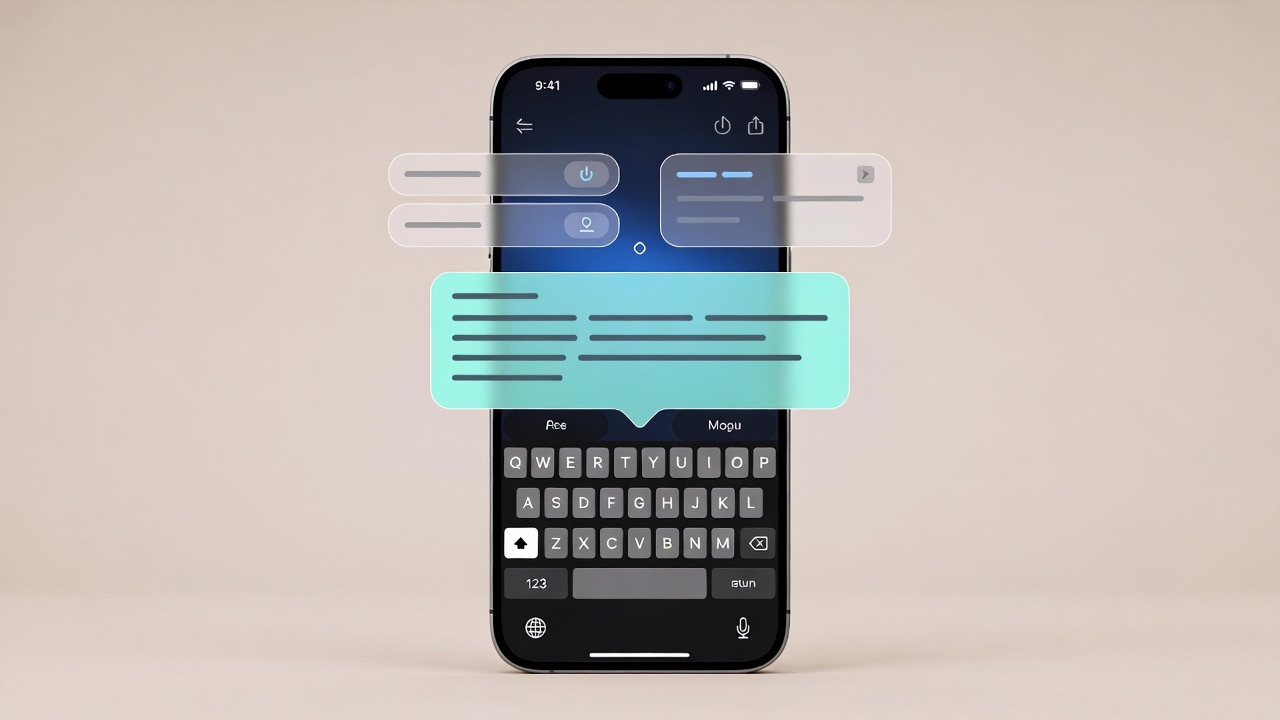
From proofreading and paraphrasing to translation, quick replies, and custom prompts, here are 10 practical things you can do with an AI keyboard on iPhone without leaving the app you’re already using.

Felix Tran
RewriteMate Dev & Editorial Lead
Write about everyday workflows, systems that help ideas move faster, from first draft to finished work.