August 7, 2026
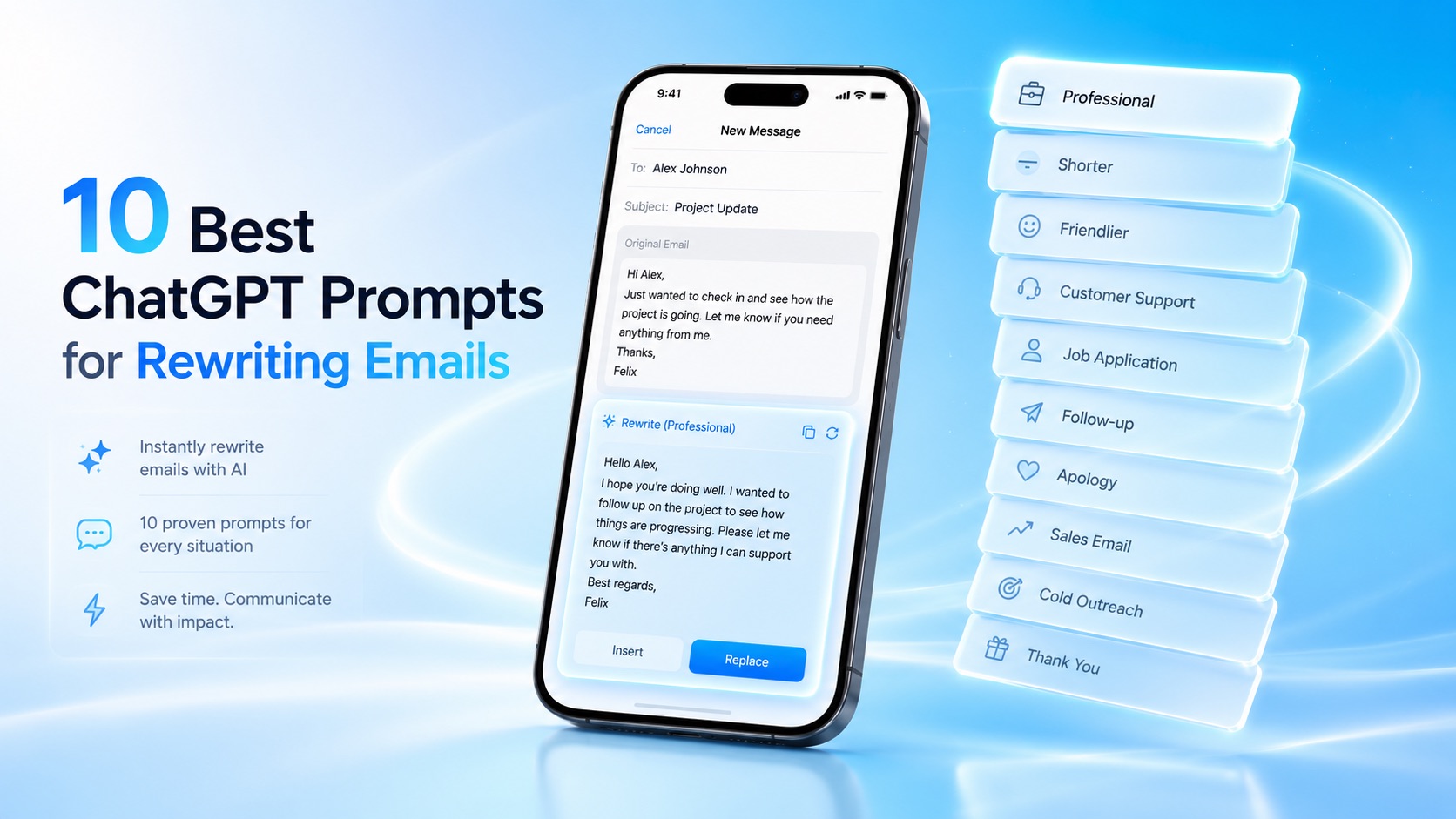
10 Best ChatGPT Prompts for Rewriting Emails
Whether you're emailing a client, replying to your manager, following up after an interview, or responding to a customer, the right wording can make a big difference.
That's why rewriting emails has become one of the most popular uses for ChatGPT.
Instead of spending time editing every sentence, you can ask AI to improve grammar, adjust your tone, make your message more concise, or rewrite it to sound more professional.
The secret isn't just using ChatGPT—it's using good prompts.
In this guide, you'll find 10 proven ChatGPT prompts you can copy and paste whenever you need to improve an email.
How to Use These ChatGPT Email Prompts
Using these prompts is simple.
- Write your email draft.
- Copy the email.
- Paste it into ChatGPT.
- Add one of the prompts below.
- Review the rewritten version before sending.
Remember that AI is an assistant, not a replacement for your judgment. Always double-check names, dates, facts, and sensitive information before sending an email.
1. Rewrite This Email Professionally
Perfect for:
- Clients
- Managers
- Business partners
- Vendors
- Executive communication
Prompt
Rewrite the email below in a professional, confident, and polite tone. Improve grammar, clarity, and flow without changing the meaning.

[Paste email here]
Why it works
This prompt tells ChatGPT exactly what you want: better wording without changing your message.
It's ideal for emails that already contain the right information but need a more polished presentation.
2. Make This Email Friendlier
Sometimes professional doesn't mean formal.
When writing to coworkers, long-term clients, or networking contacts, a warmer tone often leads to better conversations.
Prompt
Rewrite this email in a warm, friendly, and approachable tone while keeping it professional.

[Paste email here]
Best for
- Team communication
- Networking
- Customer success
- Internal emails
- Community management
3. Make This Email Shorter
Long emails often reduce response rates.
If your email feels too wordy, ask ChatGPT to simplify it.
Prompt
Rewrite this email to be more concise while keeping all important information.

[Paste email here]
Best for
- Busy executives
- Sales emails
- Follow-ups
- Internal communication
4. Improve Grammar and Clarity
Sometimes your draft already sounds good—you just want to remove mistakes.
Prompt
Proofread this email. Fix grammar, spelling, punctuation, and awkward wording while preserving my original tone.

[Paste email here]
Best for
- Final review
- Important business emails
- Client communication
- Job applications
5. Rewrite a Customer Support Email
Customer support emails should be empathetic, clear, and solution-focused.
Prompt
Rewrite this customer support email to sound empathetic, professional, and helpful while keeping the response concise.

[Paste email here]
Best for
- SaaS companies
- Ecommerce
- Customer service
- Help desk teams
6. Rewrite a Follow-Up Email
Following up can feel awkward.
You want to remind someone without sounding impatient.
Prompt
Rewrite this follow-up email so it sounds polite, confident, and respectful without feeling pushy.

[Paste email here]
Great for
- Sales
- Recruiters
- Interviews
- Partnerships
- Freelancers
7. Improve a Job Application Email
Your email creates the first impression before your resume is even opened.
Prompt
Rewrite this job application email to sound professional, enthusiastic, and confident without sounding overly formal.

[Paste email here]
Best for
- Internship applications
- Graduate roles
- Career changes
- Recruiter outreach
8. Make This Email More Persuasive
Whether you're making a request or pitching an idea, stronger wording can improve your chances of getting a positive response.
Prompt
Rewrite this email to be more persuasive while remaining respectful and professional.

[Paste email here]
Best for
- Sales
- Proposals
- Negotiations
- Funding requests
- Internal approvals
9. Rewrite for Natural English
If English isn't your first language, AI can help your emails sound more fluent while keeping your original meaning.
Prompt
Rewrite this email using natural, fluent English. Fix grammar and awkward phrasing while preserving my intended message.

[Paste email here]
Best for
- International professionals
- Students
- Remote workers
- Freelancers
- Global teams
10. Match My Writing Style
One concern people have with AI is that it can sound robotic.
You can reduce that by asking ChatGPT to preserve your voice.
Prompt
Rewrite this email in my writing style. Keep it natural and authentic while improving grammar, clarity, and readability.

[Paste email here]
Why it works
Instead of generating a completely different email, ChatGPT focuses on improving what you've already written.
The result usually feels much more personal.
Write better everywhere
Rewrite, rephrase, and refine text instantly without switching apps.
Tips for Better ChatGPT Email Prompts
Even small prompt improvements can produce noticeably better results.
Here are a few best practices:
Give Context
Instead of saying:
Rewrite this email.
Try:
Rewrite this email to a potential client who's considering our proposal.
Mention Your Audience
Tell ChatGPT who will receive the email.
Examples:
- My manager
- A customer
- A recruiter
- A colleague
- A potential investor
Specify the Tone
Examples include:
- Professional
- Friendly
- Confident
- Empathetic
- Persuasive
- Formal
- Casual
The clearer your instructions, the more consistent the output.
Ask for Multiple Versions
For important emails, request several alternatives.
For example:
Rewrite this email three different ways:

1. Professional
2. Friendly
3. Concise
This makes it easier to choose the version that best fits the situation.
Review Before Sending
AI is helpful, but it isn't perfect.
Always check:
- Names
- Dates
- Numbers
- Links
- Attachments
- Company-specific information
A quick review helps avoid embarrassing mistakes.
ChatGPT Is Great—But Frequent Email Editing Can Feel Repetitive
ChatGPT is one of the best AI tools available for improving emails.
However, if you edit dozens of emails every day, the workflow can become repetitive.
Most people follow the same process:
- Copy the email.
- Open ChatGPT.
- Paste the draft.
- Enter a prompt.
- Copy the rewritten version.
- Return to Mail or Gmail.
- Paste it back.
For occasional emails, that's perfectly reasonable.
For heavy email users, though, those extra steps can add up.
That's one reason dedicated AI writing keyboards have become increasingly popular.
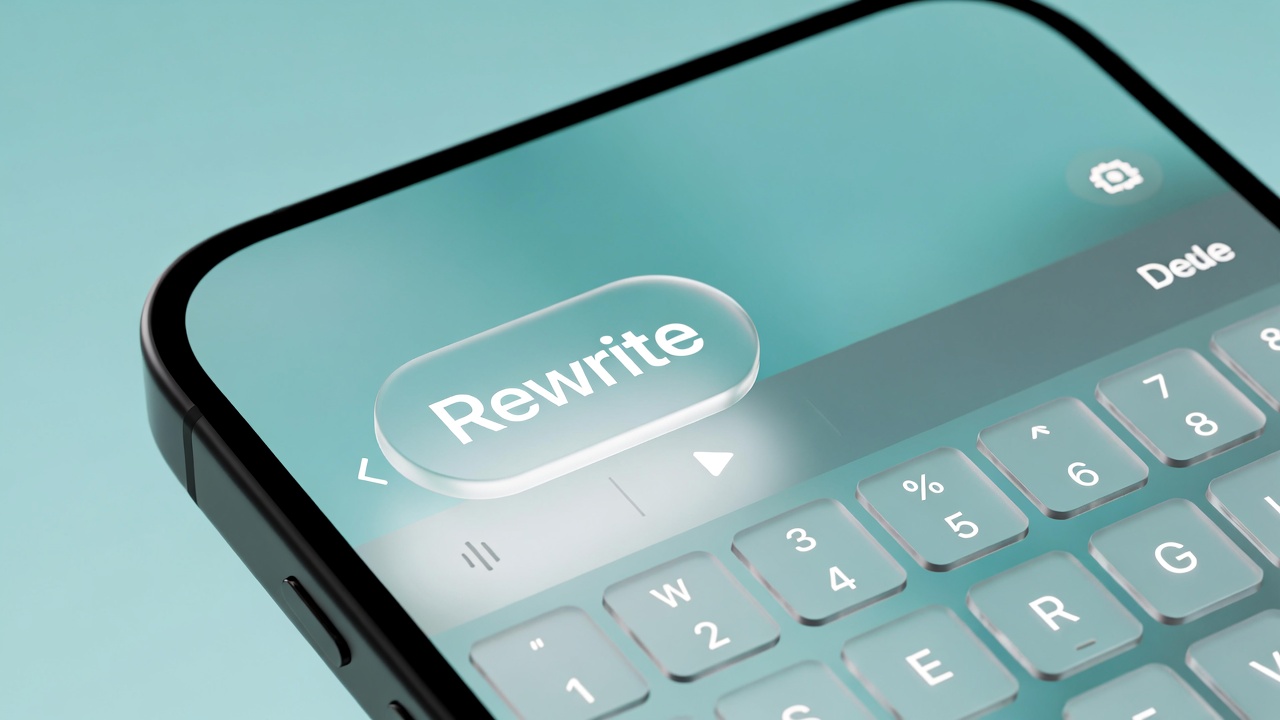
With RewriteMate, you can apply many of these same rewriting techniques directly from your iPhone keyboard while staying inside Mail, Gmail, Outlook, or other apps.
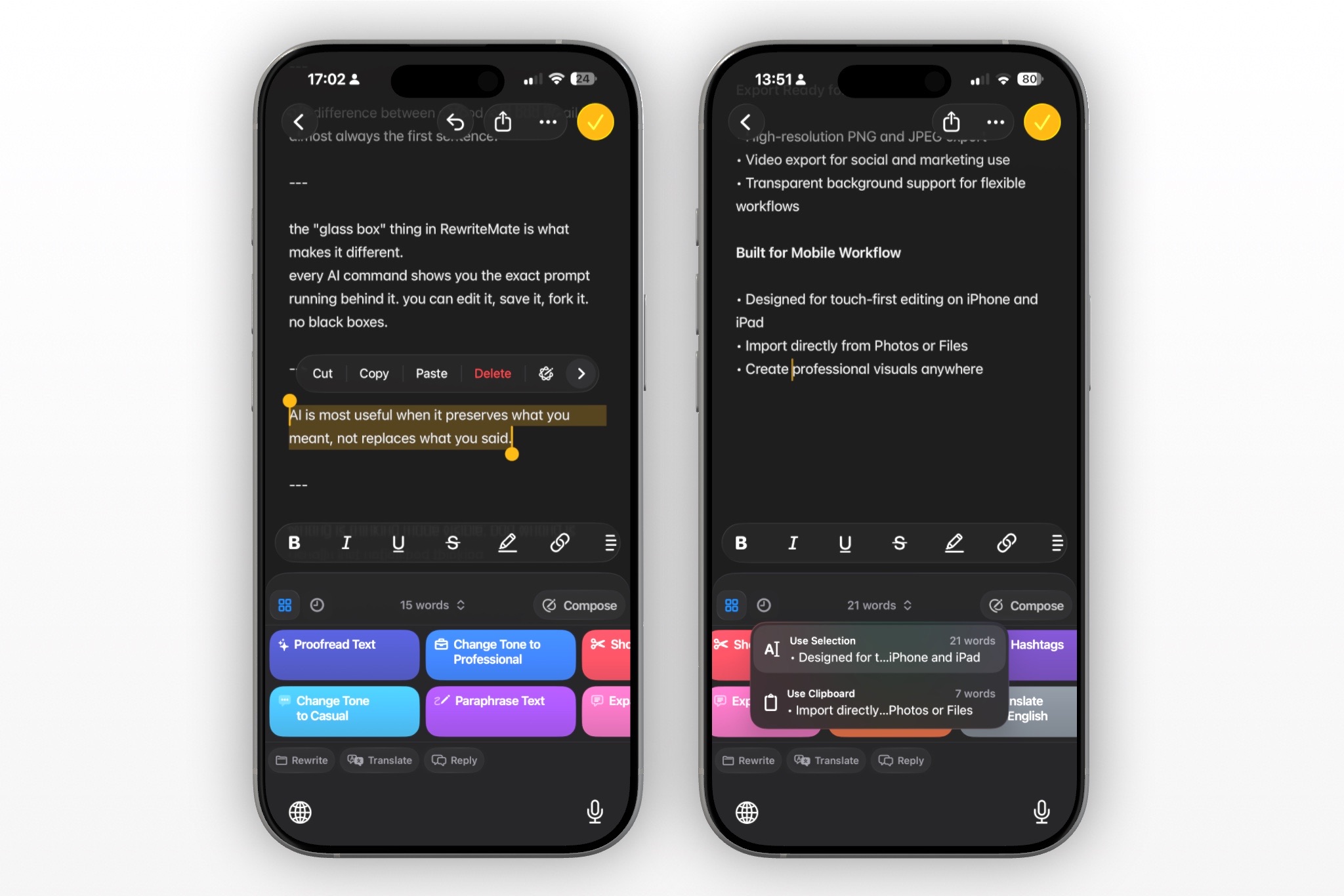
Instead of typing the same prompt repeatedly, you can save reusable Custom AI Commands like:
- Rewrite professionally
- Make friendlier
- Shorten this email
- Improve clarity
- Rewrite for a customer
- Follow-up politely
This makes everyday email editing much faster while keeping your workflow inside the app you're already using.
Related reading:
- AI Keyboard vs ChatGPT
- Rewrite Email on iPhone
- Custom AI Commands
- Homepage
Final Thoughts
ChatGPT is an outstanding writing assistant, and the quality of its output often depends on the quality of your prompts.
By saving a handful of well-crafted prompts, you can dramatically improve the professionalism, clarity, and effectiveness of your emails without starting from scratch every time.
If email is only an occasional task, copying and pasting into ChatGPT may be all you need.
But if writing emails is part of your daily routine, using an AI keyboard like RewriteMate can streamline the entire process by bringing AI-powered rewriting directly into your typing experience.
Whether you choose ChatGPT, RewriteMate, or a combination of both, the goal is the same: spend less time editing and more time communicating clearly.
Frequently Asked Questions
What is the best ChatGPT prompt for rewriting emails?
A simple prompt like "Rewrite this email in a professional, confident, and polite tone while improving grammar and clarity without changing the meaning" works well for most business communication.
Can ChatGPT make my emails sound more professional?
Yes. ChatGPT can improve grammar, tone, clarity, and overall structure, making emails sound more polished while preserving your intended message.
How do I make ChatGPT write shorter emails?
Use prompts such as:
Rewrite this email to be concise while keeping all important information.
This helps eliminate unnecessary words without losing meaning.
Can ChatGPT rewrite customer support emails?
Absolutely. It can make responses sound more empathetic, helpful, and professional while keeping them clear and solution-oriented.
What's the best prompt for job application emails?
Ask ChatGPT to rewrite your email so it sounds professional, enthusiastic, and confident while remaining authentic.
Should I always review AI-generated emails before sending?
Yes. Always verify names, dates, links, attachments, and factual information before sending any AI-assisted email.
Can I save ChatGPT prompts for repeated use?
Yes. Many users keep a document of their favorite prompts or use tools that support reusable prompt templates for faster workflows.
Is there a faster way to use these prompts on iPhone?
If you frequently rewrite emails on your phone, an AI keyboard like RewriteMate lets you save common rewriting prompts as reusable commands and apply them directly while typing, reducing the need to switch between apps.
Related articles
Keep reading
How to Reply to an Email Professionally From Your iPhone
Write clear, professional email replies from your iPhone with a simple structure, practical examples, and AI-assisted editing tips that keep your message accurate.

AI Keyboard vs AI Writing App: What's the Difference? (And Which Is Better for iPhone?)
Learn the difference between AI keyboards and AI writing apps, compare their workflows, and discover why an AI keyboard can be the faster choice for everyday writing on iPhone.
What Is an AI Keyboard? How It Works on iPhone
Learn what an AI keyboard is, how it works on iPhone, and why more people are using AI keyboard apps to rewrite, proofread, translate, and improve text without leaving the app they’re in.

Felix Tran
RewriteMate Dev & Editorial Lead
Write about everyday workflows, systems that help ideas move faster, from first draft to finished work.